
Ever find yourself on X, thinking about how much you have to say but how few characters you have to say it in? You are certainly not alone.
The bastion of online communication, Twitter (now called X) is the place to go for news, comments, and entertainment. It is the town square of the internet, where announcements are shouted from every tweet… but only if they stick to the character limit, that is!
Interestingly, while the platform started with a mere 140 characters, the evolution of threads has transformed it into a long-form storytelling hub where users consume massive amounts of information in bite-sized chunks
So, what can you do if you have more to shout about than 280 measly characters?
In this blog, we are taking a look at how to make Twitter (X) threads and why you would want to.
Let us get into it!
Principais conclusões
- Os tópicos contornam o limite de caracteres vinculando várias postagens, permitindo uma narrativa profunda e o compartilhamento de informações abrangentes em uma plataforma criada para ser breve.
- Engagement is higher on threaded content because the “cliffhanger” effect of scrolling keeps users invested in the narrative from the first post to the last.
- O planejamento é essencial para o sucesso viral, pois os tópicos de alto desempenho exigem um gancho estruturado, transições lógicas e uma proposta de valor clara para manter o interesse do leitor.
- Undetectable AI offers a suite of tools including a word counter and humanizer that help you refine your tweets to ensure they sound natural and fit the platform’s unique voice.
O que é um tópico do Twitter (X) e por que ele é importante
A Twitter thread, or a continuous post, is a series of individual tweets connected to tell a story or share complex information that exceeds the standard character limit.
While a single tweet is often a fleeting thought or a quick update, a thread is a deliberate deep dive into a topic.
Creators, brands, and writers use this format because it allows them to build authority and share expertise without forcing users to leave the platform for an external link.
Nunca mais se preocupe com a detecção de seus textos pela IA. Undetectable AI Pode lhe ajudar:
- Faça sua escrita assistida por IA aparecer semelhante ao humano.
- Bypass todas as principais ferramentas de detecção de IA com apenas um clique.
- Uso IA com segurança e com confiança na escola e no trabalho.
In fact, many users prefer reading a well-structured thread over a long-form blog post because the information is broken down into digestible, mobile-friendly segments.
Beyond just getting more words on the page, threads significantly boost reach and engagement. The X algorithm tends to favor threads because they generate more “dwell time” as users spend longer interacting with the multiple posts in the sequence.
Each individual tweet within the thread provides an opportunity for a like, reply, or retweet, effectively multiplying the visibility of the original post.
For anyone looking to build a following or share a “hot take” that requires context, mastering the art of the thread is a non-negotiable skill for digital growth.
O que faz com que um ótimo tópico se destaque
Um gancho forte no primeiro tweet
The first tweet is the most important part of your entire thread. Its only job is to stop the scroll and give people a reason to click “show more.”
A great hook usually promises a specific outcome, shares a surprising statistic, or asks a thought-provoking question. If your first tweet is boring, nobody will ever see the brilliant information you have tucked away in tweet number five.
Valor claro ou enredo
Once you have grabbed their attention, you must deliver on your promise. A standout thread provides immediate value, whether that is through a personal lesson, a set of actionable tips, or a fascinating piece of history.
There should be a logical progression where each tweet builds on the previous one, leading the reader toward a satisfying conclusion.
Formatação fácil de ler
Since X is a fast-paced environment, your formatting must be clean. Use bullet points, line breaks, and numbering to make the text scannable.
Avoid giant walls of text within a single tweet; instead, keep your sentences punchy and direct. Visuals like images or charts are also highly effective at breaking up the text and providing context.
Tom e voz consistentes
Your thread should sound like you. Whether you are being witty, professional, or deeply emotional, maintaining a consistent voice ensures that the reader feels a connection to the author.
This authenticity is what encourages people to follow you after they finish reading the final post.
Um final memorável ou uma chamada para ação
Never let a thread just “fizzle out.” Wrap up with a strong summary or a clear call to action.
Ask your readers what they think, encourage them to retweet the first post, or point them toward your newsletter or website. A strong ending turns a casual reader into a loyal follower.
A estrutura perfeita da linha (que mantém as pessoas lendo)
Criar um thread que as pessoas realmente terminem requer uma abordagem arquitetônica específica.
| Componente | Finalidade | Melhores práticas |
| Gancho | Parar a rolagem | Use uma afirmação em negrito, um número ou uma lacuna de curiosidade para chamar a atenção imediatamente. |
| Contexto | Definir expectativas | Explique brevemente o que o tópico aborda para que o leitor saiba por que deve continuar rolando a página. |
| Corpo | Entregar valor | Use a step-by-step format or a narrative arc to share the “meat” of your content. |
| Transições | Mantenha o fluxo | Use phrases like “Here is why this matters” or numbering (1/5) to guide the reader. |
| Finalização | Encerramento | Resuma as principais conclusões e forneça uma próxima etapa clara para o público. |
How to Make a Thread on Twitter (X): Step-by-Step
Step 1: Plan Your Main Idea
Before you open the app, decide exactly what you want to say. Start by identifying the core message and the top 5-10 points you need to make.
A chaotic thread is hard to follow, so take a moment to outline your thoughts in a separate document first.
Step 2: Write a Scroll-Stopping First Tweet
Draft your hook with care. Remember that this tweet will often be seen in isolation on people’s timelines, so it needs to be powerful enough to stand on its own while inviting the click to see the rest.
Step 3: Break Content Into Multiple Tweets
Take your outline and start slotting the information into individual tweets. Keep each post focused on one specific sub-point. If a post feels too long, break it into two.
This is where you can use the Undetectable AI’s Word Counter to ensure you are staying within the character limits for each segment.
Step 4: Use the Thread Feature to Connect Tweets
On X, click the “Compose” button and write your first tweet. Then, look for the “+” icon (usually located next to the “Post” button).
Clicking this adds a new tweet to the thread. Repeat this until your entire story is laid out in the editor.
Step 5: Review, Edit, and Post
Read through the entire sequence one last time. Check for typos, ensure the flow makes sense, and make sure your visuals are attached to the right posts. Once it looks perfect, click “Post All” to send your thread into the wild.
Step 6: Publish and Promote Your Thread
Quando todo o tópico estiver concluído, é hora de clicar em publicar!
Don’t forget that you’ll need to create an individual tweet first, then click the “+” or “Add another tweet” to create a thread.
Após a publicação, interaja com seu público respondendo a comentários e retweets. Compartilhar seu tópico em outras plataformas é uma ação inegociável, mas, às vezes, o bloqueio geográfico ou as restrições locais podem limitar seu acesso. Use um VPN para acessar o Twitter, contornar restrições com segurança e alcançar um público global.
Promova seu tópico em outras plataformas, como o Instagram, para atrair mais leitores e peça a seu melhor amigo que o repasse também, para dar um empurrãozinho extra!
Exemplos de threads de alto desempenho

- Storytelling thread: These often share a “rags to riches” journey or a hard-learned lesson from a failure. They work because humans are biologically wired for narrative, making us stay for the resolution of the conflict.
- Educational thread: These provide “how-to” insights or breakdown complex topics like current financial technology trends into simple steps. They are highly bookmarkable and often get shared as resources.
- List-style thread: A collection of tools, books, or strategies. These are popular because they offer high value with very little effort required from the reader to understand the takeaway.
- Viral opinion or hot take thread: These spark debate by challenging common wisdom. While they can be controversial, they generate massive amounts of engagement through replies and quote tweets.
- Case study or breakdown thread: These analyze a specific success, like how a company grew its revenue or how an athlete achieved a record. They provide a “behind the scenes” look that people find fascinating.
Tips for Writing Threads That Get Engagement
- Start with a strong hook that sparks curiosity: Use words that evoke emotion or promise a transformation. If you don’t win them at the start, you lose them forever.
- Keep each tweet short and easy to scan: Use line breaks liberally. No one wants to read a 280-character paragraph on a mobile screen.
- Use spacing to improve readability: White space is your friend. It makes the content feel less like work to consume and more like a casual conversation.
- Add value in every tweet (no filler): If a tweet doesn’t move the story forward or provide a useful tip, delete it. Respect your reader’s time.
- Use numbers or steps to create structure: Numbering your tweets (e.g., 1/10) helps people understand where they are in the journey and how much is left.
- End with a clear takeaway or CTA: Tell them exactly what to do next. Whether it’s “follow me for more” or “click this link,” be direct.
- Stay consistent with your posting style: Over time, your followers will come to recognize your unique “thread style,” which helps build a stronger brand identity.
Managing and Optimizing Your Threads Over Time
Como adicionar mais tweets a um tópico
If you have more to say after a thread has been live for a few hours, you can still add to it. Simply navigate to the last tweet in your thread and click the reply icon.
X will often recognize this as a continuation, keeping the conversation grouped together. This is a great way to provide live updates on an ongoing event.
How to Edit or Delete Tweets in a Thread
If you have a Premium subscription, you can edit your tweets within a short window after posting. If you don’t have Premium, your only option for a major mistake is to delete the specific tweet.
Fortunately, deleting a middle tweet won’t “break” the visual connection for people viewing the thread in the “conversation” view, but it may look odd to those scrolling through your profile.
Tracking Performance (Likes, Replies, Shares)
Use the analytics button on your posts to see how many people are clicking through. Pay close attention to where people “drop off.”
If most people stop reading after tweet three, you know that your transition there needs work for your next attempt.

For long-term growth, you can use the AI SEO Content Writer to help you repurpose your best threads into SEO-friendly blog posts to reach a wider audience.
Common Thread Mistakes to Avoid
Weak or Confusing First Tweet
If your hook is vague or confusing, people will keep scrolling. Avoid starting with “I was thinking today about…” and instead start with “I spent 100 hours researching X so you don’t have to.”
Writing Long, Hard-to-Read Blocks
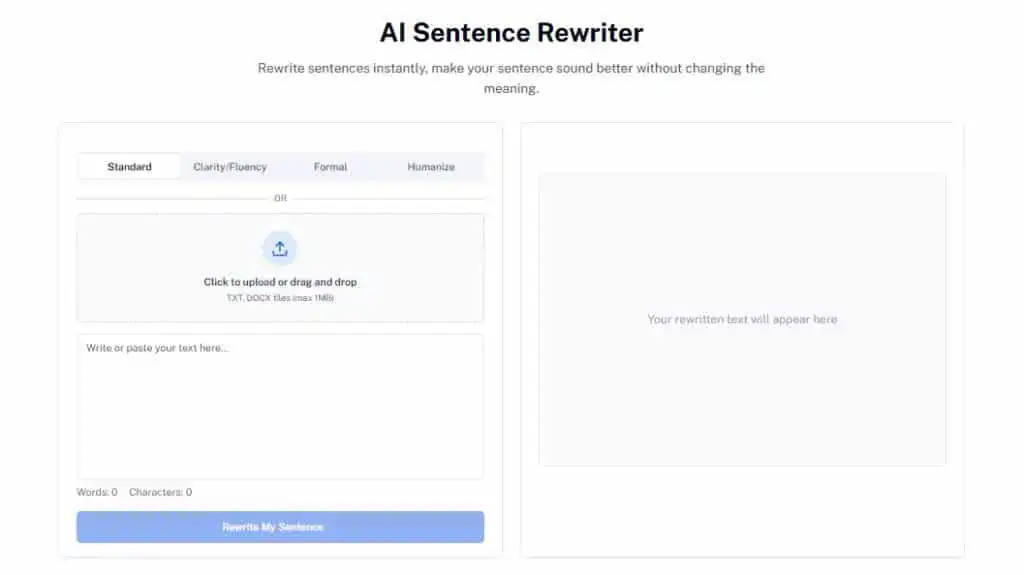
If a tweet looks like a wall of text, it will be ignored. If you find your sentences are getting too complex, you can use our Undetectable AI’s Sentence Rewriter to break them down into punchy, scroll-friendly segments.
No Clear Structure or Flow
A thread that jumps randomly from one topic to another will frustrate readers. Ensure that there is a “thread” of logic that connects post A to post B. If the connection isn’t obvious, explain it.
Ending Without a Strong Conclusion
Don’t just stop talking. Summarize the main lesson or provide a final thought that leaves the reader feeling like their time was well spent.
A weak ending makes the whole experience feel like a waste of time.
Using Undetectable AI to Improve Your Thread Writing
Crafting the perfect thread requires a balance of speed and precision. You can use Undetectable AI to generate thread ideas quickly by inputting your long-form articles or research notes and asking for a punchy breakdown.
This helps you maintain a consistent voice across all your posts while ensuring that your hooks are as sharp as possible.
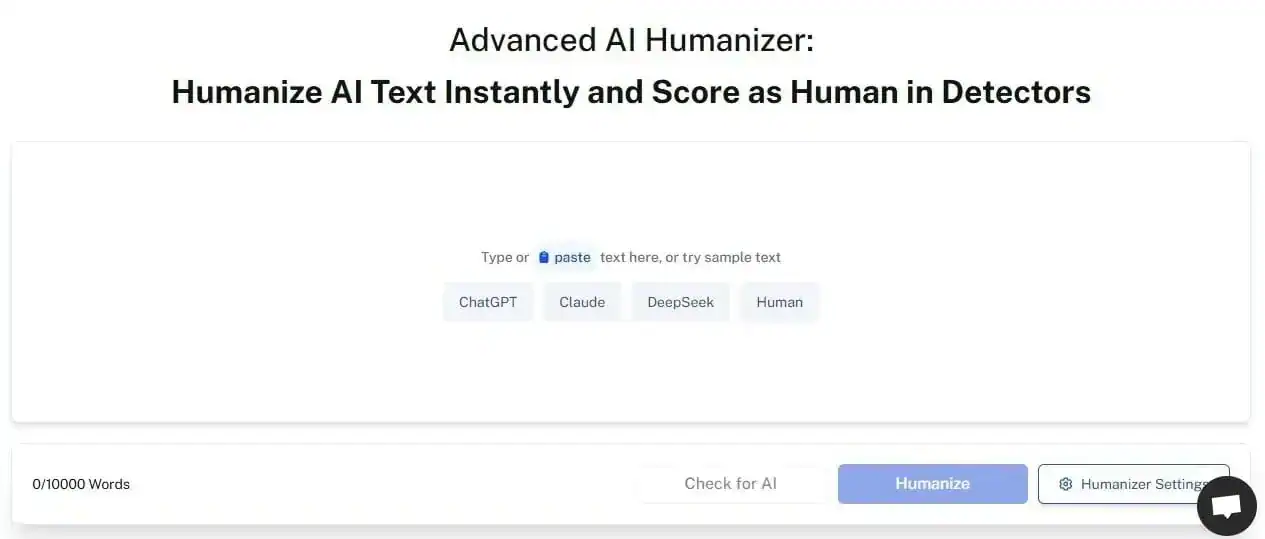
Furthermore, the Humanizador de IA is an essential tool for making AI-assisted tweets sound more natural. Since X is a platform built on personal voice, sounding like a robot is a quick way to get ignored.
By refining your drafts with these tools, you can maintain a human touch while taking advantage of the efficiency of AI.
Using the Word Counter throughout the process ensures that you never have to deal with the frustration of being over the character limit right as you are about to hit post.
Descubra nosso Detector de IA e Humanizador no widget abaixo!
Perguntas frequentes
How many tweets should be in a thread?
The sweet spot is usually between 5 and 10 tweets. Anything longer than 15 might be better suited for a blog post, as reader fatigue starts to set in.
Can I schedule a thread?
Yes, many third-party tools like Buffer or Hypefury allow you to schedule entire threads in advance. X also has built-in scheduling for individual posts, though managing a full thread natively can be a bit more complex.
What is the best time to post a thread?
De acordo com current social media engagement maps, mid-morning on Tuesdays and Wednesdays usually sees the highest engagement for professional or educational content.
Conclusão
Writing a successful thread on Twitter (X) is a powerful way to share ideas and grow your digital presence.
By focusing on a scroll-stopping hook, delivering clear value in every post, and ending with a strong call to action, you can turn a simple series of tweets into a viral sensation.
Remember that the platform favors those who provide genuine insight in an easy-to-read format.
With a bit of planning and the right mix of human creativity and technical tools, your next thread could be the one that sparks a global conversation.
Explorar Undetectable AI to help you refine your thread writing and ensure your voice stays human.