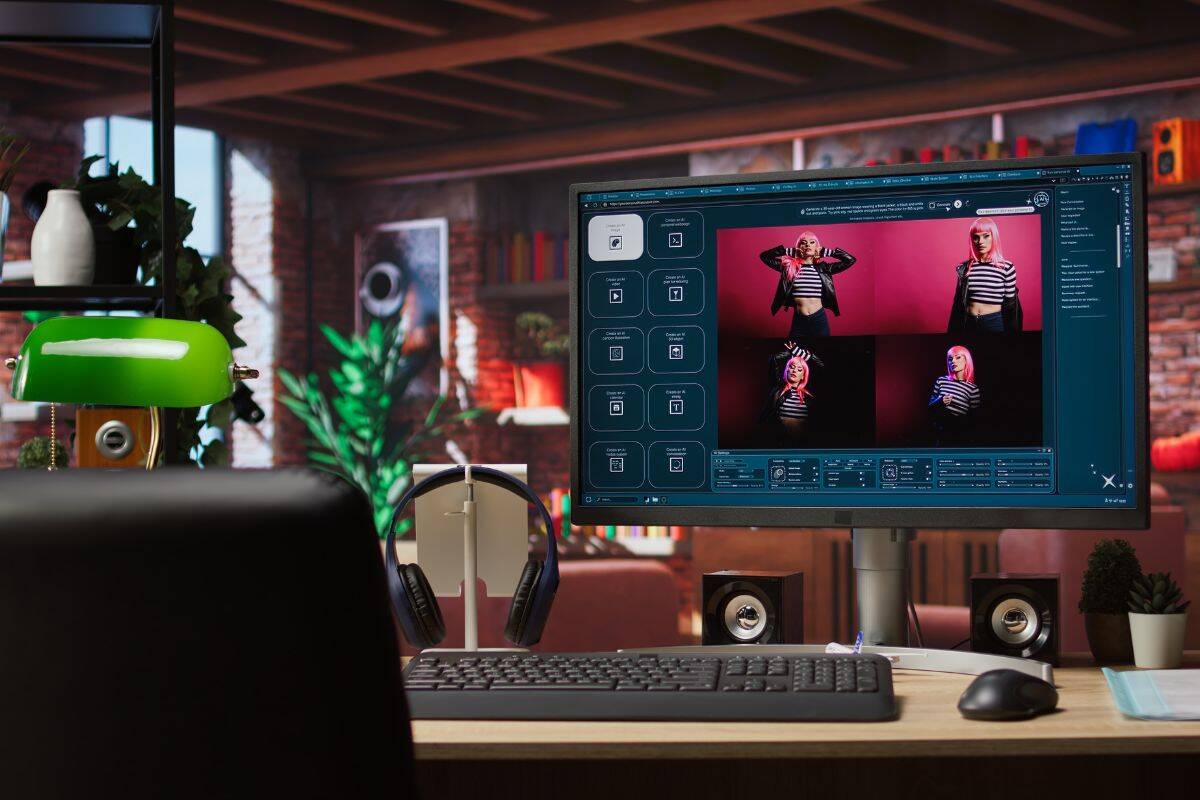
Folk elsker idé at skabe spændende visuelle elementer, der passer til deres indhold. Men virkeligheden er, at de ikke altid har de nødvendige designfærdigheder (eller budgettet) til at omdanne deres ideer til noget poleret og professionelt.
Napkin AI lover en genvej. Alt du skal gøre er at uploade din tekst, og Napkin AI kan øjeblikkeligt omdanne den til et diagram eller en infografik.
Hvad er mere interessant?
Du behøver ikke engang at medbringe dit eget indhold for at komme i gang. Napkin AI kan også generere teksten for dig og derefter bruge den som grundlag for dine visuelle elementer.
Men denne funktion rejser et vigtigt spørgsmål: Hvor god er denne AI-genererede tekst? virkelig?
Vi ville finde ud af det.
I denne anmeldelse gennemgår vi, hvordan Napkin AI fungerer, hvad det er godt til, og om dets AI-genererede tekst er faktisk værd at bruge som grundlag for dit indhold.
TL;DR: Napkin AI er hurtig, intuitiv og fantastisk til at omdanne ideer til visuelle elementer. Men hvis du planlægger at bruge den AI-genererede tekst offentligt, bør du først redigere og humanisere den for at undgå AI-detektion.
Det vigtigste at tage med
- Napkin AI giver brugerne mulighed for at omdanne tekst til professionelle diagrammer og infografikker uden at have designfærdigheder eller et stort budget.
- Platformen indeholder en AI-skrivefunktion, men den resulterende tekst kræver ofte manuel humanisering for at omgå AI-detektionsfiltre.
- Der tilbydes en fleksibel prisstruktur, der starter med en gratis plan, der giver 500 ugentlige kreditter til oprettelse og redigering af visuelle elementer.
- Selvom det er ideelt med hensyn til hastighed og enkelhed, er det ikke en erstatning for avanceret designsoftware, der håndterer komplekse data eller brugerdefineret branding.
- For at bruge værktøjet med succes skal man fokusere på dets visuelle generering og samtidig tage ekstra skridt til at finpudse alt AI-skrevet indhold til professionel brug.
Hvad er Napkin AI?
Napkin AI er et værktøj, der omdanner skriftligt indhold til klare, strukturerede billeder.
Disse billeder kan derefter bruges i præsentationer, blogindlæg, landingssider, interne dokumenter eller indlæg på sociale medier.
Dette er især nyttigt for folk som konsulenter eller undervisere, der har brug for at forklare deres ideer hurtigt og klart, men som ikke nødvendigvis har tiden, budgettet eller designfærdighederne til at skabe visuelle elementer fra bunden.
Du skal aldrig bekymre dig om, at AI opdager dine tekster igen. Undetectable AI Kan hjælpe dig:
- Få din AI-assisterede skrivning til at fremstå Menneskelignende.
- Bypass alle større AI-detektionsværktøjer med bare ét klik.
- Brug AI sikkert og selvsikkert i skolen og på arbejdet.
Oversigt og hovedfunktioner
Napkin AI's vigtigste funktioner omfatter:
- Tekst-til-visuel generering: Kopier/indsæt din tekst (eller generer tekst inden for platformen), og Napkin AI kan omdanne den til diagrammer, tankekort, flowcharts eller infografikker.
- Redigering og tilpasning: Du kan derefter justere udseendet af dine grafikker ved at bytte ikoner og ændre farver.
- Eksportmuligheder i flere formater: Visuelle elementer kan downloades som dias, billeder, PDF-filer eller skalerbare grafikker, så du kan begynde at bruge dem i dit indhold med det samme.
Prisfastsættelse
Napkin AI tilbyder en grundlæggende differentieret prisstruktur med en gratis plan og to betalte muligheder, afhængigt af hvor meget du planlægger at bruge platformen.
Her er et overblik over, hvad du kan forvente af hver enkelt plan:
| Napkin AI-priser: Hurtigt overblik | |||
| Planlæg | Pris | Bedst til | Hvad du får |
| Gratis (for altid) | $0 | Test af værktøjet, let brug | 500 AI-kreditter/uge Ubegrænset visuel redigering Ubegrænset filimport Kun eksport til PNG og PDF Standardformater, skrifttyper og ikoner Servietbranding |
| Plus | $12 pr. person/måned | Regelmæssig professionel brug | 10.000 AI-kreditter/måned PNG-, PDF-, PPT- og SVG-eksport Op til 3 brandstilarter med fed ikon tilgængelig Servietmærkning fjernet |
| Pro | $30 pr. person/måned | Teams og avanceret branding | 30.000 AI-kreditter/måned Eksklusive designs Ubegrænset brugerdefineret branding Avancerede værktøjer til teamledelse |
Sådan bruges Napkin AI
Napkin AI er et af de mest begyndervenlige værktøjer, vi nogensinde har testet. Her er en hurtig trin-for-trin guide til, hvordan det fungerer.
Trin #1: Indsæt eller generer din tekst
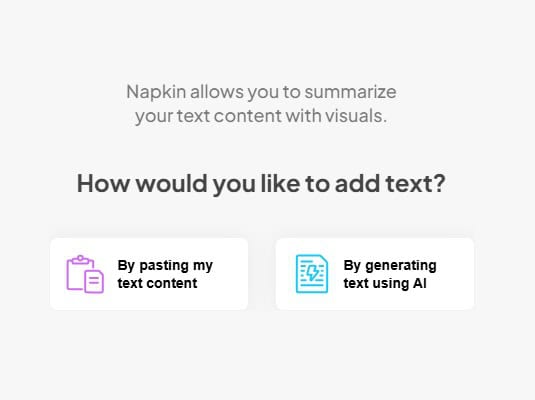
For at komme i gang skal du blot indsætte den tekst, du ønsker at omdanne, i platformen.
Det kunne være:
- Et afsnit, der forklarer en idé
- En grov skitse
- Noter fra et møde
- Et afsnit af et blogindlæg eller dokument
Hvis du ikke har noget eksisterende indhold at arbejde med, kan du også generere en tekst med det indbyggede AI-værktøj.
Trin #2. Generer dine visuelle elementer
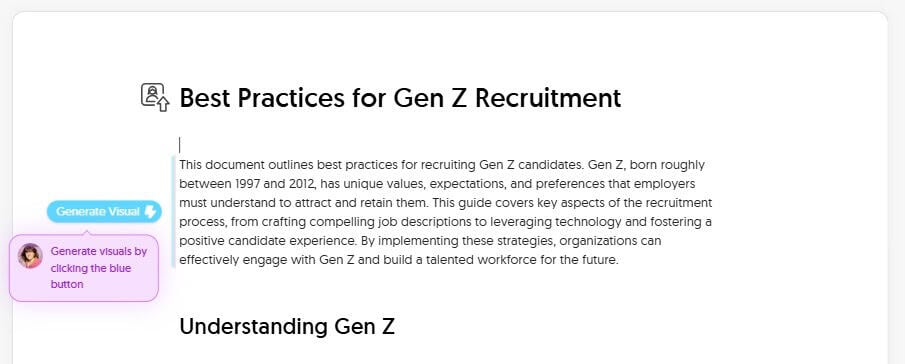
Når du har et stykke tekst at arbejde med, skal du klikke på den blå knap for at generere dine billeder.
Napkin AI vil derefter automatisk generere flere forskellige muligheder baseret på dit indhold. Du kan for eksempel oprette ting som:
- Diagrammer
- Flowdiagrammer
- Tankekort
- Infografik-stil layouts
- Tidslinjer
- Køreplaner
Vælg derefter det billede, der bedst repræsenterer det, du ønsker at kommunikere.
Trin #3. Rediger og tilpas dine grafikker
Når du er tilfreds med strukturen i dit visuelle udtryk, kan du finpudse det, så det passer bedre til dit budskab eller din stil.
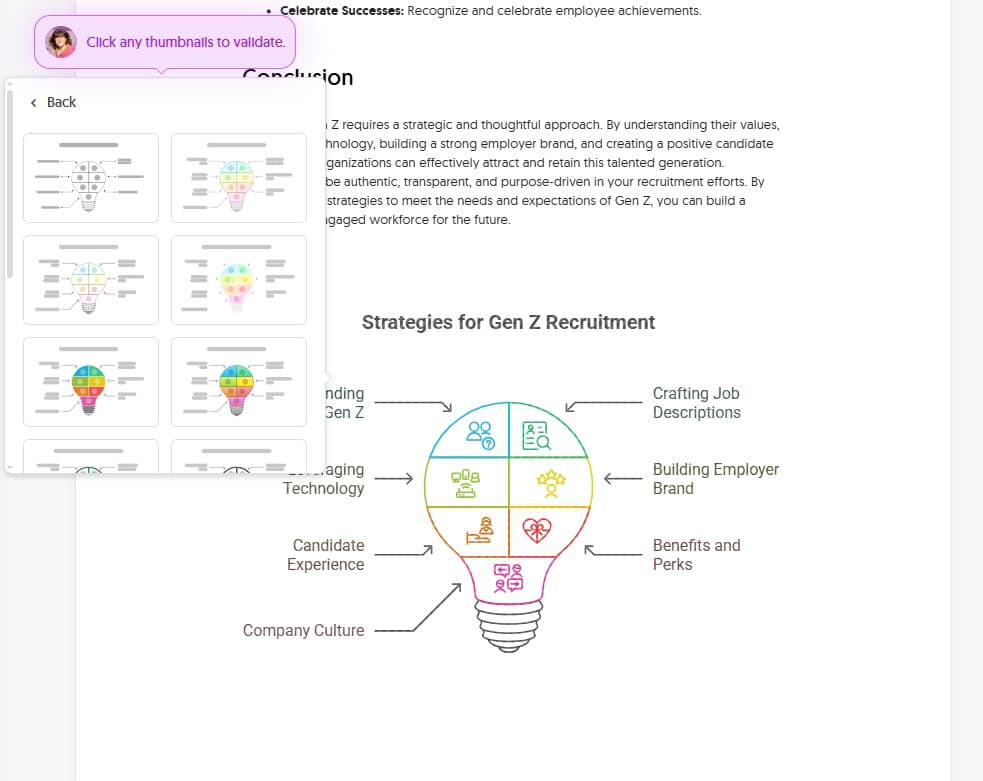
Du kan f.eks. udskifte ikonerne, ændre skrifttyper og farver eller tilføje ekstra dekorationer for at fremhæve vigtige budskaber og idéer.
Trin #4. Eksport
Når du er færdig med at redigere, kan du eksportere din grafik i følgende formater:
- PNG
- PPT
- SVG
Dette gør det nemt at indsætte dine billeder direkte i dit indhold.
Test og resultater
Napkin AI's grafik er solid, men vi var mere nysgerrige efter den del, der virkelig det er vigtigt, hvis du planlægger at genbruge resultatet i professionelle sammenhænge: den AI-genererede tekst.
Da Napkin AI kan skrive indholdet for dig (og det er helt normalt at ønske at genbruge eller genanvende teksten i forskellige indholdsformer), er det værd at se nærmere på, hvor god teksten egentlig er, og om der er risiko for, at den bliver opdaget som AI.
Så vi satte det på prøve.
Vi bad Napkin AI om at generere indhold om et realistisk forretningsemne og kørte derefter resultatet gennem flere AI-detekteringsværktøjer for at se, om de kunne identificere det som AI.
Du kan f.eks. udskifte ikonerne, ændre skrifttyper og farver eller tilføje ekstra dekorationer for at fremhæve vigtige budskaber og idéer.
Trin #4. Eksport
Når du er færdig med at redigere, kan du eksportere din grafik i følgende formater:
- PNG
- PPT
- SVG
Dette gør det nemt at indsætte dine billeder direkte i dit indhold.
Test og resultater
Napkin AI's grafik er solid, men vi var mere nysgerrige efter den del, der virkelig det er vigtigt, hvis du planlægger at genbruge resultatet i professionelle sammenhænge: den AI-genererede tekst.
Da Napkin AI kan skrive indholdet for dig (og det er helt normalt at ønske at genbruge eller genanvende teksten i forskellige indholdsformer), er det værd at se nærmere på, hvor god teksten egentlig er, og om der er risiko for, at den bliver opdaget som AI.
Så vi satte det på prøve. Vi bad Napkin AI om at generere indhold om et realistisk forretningsemne og kørte derefter resultatet gennem flere AI-detekteringsværktøjer for at se, om de kunne identificere det som AI.
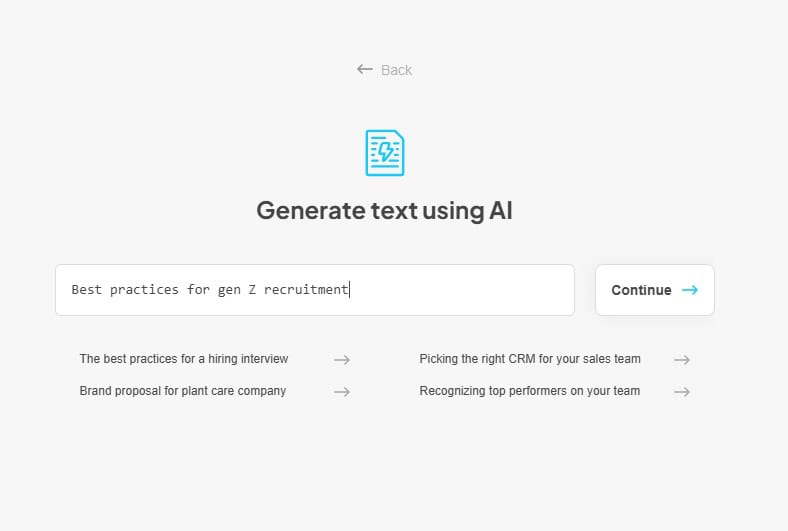
Vores emne var: “Bedste praksis for rekruttering af generation Z.”
Efter at have bedt om det genererede, producerede Napkin AI lidt over 1.000 ord struktureret indhold, der dækkede nøgledefinitioner, bedste praksis og en sammenfattende konklusion.
For at sikre gennemsigtighed var her tekstudskriften:
| Napkin AI: Genereret tekst til “Bedste praksis for rekruttering af generation Z” |
| Bedste praksis for rekruttering af generation Z Dette dokument beskriver bedste praksis for rekruttering af kandidater fra generation Z. Generation Z, der er født mellem 1997 og 2012, har unikke værdier, forventninger og præferencer, som arbejdsgivere skal forstå for at kunne tiltrække og fastholde dem. Denne vejledning dækker centrale aspekter af rekrutteringsprocessen, fra udarbejdelse af overbevisende jobbeskrivelser til udnyttelse af teknologi og fremme af en positiv kandidatoplevelse. Ved at implementere disse strategier kan organisationer effektivt engagere sig i generation Z og opbygge en talentfuld arbejdsstyrke til fremtiden. Forståelse af generation Z Inden vi går i dybden med specifikke rekrutteringsstrategier, er det vigtigt at forstå de karakteristika og værdier, der definerer generation Z: Digitale indfødte: De er vokset op med internettet og sociale medier, hvilket gør dem teknisk kyndige og fortrolige med onlinekommunikation. Værdi Autenticitet: De værdsætter gennemsigtighed og ærlighed fra arbejdsgivere. De kan let gennemskue uægtheder. Formålsdrevet: De søger mening i deres arbejde og ønsker at bidrage til noget, der er større end dem selv. Uafhængig og iværksætter: De er ofte selvstændige og værdsætter autonomi i deres arbejde. Mangfoldig og inkluderende: De prioriterer mangfoldighed, lighed og inklusion på arbejdspladsen. Værdsæt balancen mellem arbejde og privatliv: De søger fleksibilitet og en sund balance mellem deres professionelle og personlige liv. Praktisk og pragmatisk: De er ofte økonomisk bevidste og søger stabilitet og sikkerhed. Udarbejdelse af overbevisende jobbeskrivelser Jobbeskrivelsen er ofte det første kontaktpunkt med potentielle kandidater. For at tiltrække generation Z skal du sikre dig, at dine jobbeskrivelser er: Klar og præcis: Brug et enkelt sprog og undgå fagudtryk. Gå direkte til sagens kerne med hensyn til stillingens ansvarsområder og krav. Autentisk og gennemsigtig: Giv et præcist billede af rollen og virksomhedskulturen. Undgå at overdrive eller give falske løfter. Fremhæv formål og virkning: Fremhæv, hvordan rollen bidrager til virksomhedens mission og gør en forskel. Vis virksomhedskulturen frem: Inkluder oplysninger om virksomhedens værdier, arbejdsmiljø og medarbejderfordele. Mobilvenlig: Sørg for, at jobbeskrivelsen er let læselig på mobile enheder. Inkluder løninterval: Vær åben om lønrammen for at undgå spild af tid for begge parter. Generation Z værdsætter gennemsigtighed i forhold til løn. Fremhæv vækstmuligheder: Generation Z er interesseret i karriereudvikling. Fremhæv mulighederne for læring og avancement inden for virksomheden. Udnyttelse af teknologi Generation Z er fortrolig med teknologi og forventer en problemfri digital oplevelse. Brug teknologi til at forbedre din rekrutteringsproces: Mobil-først-tilgang: Optimer din karriereside og ansøgningsprocessen til mobile enheder. Rekruttering via sociale medier: Brug platforme som LinkedIn, Instagram, TikTok og endda Twitch til at nå ud til kandidater fra generation Z. Del spændende indhold, der viser din virksomhedskultur og værdier. Videoindhold: Lav korte videoer, der fremhæver medarbejderudtalelser, firmaarrangementer og arbejdsmiljøet. Virtuelle karrieremesser: Deltag i eller afhold virtuelle karrieremesser for at komme i kontakt med kandidater på afstand. AI-drevne værktøjer: Brug AI-baserede værktøjer til screening af CV'er, chatbot-kommunikation og matchning af kandidater. Gamification: Inkorporer gamificerede elementer i ansøgningsprocessen for at gøre den mere engagerende og interaktiv. Strømlinet ansøgningsproces: Gør ansøgningsprocessen så enkel og ligetil som muligt. Undgå lange formularer og unødvendige trin. Opbygning af et stærkt arbejdsgiverbrand Din arbejdsgiverbrand er dit omdømme som arbejdsgiver. En stærk arbejdsgiverbrand kan have stor indflydelse på din evne til at tiltrække talenter fra generation Z: Vis dine værdier frem: Kommunikér tydeligt din virksomheds værdier, og hvordan de stemmer overens med Gen Z's værdier. Fremhæv medarbejdernes oplevelser: Del medarbejderhistorier og udtalelser for at fremhæve de positive aspekter ved at arbejde i din virksomhed. Fremme mangfoldighed og inklusion: Vis dit engagement i mangfoldighed, lighed og inklusion gennem dine politikker og praksis. Engager dig på sociale medier: Interagér aktivt med potentielle kandidater på sociale medier og besvar deres spørgsmål og kommentarer. Fremme medarbejdernes engagement: Opfordr dine medarbejdere til at dele deres positive oplevelser på sociale medier og anmeldelsessider. Vær autentisk: Vær ærlig og åben i dine bestræbelser på at fremme din arbejdsgivers image. Undgå at fremstille et falsk billede af din virksomhed. Skabe en positiv kandidatoplevelse Kandidatoplevelsen er afgørende for at tiltrække og fastholde talenter fra generation Z. En positiv oplevelse kan efterlade et varigt indtryk, selvom kandidaten ikke bliver ansat: Tidlig kommunikation: Svar hurtigt på ansøgninger og forespørgsler. Hold kandidaterne informeret gennem hele rekrutteringsprocessen. Personlig kommunikation: Tilpas din kommunikation til hver kandidats interesser og baggrund. Gennemsigtig feedback: Giv konstruktiv feedback til kandidaterne, selvom de ikke bliver valgt til stillingen. Respektfuld behandling: Behandl alle kandidater med respekt og professionalisme. Nem planlægning: Gør det nemt for kandidaterne at planlægge samtaler og andre aftaler. Virtuelle interviews: Tilbyd virtuelle interviewmuligheder for at imødekomme kandidaternes tidsplaner og præferencer. Opfølgning efter samtalen: Følg op med kandidaterne efter samtalen for at takke dem for deres tid og give dem en opdatering om ansættelsesprocessen. Tilbyder konkurrencedygtige fordele og goder Generation Z værdsætter fordele og goder, der understøtter deres velbefindende og balance mellem arbejde og privatliv: Fleksible arbejdsordninger: Tilbyd fleksible arbejdstider, muligheder for fjernarbejde og komprimerede arbejdsuge. Sundheds- og wellness-programmer: Tilbyd omfattende sundhedsforsikring, psykisk sundhedsstøtte og wellness-programmer. Hjælp til tilbagebetaling af studielån: Tilbyd hjælp til tilbagebetaling af studielån for at tiltrække nyuddannede kandidater. Muligheder for faglig udvikling: Tilbyde muligheder for læring og udvikling, såsom uddannelsesprogrammer, mentorprogrammer og refusion af studieafgifter. Betalt frihed: Tilbyd generøs betalt frihed, herunder ferie, sygefravær og fridage. Medarbejderrabatter: Giv medarbejderne rabat på virksomhedens produkter eller tjenester. Sociale begivenheder: Organiser sociale arrangementer og teambuilding-aktiviteter for at fremme fællesskabsfølelsen. Fremhævelse af virksomhedskultur Generation Z søger et positivt og støttende arbejdsmiljø. Fremhæv din virksomhedskultur gennem hele rekrutteringsprocessen: Vis dine værdier frem: Kommunikér tydeligt din virksomheds værdier, og hvordan de afspejles på arbejdspladsen. Fremhæv medarbejdersamarbejde: Understreg vigtigheden af teamwork og samarbejde. Fremme en læringskultur: Skab en kultur, der fremmer læring og udvikling. Fremme fællesskabsfølelsen: Skab et fællesskab gennem sociale arrangementer, teambuilding-aktiviteter og medarbejderressourcegrupper. Fremme åben kommunikation: Fremme åben kommunikation og feedback mellem medarbejdere og ledelse. Fejr succeser: Anerkend og fejr medarbejdernes præstationer. Konklusion Rekruttering af generation Z kræver en strategisk og gennemtænkt tilgang. Ved at forstå deres værdier, udnytte teknologi, opbygge et stærkt employer brand og skabe en positiv kandidatoplevelse kan organisationer effektivt tiltrække og fastholde denne talentfulde generation. Husk at være autentisk, transparent og målrettet i dine rekrutteringsbestræbelser. Ved at tilpasse dine strategier til generation Z's behov og forventninger kan du opbygge en mangfoldig og engageret arbejdsstyrke til fremtiden. |
Ved første øjekast var teksten læselig og logisk opbygget. Den viste dog også nogle velkendte AI-mønstre, såsom gentagne formuleringer og generiske overgange.
I stedet for kun at stole på subjektive vurderinger, kørte vi teksten gennem flere AI-detekteringsværktøjer for at se, hvordan den ville klare sig.
Vi valgte bevidst værktøjer med forskellige detektionsmetoder og målgrupper for at få et mere afbalanceret billede, i stedet for at stole på en enkelt score.
Her er de AI-detektorer, vi brugte:
- Uopdagelig AI-detektor: Anvendes som en højfølsom benchmark (baseret på ZDNet's rangliste af de bedste AI-detekteringsværktøjer).
- Grammarly AI-detektion: Testet for at afspejle, hvordan AI-genereret indhold kan markeres i almindelige skrive- og redigeringsworkflows.
- MyDetector: Inkluderet som et sekundært referencepunkt, der hjælper os med at se, hvordan detektorer med opdeling i AI, menneskelig og blandet AI og menneskelig kan klassificere teksten.
Efter at have kørt Napkin AI's genererede tekst gennem alle tre detektorer, fandt vi følgende:
| Napkin AI-værktøj: Resultater af outputdetektering | ||
| Uopdagelig AI | Grammarly AI | MyDetector |
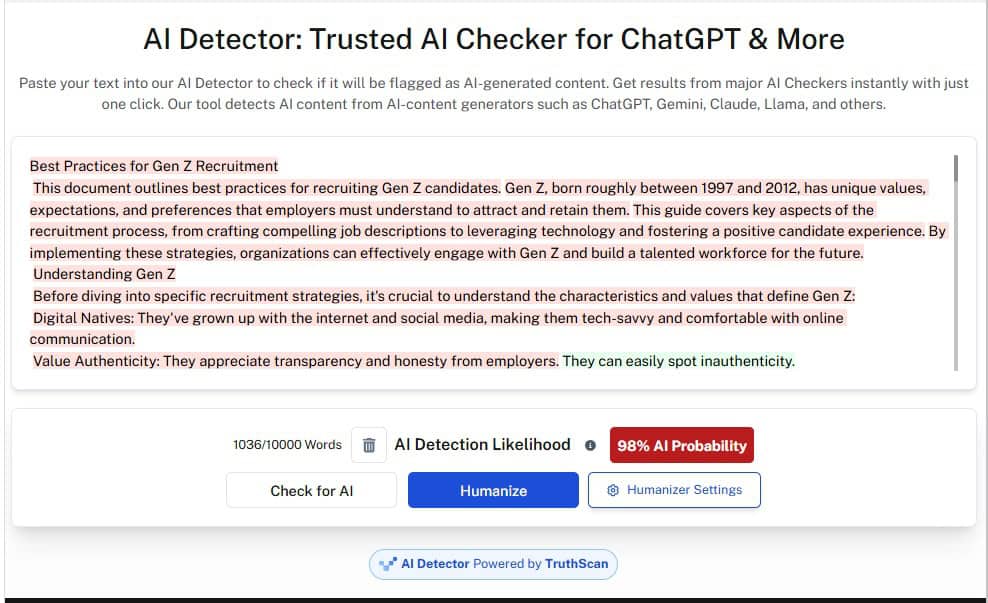
| 98% AI | 65% AI | 28% AI, 27% Blandet, 45% Menneske |
Resultaterne viser straks, hvor inkonsekvent AI-detektering kan være.
Undetectable AI markerede indholdet som overvejende AI-genereret, hvilket tyder på, at teksten indeholder mange af de strukturelle og stilistiske mønstre, der er typiske for store sprogmodeller.
Grammarlys resultat var mindre alvorligt, men pegede stadig tydeligt i retning af AI, hvilket betyder, at indholdet kunne give anledning til bekymring i det daglige redigerings- eller korrekturarbejde.
MyDetector gav derimod en langt mere blandet vurdering og klassificerede næsten halvdelen af indholdet som menneskeskrevet.
Samlet set tyder disse resultater på, at Napkin AI's tekst er læsbar og velorganiseret, men stadig kan identificeres som AI-genereret i strengere detektionsmiljøer.
Konklusionen? Hvis du planlægger at genbruge Napkin AI's tekst uden for platformen, er det en god idé at gennemgå den, redigere den og i mange tilfælde omskrive den, så den lyder mere naturlig og menneskelig.
Værktøjer som Undetectable's AI-detektor og humanizer kan være en stor hjælp her, da det giver dig mulighed for hurtigt at kontrollere, hvordan din tekst læses af detektorer, og finpudse eventuelle afsnit, der kan vække mistanke.
Napkin AI's styrker og begrænsninger
Napkin AI's største styrke er dens hastighed. Den kan på få minutter omdanne tekst til brugbare billeder, hvilket gør den velegnet til forfattere, undervisere og fagfolk, der tænker i ord (ikke design).
Den enkelhed er dog også dens største begrænsning. Napkin AI er ikke bygget til dyb tilpasning eller komplekse, datatunge diagrammer, så brugere, der kommer fra værktøjer som Figma eller Miro, kan finde det for begrænsende.
Desuden fungerer den AI-genererede tekst godt som udgangspunkt, men resultatet er også meget grundlæggende og risikerer at blive markeret af strengere AI-detektorer (hvis den genbruges i andre stykker indhold).
Napkin AI-alternativer
Napkin AI gør én ting rigtig godt, men det er ikke meningen, at det skal erstatte alle de design- eller produktivitetsværktøjer, du måske allerede bruger.
Her er en kort oversigt over, hvordan Napkin AI sammenlignes med lignende værktøjer på markedet.
| Napkin AI vs Canva, Miro, Whimsical og PowerPoint/Google Slides | |||
| Værktøj | Bedst til | Hvor det udmærker sig | Vigtigste afvejning |
| Serviet AI | Hurtig tekst-til-billede-oprettelse | Omdanner tekst til diagrammer, flowcharts og enkle visuelle elementer på et øjeblik | Begrænset designkontrol og gentagne stilarter ved gentagen brug |
| Canva | Branded, polerede billeder | Stort skabelonbibliotek og stærke brandingværktøjer | Kræver mere manuelt designarbejde |
| Miro | Værktøjer til teamsamarbejde og mere komplekse diagrammer | Kraftfuld whiteboarding og samarbejde i realtid | Højere indlæringskurve og meget langsommere for hurtige visuelle effekter |
| Finurlig | Rene diagrammer og flowcharts | Enkle, strukturerede diagramværktøjer | Ingen automatisering fra tekst til visuel form |
| PowerPoint / Google Slides | Velkendte præsentationsworkflows | Fleksibel og bredt anvendt | Tidskrævende at opbygge visuelle elementer fra bunden |
Kan Napkin AI opdage AI-redigeret eller omskrevet tekst?
Nej, Napkin AI indeholder ikke en indbygget AI-detektor.
Mens platformen gør bruger AI til at generere tekst, giver det ingen mulighed for at kontrollere, om teksten er genereret af AI eller skrevet af et menneske. Det markerer heller ikke indhold, der er omskrevet, redigeret eller omskrevet ved hjælp af andre AI-værktøjer.
Som vi så i vores test, kan Napkin AI's AI-genererede indhold blive markeret af strengere detektionsværktøjer. Og uden en indbygget detektor er der ingen måde at vide, hvordan det indhold vil fungere, før du tester det andetsteds.
Så hvis du planlægger at bruge Napkin AI's indhold andre steder, er det en god idé at køre indholdet gennem Undetectable's AI-parafraser og AI Stealth Writer.
Disse værktøjer kan hjælpe dig med at omskrive din Napkin AI-tekst, så den lyder mere naturlig og reducerer de mønstre, som AI-detektorer har tendens til at markere.
Test din skrivning gennem vores AI Detector og Humanizer i widgetten nedenfor!
Vores endelige dom om Napkin AI
Detekteringsresultaterne gør én ting klart: Napkin AI's genererede tekst kan bruges som udgangspunkt inden for platformen.
Det kan dog ikke passere som menneskeligt, især i strengere detektionsmiljøer, hvor det meget sandsynligt vil blive markeret som AI-genereret. Det er vigtigt, hvis du planlægger at offentliggøre teksten eller genbruge den på steder, hvor AI-detektion er en del af gennemgangsprocessen.
Vores råd? Brug Napkin AI til det, den er bedst til (at skabe grafik og visuelle elementer), og ikke som erstatning for en dygtig forfatter med de rigtige AI-skriveværktøjer.
Få alle AI-genererede tekster til at fremstå som menneskelige med Uopdagelig AI.