
How many hours have you wasted just trying to move text boxes in PowerPoint?
We’ve all felt that frustration for years.
Traditional slides are like rigid boxes. If you add one extra sentence, the font shrinks, layout breaks, and your message gets lost.
Instead of telling your story, you end up wrestling with the software.
Gamma AI app claims to fix this problem entirely.
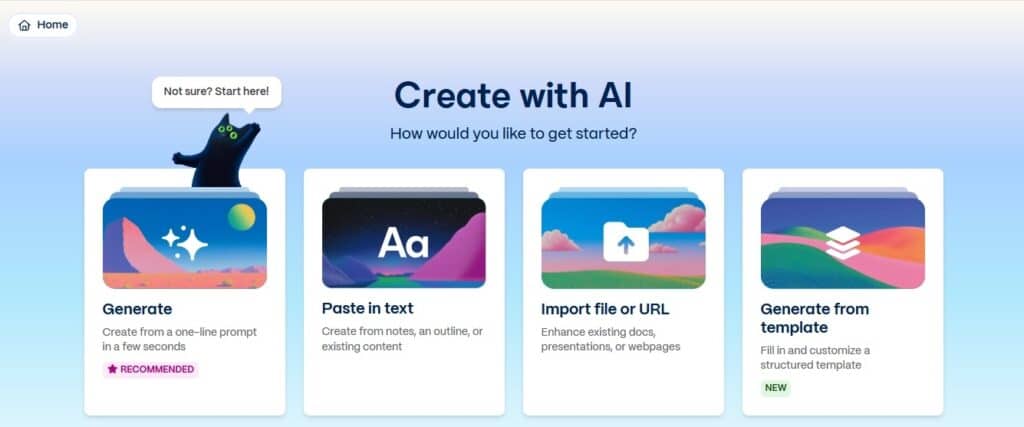
Instead of formatting everything yourself, it uses Intent-Based Design that builds the slides for you.
But does it really work, or is it just another AI hype?
We are going to review that in this blog.
We’ll dig deep into the Gamma AI app to find out its key features and pricing plans. We’ll also look at how Gamma AI slides work, whether it’s accurate, its pros and cons, and similar tools.
Let’s dive in.
Key Takeaways
- Gamma AI slides transform text prompts into presentations using responsive “cards” instead of rigid slide formats.
- The gamma app AI offers fluid design that auto-adjusts content without breaking layouts or shrinking fonts.
- Gamma AI ppt generation starts free with 400 credits, with paid plans from $10-20/month for unlimited creation.
- AI-generated content is highly detectable (99% AI score), requiring humanization tools to pass detection software.
- Unlike traditional tools, gamma AI gratuito (free tier) provides full feature testing before requiring payment.
What Is Gamma AI?
Gamma AI is a cloud-based tool that uses artificial intelligence to turn simple text prompts into beautiful presentations, documents, and websites.
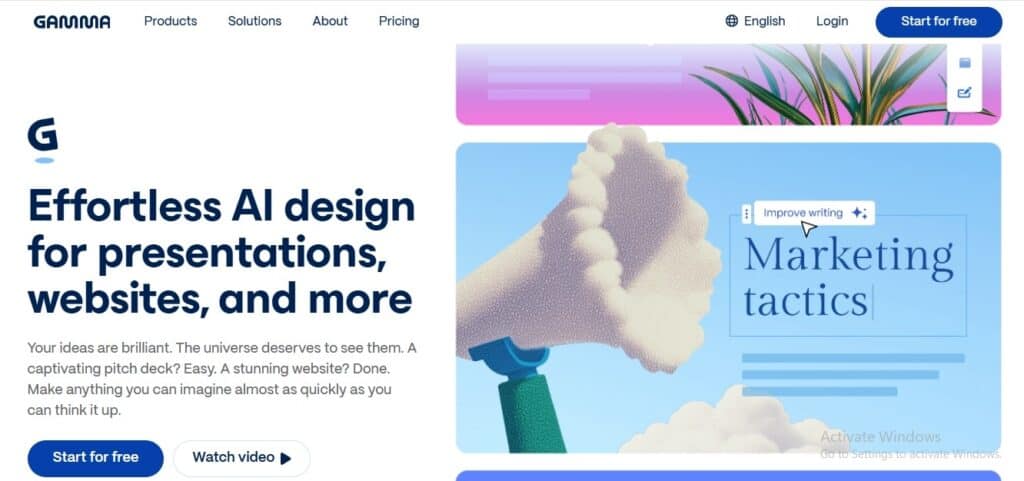
This tool is the middle ground between Google Docs and PowerPoint.
The user has the freedom to just write (like they’re typing up a document) but the final result looks like a polished slide deck.


Never Worry About AI Detecting Your Texts Again. Undetectable AI Can Help You:
- Make your AI assisted writing appear human-like.
- Bypass all major AI detection tools with just one click.
- Use AI safely and confidently in school and work.
It gives the best of both worlds → the ease of writing and the visual pop of a presentation, without the hassle.
This is exactly why Gamma slides AI feel different from tools like Microsoft Copilot.
While Copilot tries to shoehorn AI into old-school software, Gamma was built from scratch to be AI-first.
| The Old Way (Traditional Slides) | The Gamma Way (Cards) |
| A rigid, fixed-size canvas. If your content doesn’t fit, you either shrink the font, split slides, or start cutting important points. It’s awkward and time-consuming. | Gamma uses responsive “cards” instead of slides. They behave more like web pages. When you add more content, the card simply expands to fit it. |
Key Features and Benefits
Let’s look at some of the features that make Gamma app AI stand out:
- AI-powered drafting turns your rough notes or one-line prompts into a fully structured presentation in seconds, so you can skip the “blank page anxiety” and get straight to the good part.
The fluid card system automatically expands as you type to accommodate your content, so you can fit all your ideas on one screen without ever shrinking fonts or fighting with text boxes.

- One-click restyling allows you to instantly swap fonts, colors, and moods across the entire deck, so you can experiment with different looks without breaking your layout or wasting time.
- A built-in design assistant lets you edit slides simply by chatting (e.g., “make this punchier”), so you can polish your work without needing any design skills.

- Rich media embedding supports live websites, YouTube videos, and GIFs directly on the card, so you can keep your audience awake with dynamic content instead of boring static screenshots.
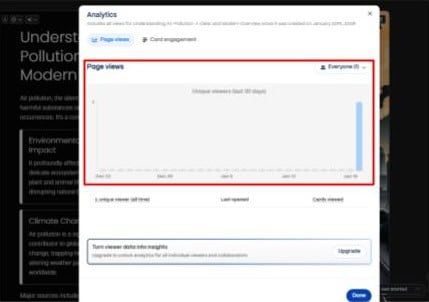
- Web-based analytics track exactly who opens your link and how long they spend reading, so you can stop guessing and know if your client is actually interested.
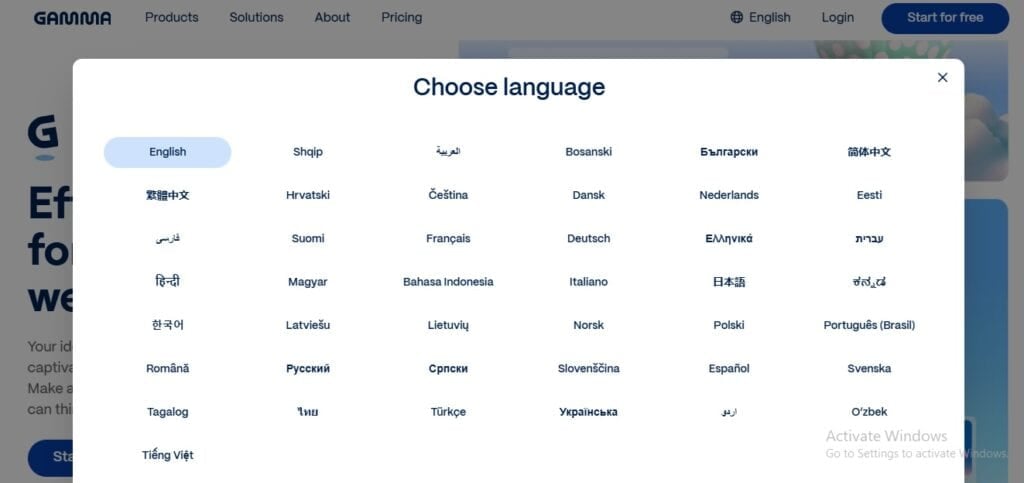
- Native multilingual support handles global languages and even complex Right-to-Left scripts like Urdu and Arabic. This is a huge plus for users searching for Gamma AI gratuito options in Brazil or Portugal, as the tool localizes content effectively.
- Deep app integration allows you to embed live Power BI dashboards, Figma prototypes, and Typeforms, so you can turn a static presentation into an interactive data experience for your stakeholders.
- Diverse content blocks offer unique structures like pyramids, galleries, and timelines, so you can avoid the generic “cookie-cutter” look common in other AI tools and keep your visuals fresh.
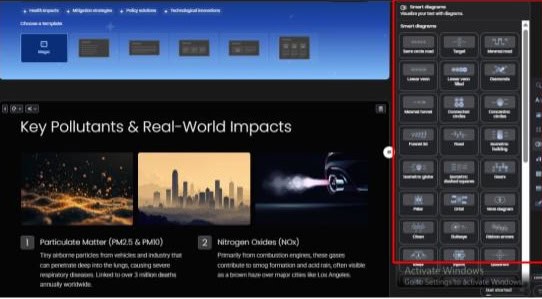
- The slash command menu gives you instant keyboard access to every formatting tool, so you can add charts and images without ever hunting through cluttered menus.
Pricing and Plans
You can try this app for free. And if you find it useful, you can upgrade. Here is the pricing breakdown for Gamma app AI:
| Plan | Price | Best for | AI usage & limits | Main limitations |
| Free | $0 | Trying Gamma, casual use | 400 One-time Credits (approx. 8-10 decks) | Credits don’t renew |
| Basic AI models | Gamma watermark | |||
| “Made with Gamma” watermark | Basic AI images | |||
| Limit: 10 cards per generate | Limited cards | |||
| Plus | ~$10/month | Solo creators | Unlimited AI creation (no credit limits) | No custom fonts |
| Removes watermark | ||||
| Better AI image quality | Fewer analytics & brand controls | |||
| Limit: up to 15-20 cards per generate | ||||
| Pro | ~$20/month (≈$15/month yearly) | Professionals & small teams | Premium AI models (smarter output) | Each editor needs a paid seat |
| Custom fonts & brand colors | ||||
| Detailed analytics & PDF export | ||||
| Limit: up to 30 cards per generate | ||||
| Ultra | Custom / higher-tier | Heavy users & organizations | Top-tier AI (access to the newest models) | Pricing not public |
| High-quality image & video generation | ||||
| Priority support & early access | Built for large-scale use | |||
| Limit: Long-form content support |
⚠️ A Note on Collaboration
Unlike Google Slides where you can invite anyone for free, Gamma charges per seat. If you want a team member to edit the deck with you, they need a paid subscription too.
How Does Gamma AI Work?
Using Gamma slides AI is simple and intuitive. Here’s how you can get started:
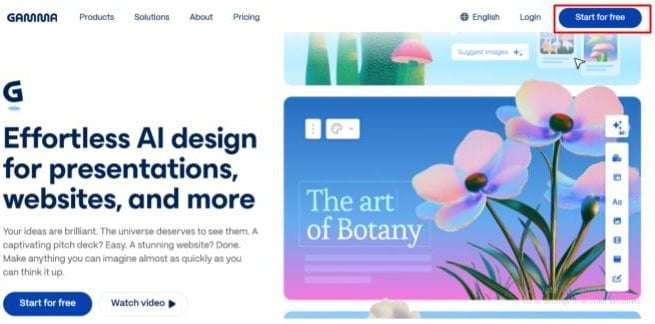
- Visit the Website & Log In
Go to https://gamma.app/ and click the login button at the top-right corner.
2. Choose Your Main Action
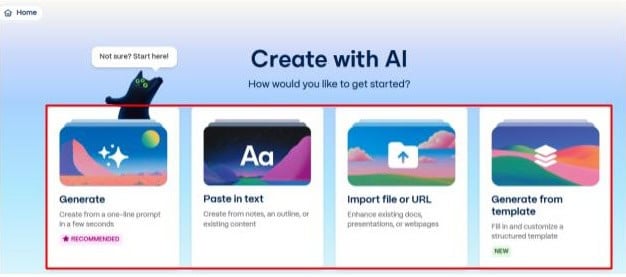
Once logged in, you’ll see four main options. Start by selecting Generate, which is the feature that lets you create content with AI.
3. Pick Your Content Type
After clicking Generate, four options will appear:
- Social
- Presentation
- Webpage
- Document
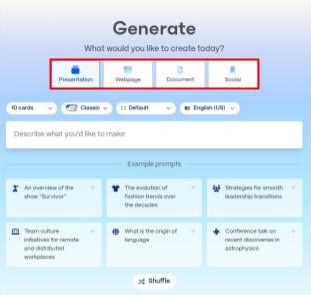
Choose the type that matches your project.
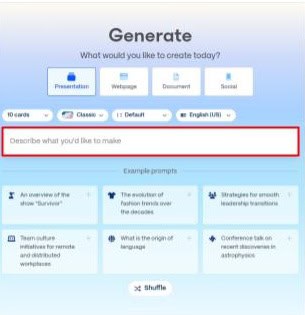
4. Add Your Prompt & Configure Options
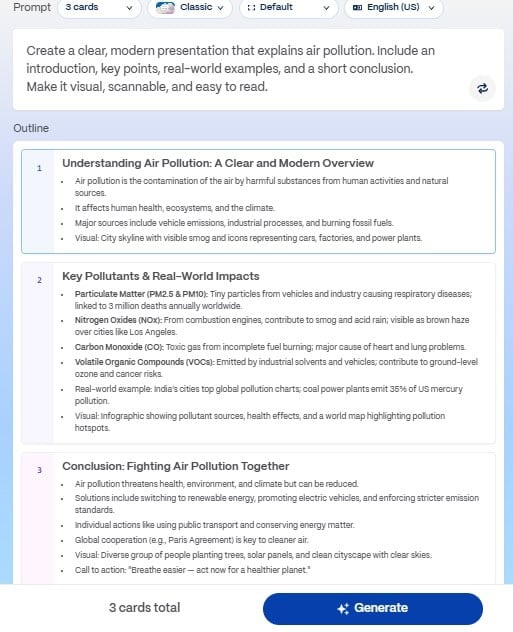
Enter your prompt in the text box and set any additional options from the top menu. Then hit Start and let the Gamma AI app create your content.
Is Gamma AI Checker Accurate?
First, a quick correction…
Gamma doesn’t have a built-in AI checker. Its job is to create content, not catch it. So, the real question you should be asking is:
“Can professors and bosses tell that I used Gamma to write my presentation?”
The short answer is: Yes, absolutely.
To be sure, we put Gamma app AI to the test using a method inspired by ZDNet’s famous benchmarks.
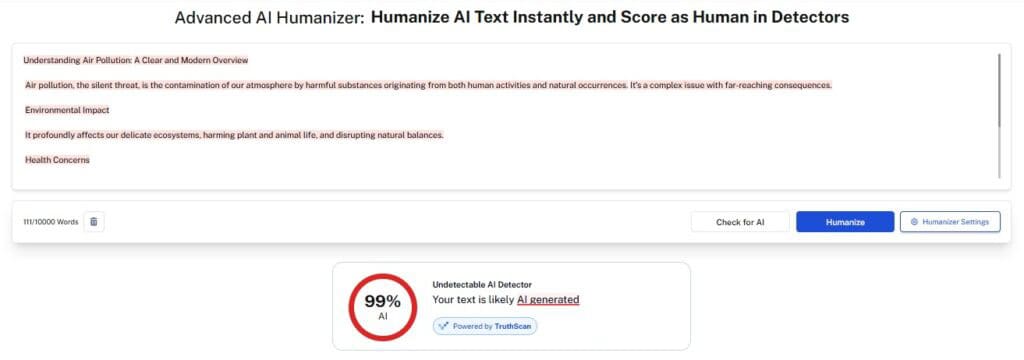
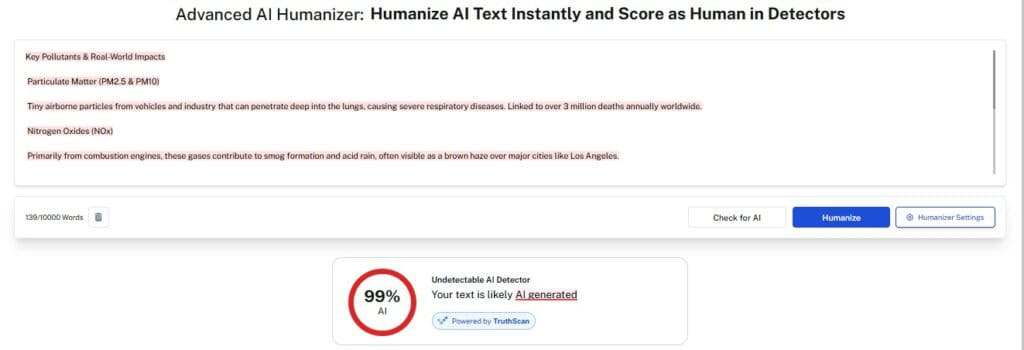
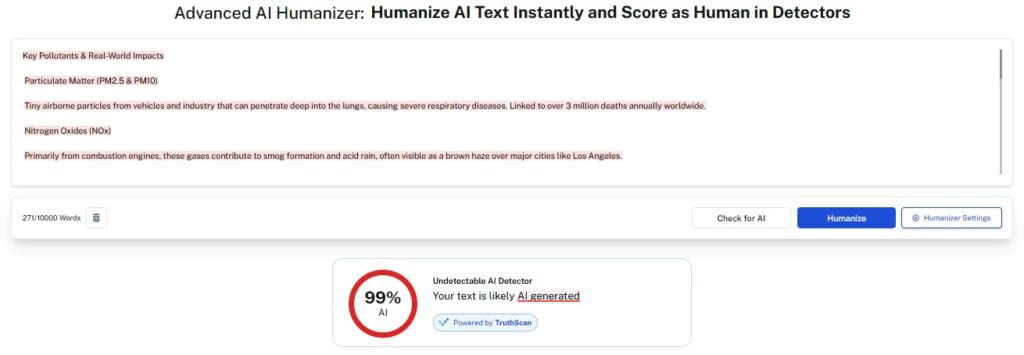
We took Gamma-generated slides and ran them through Undetectable AI Detector.
The Results: Gamma’s content raised red flags almost immediately.
- Undetectable AI: Gave it a 99% “Likely AI” rating.
Why is it so obvious?
Gamma is built on models (like GPT-4) that are fine-tuned for clarity and structure.
While this makes for clean slides, it creates a robotic writing style. It loves words like “Furthermore,” “In conclusion,” and “Key takeaways.”
In technical terms, it lacks “Burstiness“ (sentence variety) and “Perplexity“ (unique word choices). It writes like a polite corporate drone… perfectly grammatical, but totally predictable.
Does this mean you shouldn’t use Gamma? No. It just means you can’t use it lazily.
Treat Gamma AI app as a Builder. It excels at visual architecture, but if you need your text to pass as human (especially in academic or professional settings), you need a cloaking device.
Here is the recommended workflow to get the best of both worlds:
- Draft with Gamma: Use Gamma AI to generate your deck’s layout, images, and structure. Let it do the heavy lifting of design.
- Extract & Audit: Copy text from your slides and run it through the Undetectable AI Detector. You will likely see high AI scores.
- Humanize: Run that robotic text through our AI Humanizer. The tool rewrites the content to add human nuance, varying the sentence structure and removing that corporate drone tone.
- Re-Integrate: Paste the newly humanized text back into your Gamma AI slides.
By adding this extra step, you get the speed of AI generation with the safety of human-like writing.
The Pros and Cons
Is Gamma app AI right for you? Here is the honest breakdown of where it shines and where it falls short.
✅ Pros
- Rapid generation turns ideas into decks in minutes, so you can skip the blank page anxiety.
- Intuitive tools simplify design for non-experts, allowing anyone to create professional slides instantly.
- Flexible input lets you paste entire articles, so you don’t have to copy-paste slide by slide.
- The AI Assistant handles edits via chat, so you can polish content without manual tweaking.
- Web-native aesthetics provide a modern look, allowing you to impress clients with website-like decks.
- Interactive embeds support live video and forms, so you can turn static pitches into engaging experiences.
- Real-time collaboration streamlines teamwork, so you can stop emailing files back and forth.
- A generous free tier lets you test features fully, which is great for students needing Gamma AI gratuito tools.
❌ Cons
- No offline mode prevents working without internet, but exporting to PDF serves as a backup.
- Messy exports often happen with gamma ai ppt files, breaking layout formatting in PowerPoint.
- Repetitive templates may make decks look similar, but manual customization helps you stand out.
- AI hallucinations can invent facts, which requires you to double-check every claim.
- Basic charting tools struggle with complex data, though they handle simple overviews well.
- Paid-only collaboration increases team costs, though viewer access remains free for clients.
- Fixed slide sizes limit print flexibility, but work perfectly for digital screens.
Gamma AI vs. Other Selection
To understand Gamma app AI market position, we compare it against other alternatives:
| Feature | Gamma AI | ChatGPT | SlidesAI | Beautiful.ai |
| Primary Function | Design & Content Gen | Text & Logic Gen | Text-to-Slide (Plugin) | Smart Design Constraints |
| Output Format | Web Cards (Fluid) | Text / DALL-E Images | Google Slides (Native) | Slides (Native) |
| Design Quality | High (Modern/Web) | N/A (Text Only) | Low (Basic Templates) | Very High (Corporate) |
| Stealth/Humanity | Low (Detectable) | Low (Detectable) | Low (Detectable) | N/A (User writes text) |
| Learning Curve | Low | Medium (Prompting) | Very Low | Medium |
| Best For | Pitch Decks, Docs | Research, Outlining | Quick School Projects | Corporate Board Decks |
Can Gamma AI Detect AI-Edited or Paraphrased Text?
It’s crucial to clarify one thing first: Gamma AI is a creator, not a detective.
It does not have a built-in AI Detector. It won’t warn you if the text you pasted was written by ChatGPT.
However, there is a much more important question you should be asking:
“Does Gamma keep my human text safe?”
Now you might think, “I’ll write the script myself so it passes detectors, and then I’ll just paste it into Gamma.”
This usually backfires.
When you paste a human-written essay into Gamma AI, it doesn’t just copy-paste it onto the slides.
The AI engine analyzes your text, summarizes it, and converts it into bite-sized bullet points to fit the design.
This means Gamma effectively overwrites your human writing with AI writing.
So, even if your original source was 100% human, the final Gamma AI slides or Gamma AI ppt will likely be flagged by AI detectors because the syntax has been cleaned up by the machine.
Do not trust the “Paste Text” feature to preserve your human writing style. Instead, use this workflow to stay safe:
- Let Gamma build the deck using your notes. Don’t worry about detection yet, just get the visual structure right.
- Once the slides are done, look at the text on the cards. It is likely robotic.
- Manually rewrite the key bullet points, or better yet, run those specific text blocks through an AI Stealth Writer or Paraphraser.
This ensures you get the visual speed of Gamma without sacrificing the human status of your final presentation.
Check out our AI Detector and Humanizer in the widget below
FAQs About Gamma AI
Is Gamma AI any good?
Yes, absolutely. Its speed factor is great. It is exceptional for consultants and founders who need rapid, polished visuals, but avoid it if your job requires strict, pixel-perfect Gamma AI ppt formatting for corporate compliance.
Is Gamma AI better than ChatGPT?
They both serve different masters. ChatGPT generates the words, while Gamma builds the visuals. Use them together for the best results, but for actual slide creation, Gamma wins easily.
Conclusion
So, is Gamma AI worth the hype?
Here’s the truth…
It won’t replace your brain, but it’ll absolutely save it from PowerPoint-induced meltdowns.
The Gamma app AI shines when you need speed and polished content.
Just don’t treat it like a magic wand.
Pair Gamma slides AI with a solid humanization workflow, and you’ve got yourself a killer combo.
Whether you start with Gamma AI gratuito or dive into paid plans, one thing’s certain: your days of wrestling with misaligned text boxes are officially over.
Now go create something beautiful.
Before you publish, run your slides’ text through Undetectable AI to make sure everything sounds natural, human, and polished.