
If you write anything, like blog articles, social media posts, or even essays for your classes, you’ve probably already experimented with a few AI tools by now.
And chances are, one of those tools was Rytr AI: a platform that advertises itself as your “shortcut to original, compelling content”.
But does Rytr actually walk the walk and deliver on that promise? Or is it just another AI writing tool that churns out predictable text that AI detectors can spot a mile off?
To find out, we decided to put it to the test.
Read on for our full Rytr AI review, where we take a closer look at Rytr’s features, pricing, and output quality.
We also check how it performs when analyzed by our advanced AI detection tools.
TL: DR – Rytr is a simple, affordable writing tool best suited for quick drafts and brainstorming. However, based on our tests, Rytr’s output can be easily flagged by advanced AI detectors.
Key Takeaways
- Rytr AI is an affordable and user-friendly writing tool best for quick drafts, brainstorming, and short-form content, but its output often lacks depth and originality.
- While Rytr offers 40+ templates, 20+ tones, and multilingual support, its generated text can sound repetitive and overly mechanical without human editing.
- In detection tests, Undetectable AI’s AI Detector flagged over 90% of Rytr’s content as AI-generated, revealing patterns and phrasing typical of machine-written text.
- For users who rely on Rytr, pairing it with Undetectable AI’s Humanizer helps refine tone, improve sentence flow, and make the writing sound authentically human.
- Overall, Rytr is reliable for speed and affordability, but Undetectable AI remains essential for polishing, verifying, and humanizing AI-written content.
What Is Rytr AI?
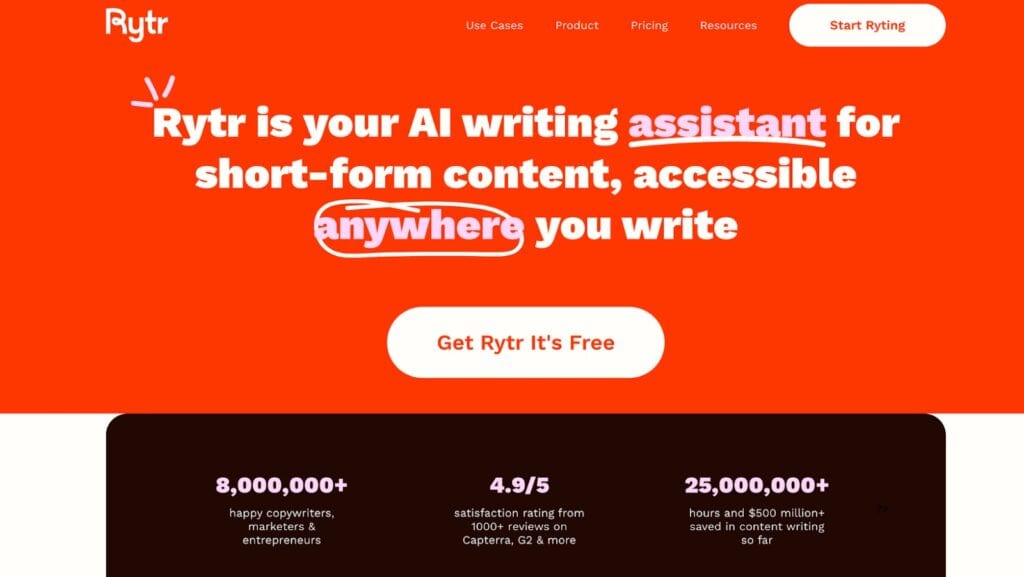
Rytr AI (or just “Rytr” for short) is an AI writing tool designed to help users create content quickly across a wide range of formats, such as:
- Blogs
- Ads
- Emails
- Product descriptions
- Social media posts
- And more
Unlike some of the higher-end AI writing tools like Jasper or Writesonic, Rytr focuses on accessibility, offering a simple interface, super flexible templates, and a free plan that’s surprisingly generous.
How Does It Work?
Rytr uses LLM (large language model) technology to generate text based on prompts and inputs provided by users.


Never Worry About AI Detecting Your Texts Again. Undetectable AI Can Help You:
- Make your AI assisted writing appear human-like.
- Bypass all major AI detection tools with just one click.
- Use AI safely and confidently in school and work.
For example, you could prompt Rytr with something like:
- Write a product description for a new smartwatch.
And the platform produces several different versions of that product description for you to choose from.
Here’s what the process looks like step-by-step:
- Select a use case: Rytr offers more than 40 use cases (which are basically templates), like blog writing, emails, or meta descriptions.
- Choose your tone: You can then set the overall tone of the output, so it matches the intent of what you’d like to communicate. For example, you can choose from tones like “friendly,” “formal,” and “inspirational.”
- Enter your topic or keywords: Add the details or key phrases you want the tool to focus on.
- Generate your text: Rytr’s AI then produces a few drafts based on all the information and preferences you’ve entered.
- Refine your content: After generating your draft, you can then make manual adjustments or use additional writing features (like rewording or expanding sentences) until you’re 100% happy with the final product.
How Much Does Rytr AI Cost?
One of Rytr’s biggest advantages is its affordability.
As of 2025, Rytr offers three main plans:
| Rytr Pricing | ||
| Plan | Price | Notable Features |
| Free Plan | $0 / month | Up to 10,000 characters per monthChrome extension included20+ pre-programmed tones of voice |
| Unlimited Plan | $9 / month | Unlimited characters per month1 tone match and 20+ pre-set tonesAccess to plagiarism checks |
| Premium Plan | $29 / month | Unlimited characters per monthMultiple tone matches35+ languages supported20+ pre-programmed tones of voiceAbility to create custom use cases (i.e., templates) |
Rytr AI Key Features
Rytr manages to pack quite a few features into its basic dashboard. While it’s not as complex as some of the higher-end AI writing platforms, its simplicity is part of its charm.
Here are just a few of Rytr’s standout features:
- 40+ Use Cases: Rytr includes dozens of pre-built templates (called “use cases”) for tasks like blog writing or social media captions. All you have to do is choose the use case, enter a few keywords, and the tool generates your content.
- 20+ Writing Tones: To match the voice of your brand or project, you can pick from over 20 different tone options like “friendly”, “urgent”, or “formal”. The Premium plan can also match custom tones, which is helpful for brands trying to keep the tone of voice consistent across projects.
- Multi-Language Support: The premium plan offers support for more than 35 different languages, so you don’t have to rely on separate translation tools if you frequently write for global audiences.
- Built-In Plagiarism Checker: The unlimited and premium plan also includes a plagiarism detection feature, which is helpful for students and SEO content writers.
- Browser Extension and Integrations: The Chrome extension allows you to use Rytr directly within platforms like Gmail, Google Docs, and Asana, allowing you to stay focused on writing without having to jump between tabs.
How to Use Rytr AI Like a Pro
Rytr is super easy to use. But, in order to get the best results, you’ve got to go in with a plan.
Like most AI writing tools, the quality of your output depends on how clearly you guide it. And the better your prompt, the more natural and useful your output text will be.
Here are a few practical tips for getting the most out of Rytr AI.
Start With a Clear Use Case
Each template on the Rytr platform is specifically designed with different formatting and tone expectations.
Selecting the right one from the very beginning will improve the quality of your output (and save you a ton of time in the process).
Provide As Much Detail As Possible
For each use case, Rytr provides a simple form where you can fill out information on tone, messaging, and key details about your project.
The more detail you include at this step, the better your output will be.
Generate Multiple Versions
Rytr can produce several output variations for each prompt.
To get the highest quality end product, it’s worth generating a few different drafts and then combining the best ideas into one original piece.
Review and Edit Carefully

Even with well-written AI drafts, always read through and make human edits.
Check facts, adjust transitions, and make sure the writing sounds as natural as possible.
How We Test AI Tools
When we review AI writing platforms like Rytr, we always focus on overall output quality and authenticity (i.e., will it pass as human?).
Here’s what our own testing process looked like for Rytr:
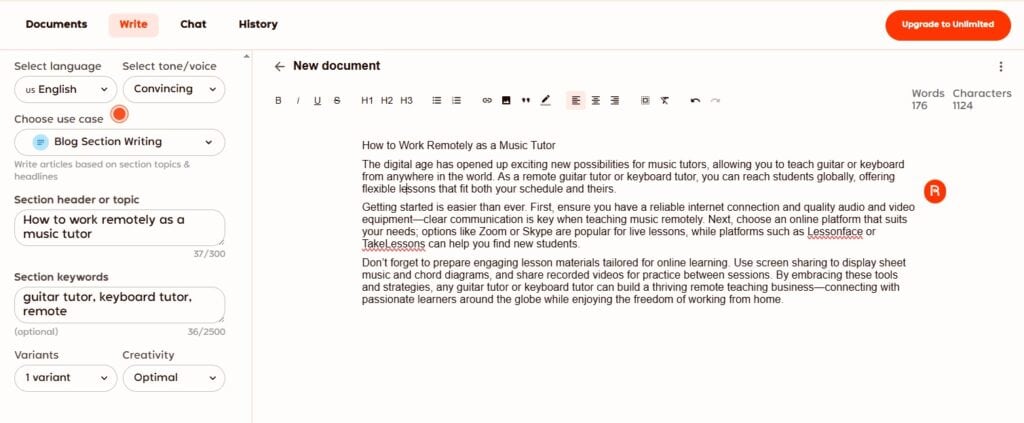
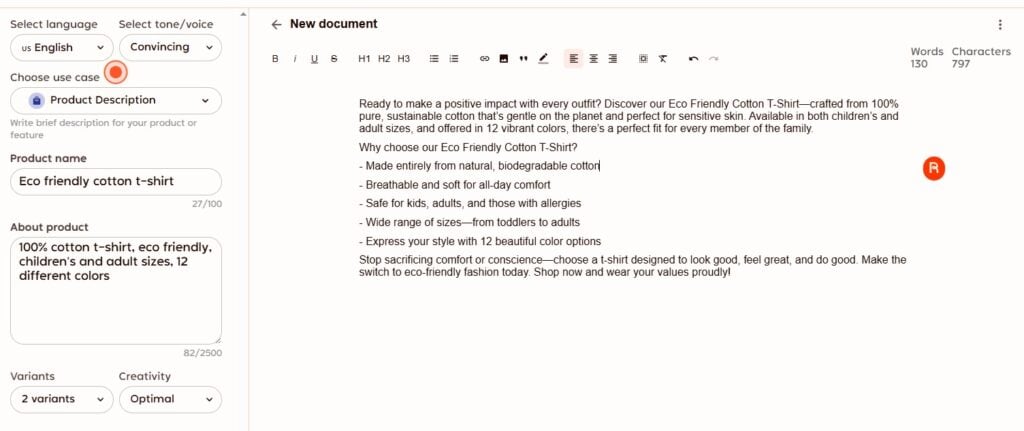
- Generate a Writing Sample in Rytr: We started by using Rytr’s “Blog Section Writing” and “Product Description” templates. Each test prompt was short and realistic, designed to mimic the kind of task a typical user might run.
Rytr AI Writing Sample #1: Blog Section
Rytr AI Writing Sample #2: Product Description
- Keep the output untouched: To measure authenticity, we didn’t make any manual edits. The text we tested came directly from Rytr’s output, allowing us to see how it performs without human refinement.
- Run the sample through multiple AI detectors: We then tested the generated text using several leading AI detection tools (including Undetectable AI’s AI Detector) to evaluate how often Rytr’s writing was flagged as AI-generated.
- Compare detection results: Each detector provided a percentage-based reading of how “human” or “AI-like” the content appeared. This helped us assess Rytr’s ability to create writing that reads naturally to both readers and AI detection tools.
Can Rytr AI Get Detected by Undetectable AI?
So, what were the results?
After generating two writing samples directly from Rytr, we ran both through three leading AI detectors to see how “human” the content appeared.
Here’s what we found:
| Rytr AI Output Detection Results | |||
| GPTZero | Grammarly | Undetectable AI | |
| Sample #1: Blog Section | 3% AI, 97% Mixed | 51% AI | 94% AI |
| Sample #2: Product Description | 100% AI | No AI Detected | 99% AI |
The results were clear: Rytr’s output was consistently flagged as AI-generated, especially by Undetectable’s Advanced AI Detector.
While GPTZero and Grammarly provided mixed readings, Undetectable AI was able to recognize the distinct linguistic patterns and repetition that typically appear in AI-written content, even when the text looked polished at first glance.
If creating content that bypasses AI detectors is a priority for you, you can still use Rytr to create content… but it’s a good idea to run your output through our Undetectable AI Detector to see which parts of your draft still read as machine-generated.
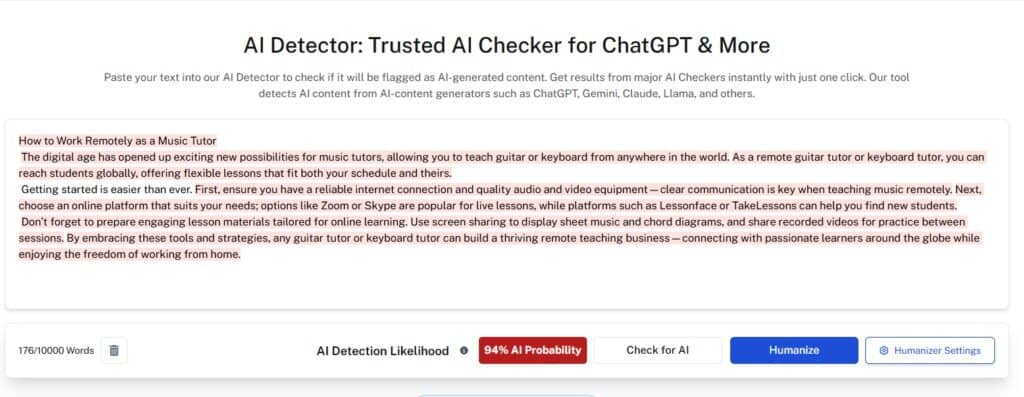
From there, you can use Undetectable AI’s AI Humanizer tool to help refine sentence structure, tone, and flow so it can easily pass as human-written.
Rytr AI Writing Tool Alternatives
Rytr is a basic, cost-effective option for basic content creation. But it’s definitely not the only AI tool out there.
Depending on your goals (i.e, long-form blogging, creative writing, or SEO optimization), other platforms might offer a bit more depth.
Here’s a quick overview of how Rytr compares to three popular alternatives: Jasper AI, Copy AI, and ChatGPT.
| Rytr vs Jasper, Copy.ai, and ChatGPT | |||
| Best For | Key Advantages | Limitations | |
| Jasper | Marketing and brand-focused content | Advanced tone and style customization Strong long-form capabilities Templates for marketing and sales copy | Higher pricing tiers Can still produce detectable AI patterns |
| Copy.ai | Social media and short-form content | User-friendly Dozens of templates for ads and posts Real-time tone adjustments | Inconsistent accuracy across topics Limited depth for complex content |
| ChatGPT | Versatile content generation and ideation | Highly flexible for creative and technical writing Can handle research and brainstorming tasks Large prompt variety | Output can sound overly formal or generic Lacks built-in SEO, AI detection, and plagiarism features |
| Rytr AI | Quick, budget-friendly writing | Affordable pricing 40+ use cases Built-in plagiarism detection (in partnership with Copyscape) | Output may sound repetitive Easier to detect as AI-written |
Each of these tools serves a slightly different audience. Jasper AI and Copy.ai are often used by marketers who need structured campaign copy, while ChatGPT excels at flexibility and idea generation.
Rytr, on the other hand, is great for fast drafts and smaller projects. But it may not always produce content that passes AI detection on its own.
This is where Undetectable AI can become a key part of your workflow, allowing you to easily:
- Run your text through one of the most accurate AI Detectors to see if it can bypass detection.
- Humanize, refine, and rewrite any flagged sections.
- Enhance readability and tone with Stealth Writer.
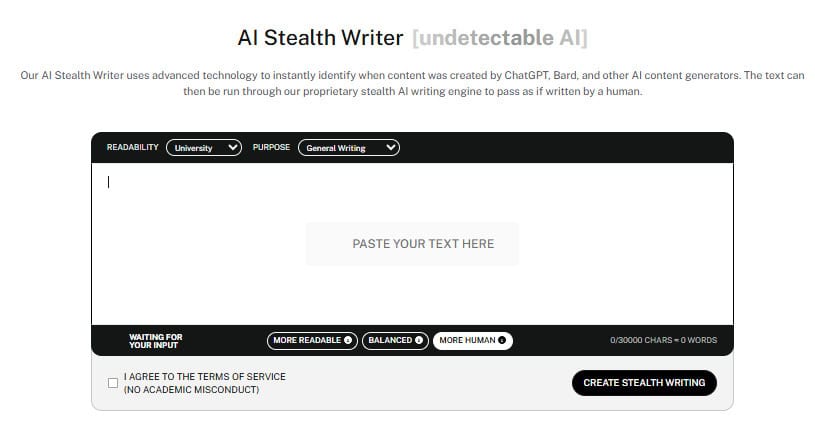
Give our AI Detector and Humanizer a spin in the widget below!
Frequently Asked Questions About Rytr
What’s the difference between Jasper AI vs Ryter?
Jasper AI is built for marketers and teams who need detailed, brand-aligned long-form content. It offers advanced customization and integrations, but it does cost more.
Rytr is a much simpler and more affordable platform, best suited for quick drafts, short-form writing, and everyday content creation.
What’s the difference between Copy.ai vs Ryter?
Copy.ai provides a smoother interface and slightly more polished short-form writing, great for ads and social media.
Rytr offers more templates, language options, and lower pricing, making it best suited for content creators and writers on a budget.
Final Thoughts
So, back to our original question: Is Rytr AI reliable?
Honesty, it really depends on what exactly you need it for.
Rytr is super affordable and fairly easy to use, making it perfect for:
- Quick content generation
- Brainstorming and idea generation
- First drafts
However, when it comes to content quality and authenticity, Rytr still shows some of the same limitations as other AI writing tools.
Its text can sound patterned, and as our tests showed, it’s often recognized by advanced AI detectors.
The best approach? Use Rytr as your starting point, and Undetectable AI to refine, humanize, and verify that your content can pass AI detection.