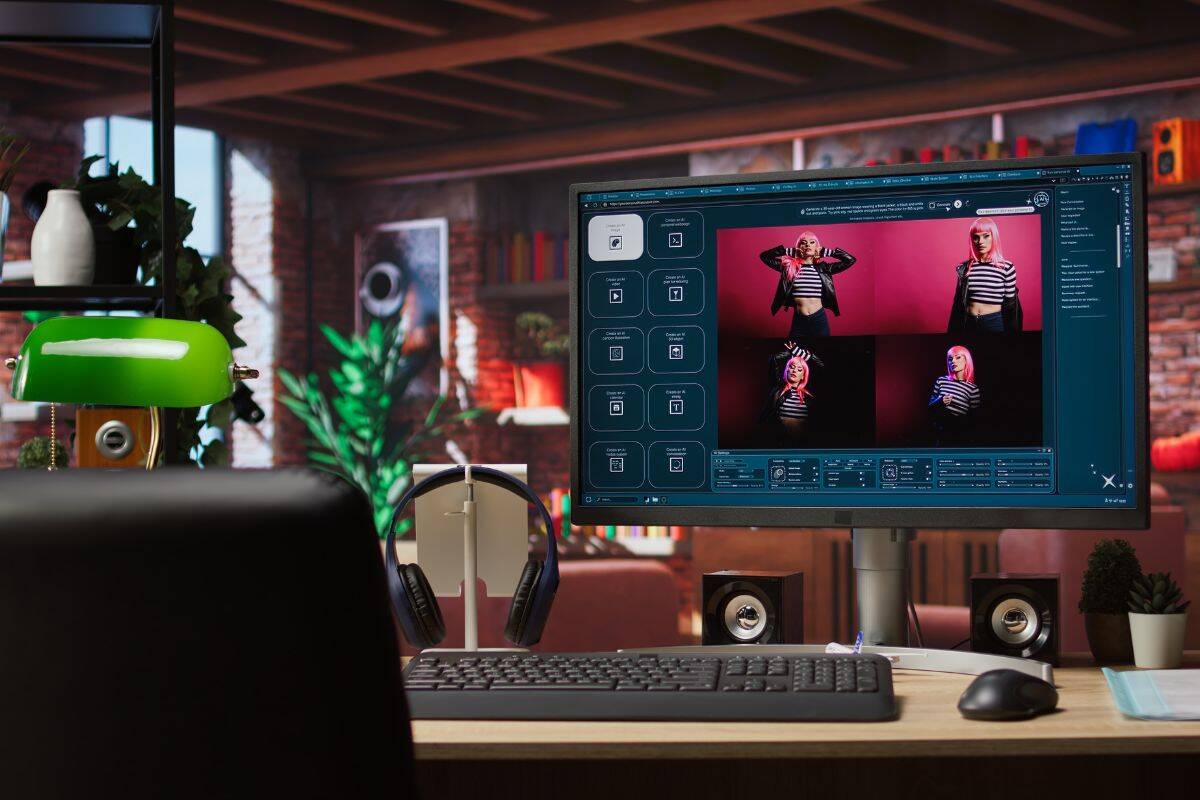
İnsanlar şunu seviyor: fikir içeriklerine uygun ilgi çekici görseller oluşturmak. Ancak gerçekte, kafalarındaki fikirleri profesyonel ve kaliteli bir sonuca dönüştürmek için her zaman gerekli tasarım becerilerine (veya bütçeye) sahip değiller.
Napkin AI bir kısayol vaat ediyor. Tek yapmanız gereken metninizi yüklemek, Napkin AI onu anında bir diyagrama veya infografiğe dönüştürebilir.
Daha ilginç olan nedir?
Başlangıçta kendi içeriğinizi getirmenize bile gerek yok. Napkin AI sizin için metni oluşturabilir ve ardından bunu görsellerinizin temelini oluşturmak için kullanabilirsiniz.
Ancak bu özellik önemli bir soruyu gündeme getiriyor: Bu yapay zeka tarafından üretilen metin ne kadar iyi? gerçekten?
Bunu öğrenmek istedik.
Bu incelemede, Napkin AI'nın nasıl çalıştığını, neyi iyi yaptığını ve AI tarafından üretilen metinlerin Aslında içeriğinizin temeli olarak kullanmaya değer.
TL;DR: Napkin AI hızlı, sezgisel ve fikirleri görsellere dönüştürmek için mükemmeldir. Ancak, AI tarafından oluşturulan metni kamuya açık olarak kullanmayı planlıyorsanız, AI algılamasını önlemek için önce metni düzenlemeniz ve insanlaştırmanız gerekir.
Önemli Çıkarımlar
- Napkin AI, kullanıcıların tasarım becerilerine veya büyük bir bütçeye ihtiyaç duymadan metinleri profesyonel diyagramlara ve infografiklere dönüştürmelerini sağlar.
- Platform, bir AI yazma özelliği içerir, ancak ortaya çıkan metin, AI algılama filtrelerini atlatmak için genellikle manuel olarak insanlaştırma gerektirir.
- Esnek bir fiyatlandırma yapısı mevcuttur. Bu yapı, görseller oluşturmak ve düzenlemek için haftalık 500 kredi sunan ücretsiz bir planla başlar.
- Hız ve basitlik açısından ideal olsa da, karmaşık verileri veya özel markalaşmayı işleyen üst düzey tasarım yazılımlarının yerini almaz.
- Aracın başarılı bir şekilde kullanılması, görsel oluşturmaya odaklanırken, profesyonel kullanım için AI tarafından yazılan içeriği iyileştirmek için ek adımlar atmayı gerektirir.
Napkin AI nedir?
Napkin AI, yazılı içeriği net ve yapılandırılmış görsellere dönüştüren bir araçtır.
Bu görseller daha sonra sunumlar, blog gönderileri, açılış sayfaları, iç belgeler veya sosyal medya gönderileri gibi yerlerde kullanılabilir.
Bu, fikirlerini hızlı ve net bir şekilde açıklamak zorunda olan, ancak sıfırdan görseller oluşturmak için gerekli zamana, bütçeye veya tasarım becerilerine sahip olmayan danışmanlar veya eğitimciler gibi kişiler için özellikle yararlıdır.
Yapay Zekanın Mesajlarınızı Algılaması Konusunda Bir Daha Asla Endişelenmeyin. Undetectable AI Sana yardım edebilirim:
- Yapay zeka destekli yazınızın görünmesini sağlayın İnsan gibi.
- Bypass tek bir tıklama ile tüm büyük AI algılama araçları.
- Kullanım YAPAY ZEKA güvenli bir şekilde ve güvenle okulda ve işte.
Genel Bakış ve Temel Özellikler
Napkin AI'nın başlıca özellikleri şunlardır:
- Metinden Görsele Dönüştürme: Metninizi kopyalayıp yapıştırın (veya platform içinde metin oluşturun), Napkin AI bunu diyagramlara, zihin haritalarına, akış şemalarına veya infografiklere dönüştürebilir.
- Düzenleme ve Özelleştirme: Ardından, simgeleri değiştirerek ve renkleri değiştirerek grafiklerin görünümünü ayarlayabilirsiniz.
- Çoklu format dışa aktarma seçenekleri: Görseller slayt, resim, PDF veya ölçeklenebilir grafik olarak indirilebilir, böylece bunları içeriğinizde hemen kullanmaya başlayabilirsiniz.
Fiyatlandırma
Napkin AI, platformu ne kadar yoğun kullanmayı planladığınıza bağlı olarak, ücretsiz bir plan ve iki ücretli seçenek içeren temel bir kademeli fiyatlandırma modeli sunar.
Her bir plandan neler bekleyebileceğinize bir göz atalım:
| Napkin AI Fiyatlandırması: Hızlı Genel Bakış | |||
| Plan | Fiyat | İçin En İyisi | Ne Kazanırsınız |
| Ücretsiz (Sonsuza kadar) | $0 | Aracı test etme, hafif kullanım | Haftada 500 AI kredisi Sınırsız görsel düzenleme Sınırsız dosya içe aktarma Yalnızca PNG ve PDF dışa aktarımları Standart stiller, yazı tipleri ve simgeler Peçete markalama |
| Artı | Kişi başına aylık $12 | Düzenli profesyonel kullanım | Ayda 10.000 AI kredisi PNG, PDF, PPT ve SVG dışa aktarımları 3 adede kadar marka stili, kalın simgeler mevcuttur Peçete markası kaldırıldı |
| Profesyonel | Kişi başına aylık $30 | Takımlar ve gelişmiş markalaşma | Ayda 30.000 AI kredisi Özel tasarımlar Sınırsız özel markalama Gelişmiş ekip yönetimi araçları |
Napkin AI Nasıl Kullanılır?
Napkin AI, şimdiye kadar test ettiğimiz en yeni başlayanlar için uygun araçlardan biridir. İşte nasıl çalıştığına dair hızlı bir adım adım kılavuz.
Adım #1: Metninizi Yapıştırın veya Oluşturun
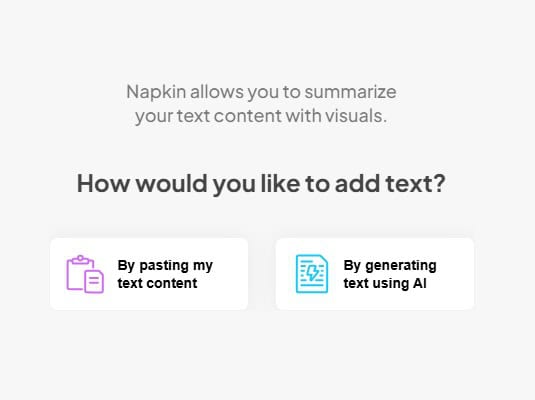
Başlamak için tek yapmanız gereken, dönüştürmek istediğiniz metni platforma yapıştırmak.
Bu şunlar olabilir:
- Bir fikri açıklayan paragraf
- Kaba bir taslak
- Toplantı notları
- Bir blog yazısının veya belgenin bir bölümü
Çalışabileceğiniz mevcut bir içeriğiniz yoksa, yerleşik AI aracıyla bir yazı da oluşturabilirsiniz.
Adım #2. Görsellerinizi Oluşturun
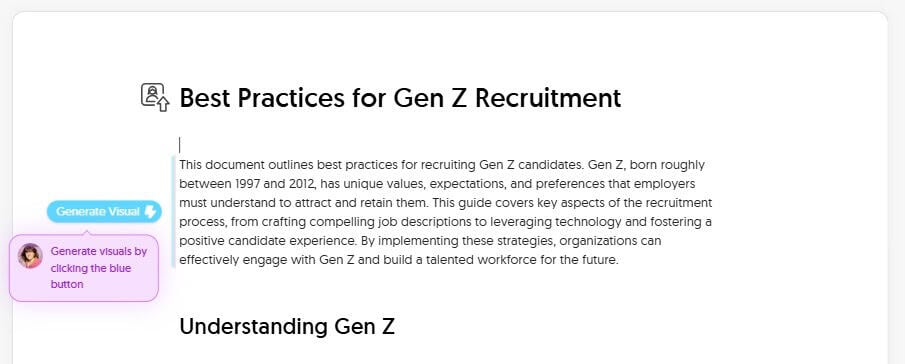
Çalışmak için bir metin parçası hazır olduğunda, mavi düğmeye tıklayarak görsellerinizi oluşturun.
Napkin AI, içeriğinize göre otomatik olarak birkaç farklı seçenek üretecektir. Örneğin, aşağıdakiler gibi şeyler oluşturabilirsiniz:
- Diyagramlar
- Akış şemaları
- Zihin haritaları
- İnfografik tarzı düzenler
- Zaman çizelgeleri
- Yol haritaları
Ardından, iletmek istediğiniz şeyi en iyi şekilde temsil eden görseli seçin.
Adım #3. Grafiklerinizi Düzenleyin ve Özelleştirin
Görselinizin yapısından memnun olduğunuzda, mesajınıza veya stilinize daha iyi uyması için onu iyileştirebilirsiniz.
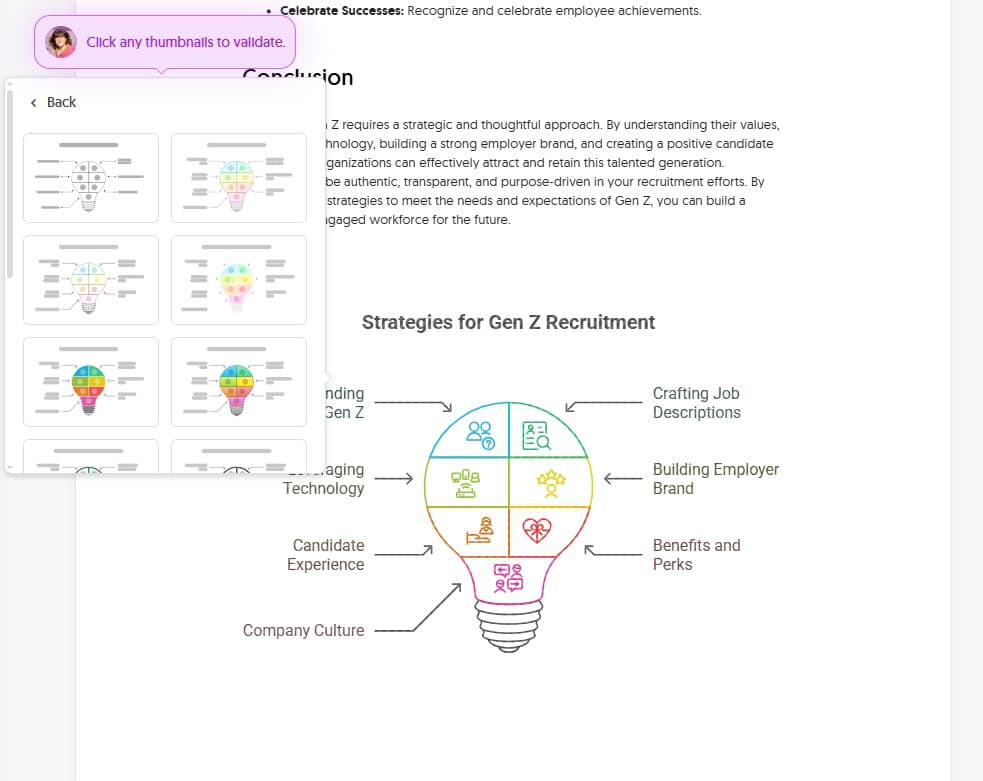
Örneğin, simgeleri değiştirebilir, yazı tiplerini ve renkleri değiştirebilir veya önemli mesajları ve fikirleri vurgulamak için ekstra süslemeler ekleyebilirsiniz.
Adım #4. Dışa aktar
Düzenlemeyi tamamladığınızda, grafiğinizi aşağıdaki formatlarda dışa aktarabilirsiniz:
- PNG
- PPT
- SVG
Bu, görsellerinizi doğrudan içeriğinize eklemenizi kolaylaştırır.
Testler ve Sonuçlar
Napkin AI'nın görselleri sağlam, ancak biz daha çok şu kısmı merak ettik: gerçekten Profesyonel ortamlarda çıktısını yeniden kullanmayı planlıyorsanız önemlidir: AI tarafından oluşturulan metin.
Napkin AI sizin için içerik yazabildiğinden (ve bu metni farklı içerik biçimlerinde yeniden kullanmak veya başka amaçlarla kullanmak istemek gayet normaldir), bu yazının gerçekte ne kadar iyi olduğunu ve AI tarafından tespit edilme riski olup olmadığını daha yakından incelemek faydalı olacaktır.
Bunu test ettik.
Napkin AI'dan gerçekçi bir iş konusuyla ilgili içerik üretmesini istedik, ardından bu çıktıyı birkaç AI algılama aracından geçirerek AI olarak tespit edilip edilmediğini kontrol ettik.
Örneğin, simgeleri değiştirebilir, yazı tiplerini ve renkleri değiştirebilir veya önemli mesajları ve fikirleri vurgulamak için ekstra süslemeler ekleyebilirsiniz.
Adım #4. Dışa aktar
Düzenlemeyi tamamladığınızda, grafiğinizi aşağıdaki formatlarda dışa aktarabilirsiniz:
- PNG
- PPT
- SVG
Bu, görsellerinizi doğrudan içeriğinize eklemenizi kolaylaştırır.
Testler ve Sonuçlar
Napkin AI'nın görselleri sağlam, ancak biz daha çok şu kısmı merak ettik: gerçekten Profesyonel ortamlarda çıktısını yeniden kullanmayı planlıyorsanız önemlidir: AI tarafından oluşturulan metin.
Napkin AI sizin için içerik yazabildiğinden (ve bu metni farklı içerik biçimlerinde yeniden kullanmak veya başka amaçlarla kullanmak istemek gayet normaldir), bu yazının gerçekte ne kadar iyi olduğunu ve AI tarafından tespit edilme riski olup olmadığını daha yakından incelemek faydalı olacaktır.
Bunu test ettik. Napkin AI'dan gerçekçi bir iş konusu hakkında içerik üretmesini istedik, ardından bu çıktıyı birkaç AI algılama aracından geçirdik ve AI olarak tespit edip edemediklerini gördük.
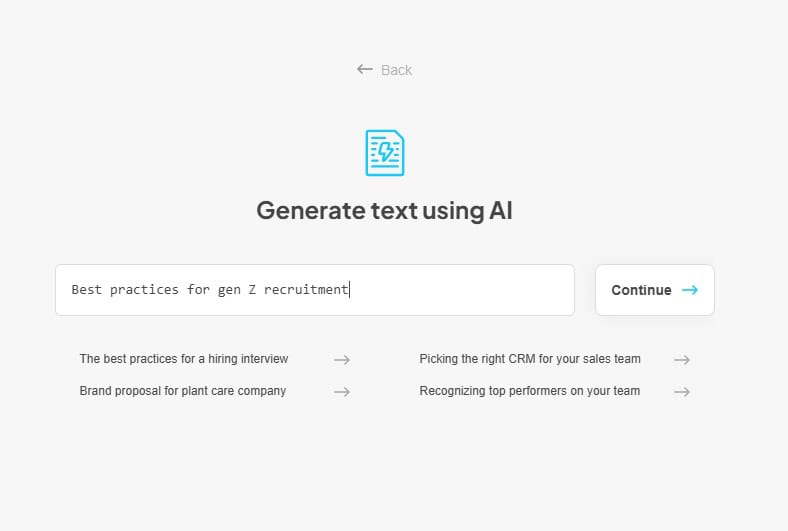
Konumuz şuydu: “Z kuşağını işe almak için en iyi uygulamalar.”
Napkin AI, oluşturulan metni girdikten sonra, temel tanımları, en iyi uygulamaları ve özet niteliğinde bir sonucu içeren 1.000 kelimeden biraz fazla yapılandırılmış içerik üretti.
Şeffaflık için, metin çıktısı şöyleydi:
| Napkin AI: “Z Kuşağı İşe Alımında En İyi Uygulamalar” için Oluşturulan Metin” |
| Z Kuşağı İşe Alımında En İyi Uygulamalar Bu belge, Z kuşağı adaylarını işe almak için en iyi uygulamaları özetlemektedir. Yaklaşık olarak 1997 ile 2012 yılları arasında doğan Z kuşağı, işverenlerin onları çekmek ve elde tutmak için anlaması gereken benzersiz değerlere, beklentilere ve tercihlere sahiptir. Bu kılavuz, ilgi çekici iş tanımları oluşturmaktan teknolojiden yararlanmaya ve olumlu bir aday deneyimi sağlamaya kadar işe alım sürecinin temel unsurlarını kapsamaktadır. Bu stratejileri uygulayarak, kuruluşlar Z kuşağıyla etkili bir şekilde etkileşim kurabilir ve gelecek için yetenekli bir iş gücü oluşturabilir. Z Kuşağını Anlamak Spesifik işe alım stratejilerine geçmeden önce, Z kuşağını tanımlayan özellikleri ve değerleri anlamak çok önemlidir: Dijital Yerliler: İnternet ve sosyal medya ile büyümüşler, bu da onları teknoloji konusunda bilgili ve çevrimiçi iletişimde rahat hale getirmiştir. Değerin Özgünlüğü: İşverenlerin şeffaflığını ve dürüstlüğünü takdir ederler. Sahte davranışları kolayca fark ederler. Amaç Odaklı: İşlerinde anlam ararlar ve kendilerinden daha büyük bir şeye katkıda bulunmak isterler. Bağımsız ve Girişimci: Genellikle kendi kendilerine iş kuran kişilerdir ve işlerinde özerkliğe değer verirler. Çeşitlilik ve Kapsayıcılık: İşyerinde çeşitlilik, eşitlik ve kapsayıcılığa öncelik verirler. İş-Yaşam Dengesi Değerini Önemseyin: Esneklik ve iş hayatları ile özel hayatları arasında sağlıklı bir denge ararlar. Pratik ve Pragmatik: Genellikle mali açıdan bilinçlidirler ve istikrar ve güvenlik ararlar. Etkileyici İş Tanımları Oluşturma İş tanımı, genellikle potansiyel adaylarla ilk temas noktasıdır. Z kuşağını çekmek için iş tanımlarınızın aşağıdaki özelliklere sahip olmasını sağlayın: Açık ve öz: Basit bir dil kullanın ve jargon kullanmaktan kaçının. Görevin sorumlulukları ve gereklilikleri hakkında doğrudan konuya girin. Otantik ve Şeffaf: Rolü ve şirket kültürünü doğru bir şekilde temsil edin. Abartmaktan veya yanlış vaatlerde bulunmaktan kaçının. Amaç ve Etkiyi Vurgulayın: Bu rolün şirketin misyonuna nasıl katkıda bulunduğunu ve fark yarattığını vurgulayın. Şirket Kültürünü Sergilemek: Şirketin değerleri, çalışma ortamı ve çalışanlara sağlanan faydalar hakkında bilgi ekleyin. Mobil uyumlu: İş tanımının mobil cihazlarda kolayca okunabilir olmasını sağlayın. Maaş aralığını dahil edin: Her iki tarafın da zaman kaybetmemesi için maaş aralığı konusunda şeffaf olun. Z kuşağı, ücret konusunda şeffaflığa değer verir. Büyüme Fırsatlarını Vurgulayın: Z kuşağı kariyer gelişimiyle ilgileniyor. Şirket içinde öğrenme ve ilerleme fırsatlarını sergileyin. Teknolojiden Yararlanma Z kuşağı teknolojiye aşinadır ve sorunsuz bir dijital deneyim bekler. Teknolojiyi kullanarak işe alım sürecinizi iyileştirin: Mobil Öncelikli Yaklaşım: Kariyer sitenizi ve başvuru sürecini mobil cihazlar için optimize edin. Sosyal Medya İşe Alım: LinkedIn, Instagram, TikTok ve hatta Twitch gibi platformları kullanarak Z kuşağı adaylarına ulaşın. Şirket kültürünüzü ve değerlerinizi sergileyen ilgi çekici içerikler paylaşın. Video İçeriği: Çalışanların görüşlerini, şirket etkinliklerini ve çalışma ortamını öne çıkaran kısa videolar oluşturun. Sanal Kariyer Fuarları: Uzaktan adaylarla bağlantı kurmak için sanal kariyer fuarlarına katılın veya bu fuarlara ev sahipliği yapın. AI Destekli Araçlar: Özgeçmiş taraması, chatbot iletişimi ve aday eşleştirme için yapay zeka destekli araçlar kullanın. Oyunlaştırma: Başvuru sürecini daha ilgi çekici ve etkileşimli hale getirmek için oyunlaştırma unsurlarını sürece dahil edin. Kolaylaştırılmış Başvuru Süreci: Başvuru sürecini olabildiğince basit ve anlaşılır hale getirin. Uzun formlardan ve gereksiz adımlardan kaçının. Güçlü bir işveren markası oluşturmak İşveren markanız, işveren olarak sahip olduğunuz itibardır. Güçlü bir işveren markası, Z kuşağının yeteneklerini çekme becerinizi önemli ölçüde etkileyebilir: Değerlerinizi Sergileyin: Şirketinizin değerlerini ve bunların Z kuşağının değerleriyle nasıl uyumlu olduğunu açıkça belirtin. Çalışan Deneyimlerini Öne Çıkarın: Çalışanların hikayelerini ve referanslarını paylaşarak şirketinizde çalışmanın olumlu yönlerini sergileyin. Çeşitlilik ve Kapsayıcılığı Teşvik Etmek: Politikalarınız ve uygulamalarınızla çeşitlilik, eşitlik ve kapsayıcılığa olan bağlılığınızı gösterin. Sosyal medyada etkileşim kurun: Sosyal medyada potansiyel adaylarla aktif olarak etkileşim kurun ve onların sorularına ve yorumlarına yanıt verin. Çalışanların Savunuculuğunu Teşvik Edin: Çalışanlarınızı, olumlu deneyimlerini sosyal medyada ve yorum sitelerinde paylaşmaya teşvik edin. Özgün olun: İşveren markası oluşturma çabalarınızda samimi ve şeffaf olun. Şirketiniz hakkında yanlış bir imaj yaratmaktan kaçının. Olumlu Bir Aday Deneyimi Yaratmak Aday deneyimi, Z kuşağının yeteneklerini çekmek ve elde tutmak için çok önemlidir. Aday işe alınmasa bile, olumlu bir deneyim kalıcı bir izlenim bırakabilir: Zamanında İletişim: Başvurulara ve sorulara hızlı bir şekilde yanıt verin. Adayları işe alım süreci boyunca bilgilendirin. Kişiselleştirilmiş İletişim: İletişiminizi her adayın ilgi alanlarına ve geçmişine göre uyarlayın. Şeffaf Geri Bildirim: Adaylara, rol için seçilmemiş olsalar bile yapıcı geri bildirim sağlayın. Saygılı Muamele: Tüm adaylara saygı ve profesyonellikle davranın. Kolay Planlama: Adayların mülakat ve diğer randevuları kolayca planlamasını sağlayın. Sanal Röportajlar: Adayların programlarına ve tercihlerine uygun sanal görüşme seçenekleri sunun. Mülakat Sonrası Takip: Mülakattan sonra adaylarla iletişime geçerek zaman ayırdıkları için teşekkür edin ve işe alım süreciyle ilgili güncel bilgileri paylaşın. Rekabetçi Avantajlar ve Ekstra Olanaklar Sunmak Z kuşağı, refahlarını ve iş-yaşam dengesini destekleyen avantajları ve yan hakları değerlidir: Esnek Çalışma Düzenlemeleri: Esnek çalışma saatleri, uzaktan çalışma seçenekleri ve sıkıştırılmış çalışma haftaları sunun. Sağlık ve Zindelik Programları: Kapsamlı sağlık sigortası, ruh sağlığı desteği ve sağlık programları sağlayın. Öğrenci Kredisi Geri Ödeme Yardımı: Yeni mezunları çekmek için öğrenci kredisi geri ödemesinde yardım teklif edin. Mesleki Gelişim Fırsatları: Eğitim programları, mentorluk programları ve öğrenim ücretlerinin geri ödenmesi gibi öğrenme ve gelişim fırsatları sunun. Ücretli İzin: Tatil süresi, hastalık izni ve kişisel izinler dahil olmak üzere cömert ücretli izinler sunun. Çalışan İndirimleri: Şirket ürünleri veya hizmetleri için çalışanlara indirimler sağlayın. Sosyal Etkinlikler: Topluluk bilincini geliştirmek için sosyal etkinlikler ve takım oluşturma faaliyetleri düzenleyin. Şirket Kültürünü Vurgulamak Z kuşağı, olumlu ve destekleyici bir çalışma ortamı arıyor. İşe alım süreci boyunca şirket kültürünüzü öne çıkarın: Değerlerinizi Sergileyin: Şirketinizin değerlerini ve bunların işyerinde nasıl yansıtıldığını açıkça iletin. Çalışanların İşbirliğini Vurgulayın: Takım çalışması ve işbirliğinin önemini vurgulayın. Öğrenme Kültürünü Teşvik Etmek: Öğrenmeyi ve gelişmeyi teşvik eden bir kültür yaratın. Topluluk Bilincini Geliştirin: Sosyal etkinlikler, takım oluşturma faaliyetleri ve çalışan kaynak grupları aracılığıyla bir topluluk duygusu oluşturun. Açık İletişimi Teşvik Edin: Çalışanlar ve yönetim arasında açık iletişim ve geri bildirim teşvik edin. Başarıları Kutlayın: Çalışanların başarılarını takdir edin ve kutlayın. Sonuç Z kuşağını işe almak için stratejik ve düşünceli bir yaklaşım gerekir. Değerlerini anlayarak, teknolojiden yararlanarak, güçlü bir işveren markası oluşturarak ve olumlu bir aday deneyimi yaratarak, kuruluşlar bu yetenekli kuşağı etkili bir şekilde çekebilir ve elde tutabilir. İşe alım çabalarınızda özgün, şeffaf ve amaç odaklı olmayı unutmayın. Stratejilerinizi Z kuşağının ihtiyaç ve beklentilerini karşılayacak şekilde uyarlayarak, gelecek için çeşitlilik içeren ve bağlılığı yüksek bir iş gücü oluşturabilirsiniz. |
İlk bakışta metin okunaklı ve mantıklı bir şekilde düzenlenmişti. Ancak, tekrarlayan ifadeler ve genel geçişler gibi bazı tanıdık AI kalıpları da içeriyordu.
Sadece öznel yargılara güvenmek yerine, metni birden fazla yapay zeka algılama aracından geçirerek nasıl bir performans göstereceğini gördük.
Tek bir puana güvenmek yerine, daha dengeli bir tablo elde etmek için farklı algılama yaklaşımlarına ve hedef kitlelere sahip araçları kasıtlı olarak seçtik.
Kullandığımız AI dedektörleri şunlardır:
- Algılanamayan Yapay Zeka Dedektörü: Yüksek hassasiyetli bir karşılaştırma ölçütü olarak kullanılır (aşağıdakilere dayalı olarak ZDNet sıralamaları en iyi AI algılama araçlarından biri).
- Grammarly AI Algılama: AI tarafından oluşturulan içeriğin yaygın yazma ve düzenleme iş akışlarında nasıl işaretlenebileceğini yansıtmak için test edilmiştir.
- MyDetector: İkincil referans noktası olarak dahil edilmiştir ve AI, insan ve AI ile insanın karışımı olan arızalı dedektörlerin metni nasıl sınıflandırabileceğini görmemize yardımcı olur.
Napkin AI tarafından oluşturulan metni üç dedektörün hepsinden geçirdikten sonra, şu sonuçlara ulaştık:
| Napkin AI Aracı: Çıktı Algılama Sonuçları | ||
| Tespit Edilemeyen Yapay Zeka | Grammarly Yapay Zeka | MyDetector |
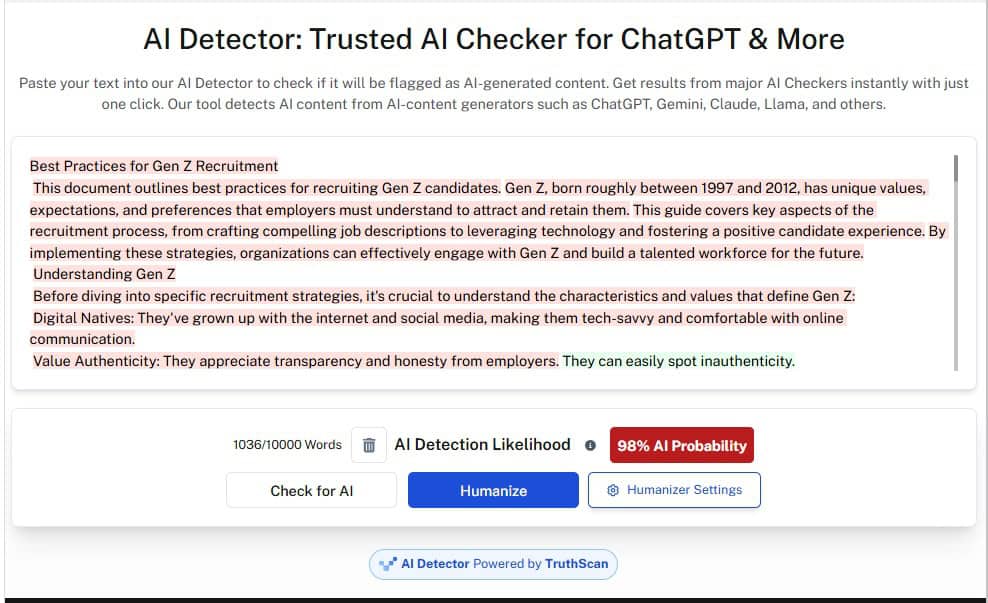
| 98% Yapay Zeka | 65% AI | 28% AI, 27% Karışık, 45% İnsan |
Hemen, puanlar AI algılamanın ne kadar tutarsız olabileceğini gösteriyor.
Undetectable AI, içeriği büyük ölçüde AI tarafından üretilmiş olarak işaretledi ve metnin büyük dil modellerine özgü birçok yapısal ve stilistik kalıbı içerdiğini öne sürdü.
Grammarly'nin sonucu daha az ciddiydi, ancak yine de açıkça yapay zekaya yönelmişti, bu da içeriğin günlük düzenleme veya inceleme iş akışlarında sorun yaratabileceği anlamına geliyor.
MyDetector ise çok daha karışık bir değerlendirme yaptı ve içeriğin neredeyse yarısını insan tarafından yazılmış olarak etiketledi.
Bu sonuçlar bir arada değerlendirildiğinde, Napkin AI'nın metinlerinin okunabilir ve iyi organize edilmiş olmasına rağmen, daha sıkı tespit ortamlarında hala AI tarafından üretildiği tespit edilebilir olduğu ortaya çıkmaktadır.
Sonuç olarak? Napkin AI'nın metnini platform dışında yeniden kullanmayı planlıyorsanız, metni gözden geçirip düzenlemeniz ve çoğu durumda daha doğal ve insanca bir üslup için yeniden yazmanız iyi bir fikirdir.
Undetectable gibi araçlar Yapay Zeka Dedektörü ve İnsanlaştırıcı burada büyük bir yardımcı olabilir, metninizin dedektörler tarafından nasıl okunduğunu hızlıca kontrol etmenizi ve kırmızı bayrakları kaldırabilecek bölümleri düzeltmenizi sağlar.
Napkin AI'nın Güçlü Yönleri ve Sınırlamaları
Napkin AI'nın en büyük gücü hızıdır. Metni dakikalar içinde kullanılabilir görsellere dönüştürebilir, bu da onu yazarlar, eğitimciler ve tasarımdan ziyade kelimelerle düşünen profesyoneller için ideal hale getirir.
Ancak bu basitlik, aynı zamanda en büyük sınırlamasıdır. Napkin AI, derinlemesine özelleştirme veya karmaşık, veri yoğun diyagramlar için tasarlanmamıştır, bu nedenle Figma veya Miro gibi araçlardan gelen kullanıcılar onu çok kısıtlayıcı bulabilirler.
Ayrıca, AI tarafından oluşturulan metin başlangıç noktası olarak iyi çalışsa da, çıktısı da çok basittir ve daha sıkı AI dedektörleri tarafından işaretlenme riski vardır (diğer içerik parçalarında yeniden kullanılırsa).
Napkin AI Alternatifleri
Napkin AI bir şeyi gerçekten çok iyi yapıyor, ancak halihazırda kullanıyor olabileceğiniz tüm tasarım veya üretkenlik araçlarının yerini alması amaçlanmamıştır.
Napkin AI'nın benzer araçlarla karşılaştırıldığında nasıl bir konumda olduğunu gösteren kısa bir özet aşağıda yer almaktadır.
| Napkin AI ile Canva, Miro, Whimsical ve PowerPoint/Google Slides karşılaştırması | |||
| Alet | İçin En İyisi | Nerede Üstünlük Sağlar? | Ana Takas |
| Peçete AI | Hızlı metinden görsele dönüştürme | Metni anında diyagramlara, akış şemalarına ve basit görsellere dönüştürür | Tekrar tekrar kullanıldığında sınırlı tasarım kontrolü ve tekrarlayan stiller |
| Canva | Markalı, cilalı görseller | Geniş şablon kütüphanesi ve güçlü markalaşma araçları | Daha fazla manuel tasarım çalışması gerektirir |
| Miro | Takım işbirliği araçları ve daha karmaşık diyagramlar | Güçlü beyaz tahta ve gerçek zamanlı işbirliği | Daha yüksek öğrenme eğrisi ve hızlı görseller için çok daha yavaş |
| Tuhaf | Temiz diyagramlar ve akış şemaları | Basit, yapılandırılmış diyagram oluşturma araçları | Metin-görsel otomasyonu yok |
| PowerPoint / Google Slaytlar | Tanıdık sunum iş akışları | Esnek ve yaygın olarak kullanılan | Sıfırdan görseller oluşturmak zaman alıcıdır |
Napkin AI, AI ile düzenlenmiş veya yeniden ifade edilmiş metinleri tespit edebilir mi?
Hayır, Napkin AI yerleşik bir AI dedektörü içermez.
Platform ise yok AI kullanarak metin oluşturmak için, bu metnin AI tarafından mı yoksa insan tarafından mı yazıldığını kontrol etmenin bir yolu yoktur. Ayrıca, diğer AI araçları kullanılarak yeniden ifade edilmiş, düzenlenmiş veya yeniden yazılmış içeriği de işaretlemez.
Testimizde gördüğümüz gibi, Napkin AI'nın yapay zeka tarafından oluşturulan içeriği, daha sıkı algılama araçları tarafından işaretlenebilir. Ve yerleşik bir algılayıcı olmadan, bu içeriğin başka bir yerde test edilene kadar nasıl bir performans göstereceğini bilmek mümkün değildir.
Dolayısıyla, Napkin AI'nın içeriğini başka bir yerde kullanmayı planlıyorsanız, içeriği Undetectable's üzerinden çalıştırmanızda fayda var. AI Paraphraser ve Yapay Zeka Gizli Yazarı.
Bu araçlar, Napkin AI metninizi daha doğal hale getirmek için yeniden yazmanıza yardımcı olabilir ve AI dedektörlerinin işaretleme eğiliminde olduğu kalıpları azaltır.
Aşağıdaki widget'ta Yapay Zeka Dedektörümüz ve İnsancıllaştırıcımız aracılığıyla yazınızı test edin!
Napkin AI hakkındaki nihai kararımız
Algılama sonuçları bir şeyi açıkça ortaya koyuyor: Napkin AI tarafından oluşturulan metin, platform içinde bir başlangıç noktası olarak kullanılabilir.
Ancak, özellikle AI tarafından üretildiği tespit edilme olasılığının yüksek olduğu daha sıkı tespit ortamlarında insan tarafından yazılmış gibi görünmez. Bu, metni kamuya açık olarak yayınlamayı veya AI tespiti inceleme sürecinin bir parçası olan yerlerde yeniden kullanmayı planlıyorsanız önemlidir.
Tavsiyemiz mi? Napkin AI'yı en iyi yaptığı şey için (grafik ve görseller oluşturmak) kullanın, doğru AI yazma araçlarına sahip yetenekli bir yazarın yerine kullanmayın.
Her AI tarafından oluşturulan metni insan gibi gösterin Tespit Edilemeyen Yapay Zeka.