
You saw a tiny “cr” badge in the corner of a photo on LinkedIn, or someone in a group chat told you to check an image’s Content Credentials before sharing it.
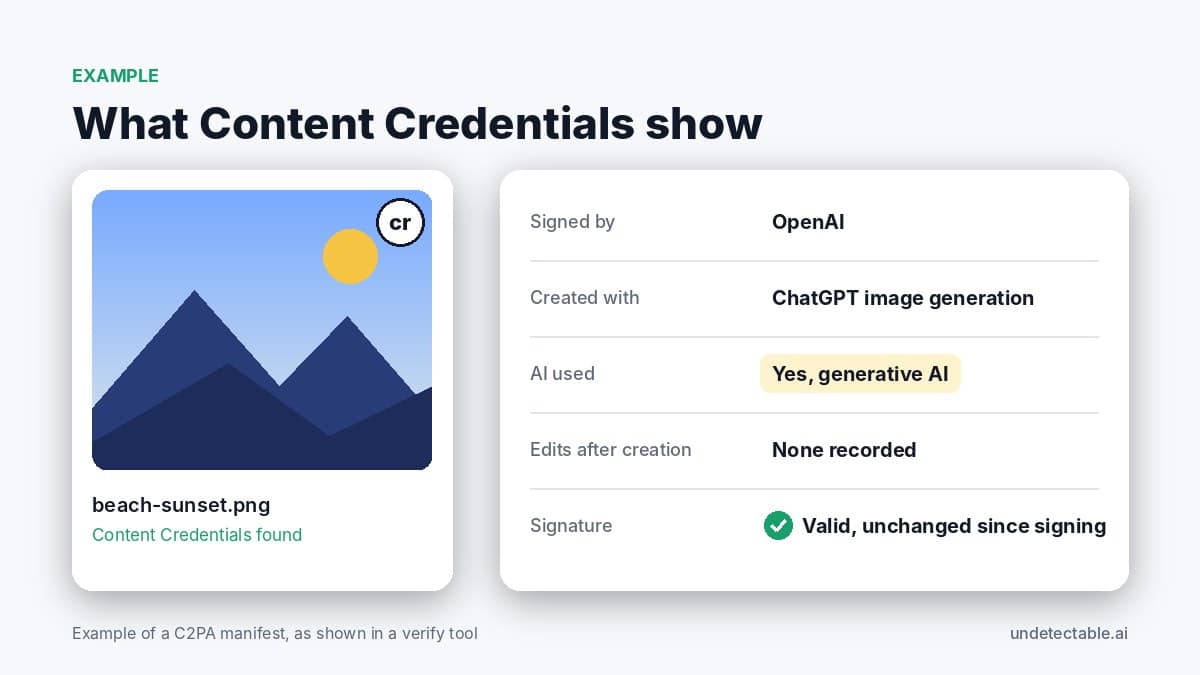
Content Credentials are a signed record stored inside a file. They can tell you which camera or app made an image, what edits happened after, and whether AI was involved.
They’re useful when they’re there. Most images online don’t have them, though, and a missing credential proves nothing on its own.
What Content Credentials Record
Content Credentials come from the C2PA standard, short for Coalition for Content Provenance and Authenticity. Members include Adobe, the BBC, Google, Microsoft, OpenAI, Sony and Truepic.
Each credential is a C2PA manifest, a small data package attached to an image, video, audio file or document. It holds statements called assertions.
The C2PA explainer lists the main ones: where and when the file was created, which tools changed it, and whether AI was used. A photo from a supported phone might say it came straight from the camera with no edits.


Never Worry About AI Detecting Your Texts Again. Undetectable AI Can Help You:
- Make your AI assisted writing appear human-like.
- Bypass all major AI detection tools with just one click.
- Use AI safely and confidently in school and work.
How the Digital Signature Works
When an app creates a credential, it calculates a hash of the image. A hash is a short code that changes if even one pixel changes.
The app then signs the hash and the manifest with a certificate, using the same signature technology behind online payments. Anyone can check that signature later.
If someone edits the image in a tool that doesn’t update the credential, the hash no longer matches. A verifier then shows the credential as invalid instead of quietly trusting it.
Each new edit in a supported app adds a new entry, so you can see the full chain. A photo might show the Pixel camera first, then an AI edit made later in Google Photos.
Which Apps and Devices Add Content Credentials
Support is growing, but it’s uneven. These are the products that add credentials today and what they cover.
| Product | What gets a credential |
|---|---|
| ChatGPT, Codex and the OpenAI API | Generated images, plus a SynthID watermark |
| Google Pixel 10 camera | Every JPEG photo taken in the Pixel Camera app |
| Google Photos | AI and non-AI edits, shown in the About panel |
| Adobe Photoshop and Lightroom | Edits and generative fill, when Content Credentials are turned on |
| Leica, Sony and Canon cameras | Photos from supported models |
OpenAI says images from ChatGPT carry both C2PA metadata and a SynthID watermark, so a signal can survive even if the metadata is removed.
Google made the Pixel 10 the first phone line with credentials on every photo from its camera app, rated Assurance Level 2 in the C2PA Conformance Program.
Apple isn’t a C2PA member, so photos from the iPhone camera app don’t carry credentials by default.
How to Check an Image for Content Credentials
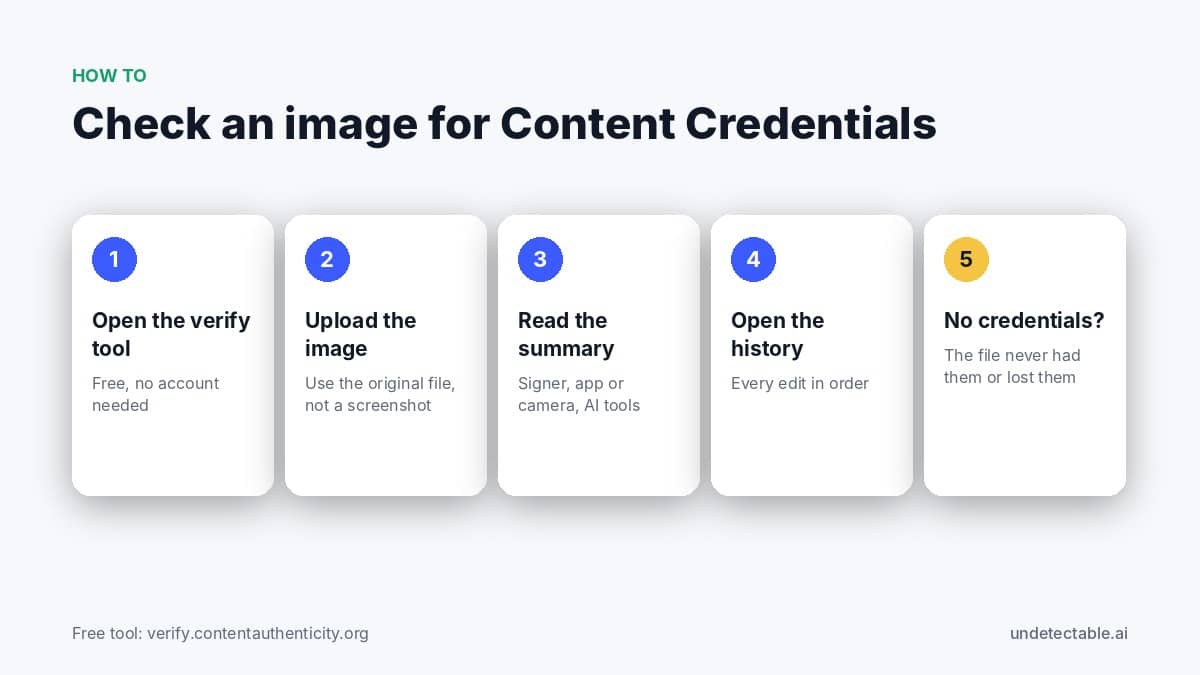
You don’t need any software installed. Use the original file whenever you can, since a screenshot or a downloaded copy from social media usually has the data stripped.
- Open the Content Authenticity Initiative verify page.
- Drag the image into the upload box.
- Read the summary. It shows who signed the credential, the app or camera, and any AI tools listed.
- Open the history to see each edit in order.
- If it says no Content Credentials were found, the file either never had them or lost them along the way.
The tool is free at Content Credentials Verify. OpenAI also runs openai.com/verify for images made with its own tools, and Google Photos shows credentials in an image’s About panel.
Where Content Credentials Fall Short
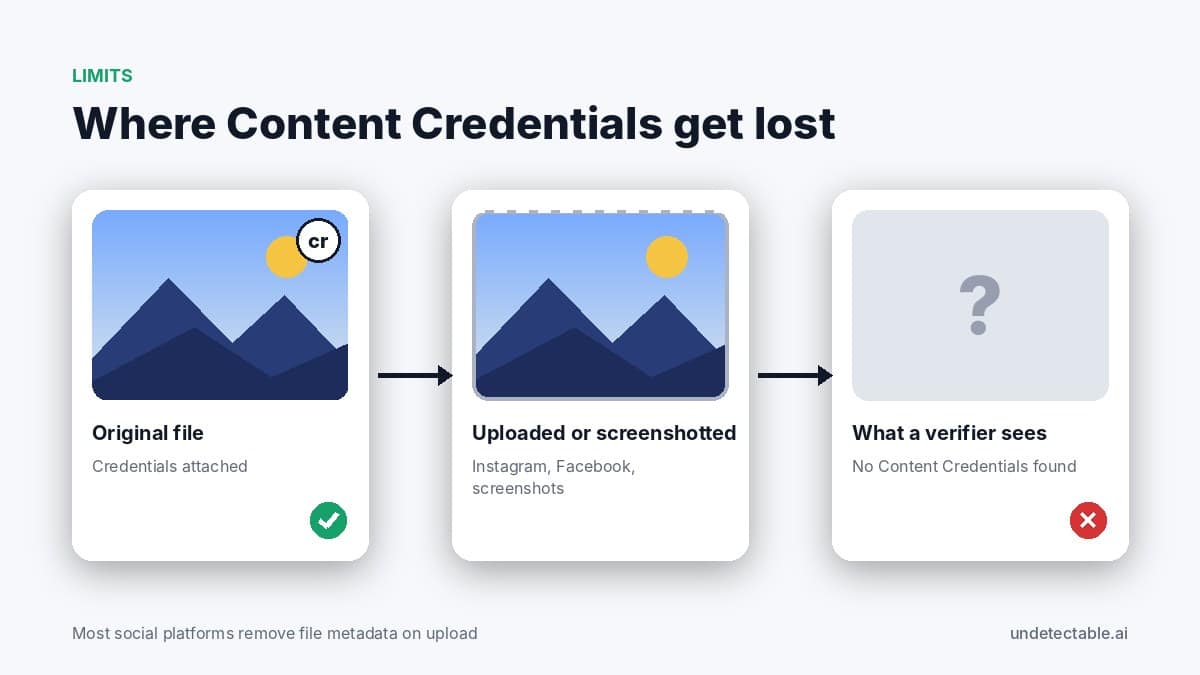
Most social platforms remove file metadata when you upload. Instagram and Facebook compress the image and drop the manifest along with the EXIF data.
Screenshots break the chain too, and so does re-saving the file in an app that doesn’t support C2PA. The picture looks identical, but the credential is gone.
Adoption is still low. PetaPixel, citing the Reuters Institute, reports that fewer than 1% of news images and videos published worldwide carry C2PA information.
That leaves one big gap. A missing credential tells you nothing about whether an image is real or AI-made, and a valid credential only tells you what the signing app reported.
What to Do When an Image Has No Credentials
Start with the source. Search for the image with Google Lens to find older copies, and check if the original poster shared a higher-resolution version.
Look closely at hands, text, jewelry and backgrounds. Our guide to AI image artifacts shows the patterns that tend to give generated images away.
For faces in photos and short clips, the signs are different. Lighting and edges around the jaw matter more, as we explain in our post on face swaps.
Then run the file through an AI image detector. Our AI Image Detector analyzes the pixels themselves, so it still works on screenshots and images that lost their metadata.
No single check is final. Detectors can make mistakes, which we cover in detector errors, so use two or three signals together before you call an image fake.
FAQ
What does C2PA stand for?
C2PA stands for Coalition for Content Provenance and Authenticity. It’s the group that writes the technical standard behind Content Credentials.
Do Content Credentials prove an image is real?
No. They prove which app or device signed the file and that it hasn’t changed since. A real camera photo with valid credentials is strong evidence, but an image without them isn’t automatically fake.
Do ChatGPT images have Content Credentials?
Yes. OpenAI adds C2PA metadata and a SynthID watermark to images generated with ChatGPT, Codex and its API. The metadata can be lost after uploads or edits.
Can Content Credentials be removed?
Yes. Uploading to most social platforms, taking a screenshot or re-saving in an unsupported app removes them. That’s why OpenAI and Google add watermarks as a second signal.
Is C2PA the same as a watermark?
No. C2PA is signed metadata stored alongside the pixels. A watermark like SynthID is hidden inside the pixels, so it can survive some edits that remove metadata.
Conclusion
Content Credentials are the closest thing to a receipt for an image. When a file has them, you can see the camera or app, the edits and any AI involved in a few seconds.
Most images you see online won’t have them, though. For those, check the source, look for artifacts and run the file through our AI Image Detector before you trust or share it.