
Most of what we do online today runs on cloud services. Your emails, file storage, and even the chatbot you asked a question five minutes ago. All of it sits on someone’s cloud infrastructure. AWS, Azure, GCP, you name it.
And for businesses, the shift has been even more aggressive. Companies are plugging in new SaaS tools, jumping between providers, and scaling fast.
But the problem is that every time you add a new service or migrate between platforms, you’re creating gaps.
- Different permissions
- Different identity setups
- And even different security policies
So it’s only natural for security teams if they can’t always keep up.
And the worst part is that the attackers know this quite well. They scan cloud environments and look for exactly these kinds of weak spots, or in cloud jargon, “vulnerabilities”.
Things like a misconfigured API, stale credentials, and an access policy nobody reviewed in months are all vulnerabilities that attackers can target. Their goal is always the same: get in, grab data, sell it.
That’s why having a solid set of cloud security tips in your back pocket matters more now than it probably ever has.
This blog covers practical ones you can actually put to work.
Key Takeaways
- Cloud security refers to the set of controls, policies, and best practices that protect digital data, identities and all other personal information.
- Shared responsibility model in cloud security is a core concept to know when accessing cloud services: companies protect their services, you protect your data.
- Users need to encrypt their data at rest and in transit, regularly back up critical files, limit admin privileges, and monitor their cloud activity regularly.
- Setting up multi-factor authentication (MFA) is the best cloud security practice.
- With the AI boom, it is imperative that businesses and users implement appropriate security protocols that can recognize AI-generated requests that attempt unauthorized access to cloud data.
What Is Cloud Security?
Cloud security refers to the set of controls, policies, and best practices that protect digital data, identities, and everything else you store in the cloud.
These controls and security policies control how you are able to access data across cloud environments.
Large organizations have access to multiple cloud environments, so cloud security helps keep policies consistent as resources move between these cloud environments to get the work done.


Never Worry About AI Detecting Your Texts Again. Undetectable AI Can Help You:
- Make your AI assisted writing appear human-like.
- Bypass all major AI detection tools with just one click.
- Use AI safely and confidently in school and work.
Think of this as if moving across the country, you need reliable security tools to help keep you safe from unknown threats. Similarly, cloud security helps keep your data safe in the cloud with a set of consistent and reliable security tools and policies.
The shared responsibility model in cloud security is a core concept to know. Each cloud service provider has their own set of strategies and policies to keep their infrastructure secure.
You, on the other hand, are responsible for what runs in the cloud, thus you need to manage your own configuration and data protection.
This shared model can create a dynamic attack surface. Cloud security helps keep this risk at bay and helps you identify threats before they mature.
Misunderstanding this or only relying on the cloud servicer’s security strategies can put your own data at risk. Thus, both parties must understand their responsibilities and roles to prevent cyberattacks.
You can also think of cloud security as a toolbox that includes encryption, multi-factor authentication (MFA), firewalls, and runtime protection. These tools work together to keep your data safe and secure in the cloud.
Why Cloud Security Matters More In 2026
In 2026, more and more companies are switching to cloud based services for higher speeds, flexibility, and being able to access data from anywhere in the world.
However, cloud services have also seen a significant rise in cyberattacks.
Back in July 2019, Capital One disclosed one of the biggest data breaches in banking history. Over 100 million U.S. consumers and 6 million Canadians had their information exposed, mostly from credit card applications going back to 2005.
“The largest category of information accessed was information on consumers and small businesses as of the time they applied for one of our credit card products from 2005 through early 2019,” confirmed the fifth-largest credit card issuer in the U.S.
That was bad. But the attack surface in 2026 looks nothing like it did back then.
Companies today are running workloads across multiple clouds, spinning up new services constantly, and managing way more identities than their security teams can realistically track.
One misconfigured policy, one exposed API, and you’ve handed someone the keys.
Keep in mind that cyber criminals are professionals and well-versed at exploiting these vulnerabilities before we might even realize that they exist.
To analyze the weight of the importance of cloud security in 2026, an average data breach can cost a business 4.4 million dollars. Hence, being able to defend against these antics has become more and more about securing your livelihood.
Per Microsoft’s Digital Defense Report, identity is the most vulnerable entry point for attackers. The report has logged 600 million identity attacks per day. This means threat actors can pretend to be you to gain access to your valuable information.
Octo Tempest, also known as Scattered Spider, UNC3944, or 0ktapus, are recognized for their sophisticated identity attacks. They are even known to bypass multi-factor authentication (MFA) and imitate legitimate users.
Thus, cloud security in 2026 is more important than ever to protect your information against such sophisticated and informed cyber criminals who are alert 24/7 to hack into your data as you switch between cloud services.
The following are some important hybrid cloud security tips to keep your data safe 24/7.
Cloud Security Tips That Strengthen Your Defenses
Use Multi-Factor Authentication
MFA basically adds an extra step when you log in to your system or cloud.
Instead of just typing your password and logging in, the system asks you to verify your identity through something else, which could be a code sent to your phone, a fingerprint scan, or an authenticator app.
So even if someone steals your password, they still can’t get in without that second verification, and you will quickly figure out that someone is trying to access your cloud.
In 2026, not having MFA on your cloud accounts is honestly just careless. It’s one of the simplest cloud security tips for businesses, and it blocks a huge chunk of unauthorized access attempts before they even get started.
Limit Admin Privileges Carefully
Keep strict control over who you give admin privileges to for your cloud data. If you are a business owner, make sure only a few trustworthy people have admin privileges, only the ones who are either decision makers or handle your cloud.
You can also follow role-based access (RBAC). This means to give people role-specific permission for cloud services.
Also, make sure to remove access when an employee stops working at the company and change login credentials if needed.
Review Access Regularly
For most cloud services that you use, there is a setting through which you can access which devices have access to your account.
Regularly monitor this access and make sure there is no unauthorized or suspicious device that has access to your account.
If you come across any suspicious device, log it out immediately and change your passwords for that cloud service.

If you are a business owner, you can rely on Undetectable AI’s AI Humanizer to help explain your employees’ internal security policies and strategies in a clear, natural, and human way.
Protecting Sensitive Data In The Cloud
As we previously discussed, cloud service providers do have their own security infrastructure to protect their services. Your data, on the other hand, should be protected by you.
Hence, you should implement consistent security strategies across all cloud services that you use.
This means the following tips should be followed.
Encrypting Data at Rest
When your data is stored on servers, databases and cloud storage, it should be encrypted. This means converting it into an unreadable format that only authorized users can access with decryption keys.
This can protect your data in case of a cloud breach.
Encrypting Data in Transit
When your data is moving between servers and devices, it can be immune to cyber threats. Use strong ciphers and encrypt your data with your own keys when storing it in the cloud.
Cloud providers such as AWS, Azure, and GCP offer encryption tools. Make sure you enable and configure them appropriately to stay guarded against cyber threats.
Regularly Back Up Critical Files
Relying solely on cloud services for your valuable personal information might not be a good idea.
What you can do is regularly back up your critical data to protect it against data loss, cyberattacks, and accidental deletions.
Make sure to store your backups in a separate and secure environment. Follow the 3-2-1 rule: keep three copies of your data on two different media types, with one stored offsite.
Watch Out Against AI-Generated Requests
With AI evolving by the day, you must implement security protocols that can recognize false positives when there is an AI-generated request that may attempt to gain unauthorized access to your cloud data.
You can rely on AI Detector from Undetectable AI to help you recognize unusual AI-generated requests and turn down false positives, ensuring data integrity and security.
Detecting Deepfake And AI-Based Threats
Something that wasn’t really on anyone’s radar a few years ago but is now a legit concern are deepfakes that are being used to access cloud accounts.
Someone generates a fake video or audio clip of you, maybe using footage that’s already public, and uses it to get past identity verification.
Some cloud services use voice or video-based authentication, and that’s exactly where this gets dangerous. A convincing enough deepfake can trick those systems into granting access to someone who isn’t you.
And it’s not just about logging in. Fake audio of a CEO asking IT to reset credentials or grant access to a specific environment. That kind of social engineering is already happening.
The quality of these fakes has gotten good enough that spotting them manually isn’t realistic anymore.
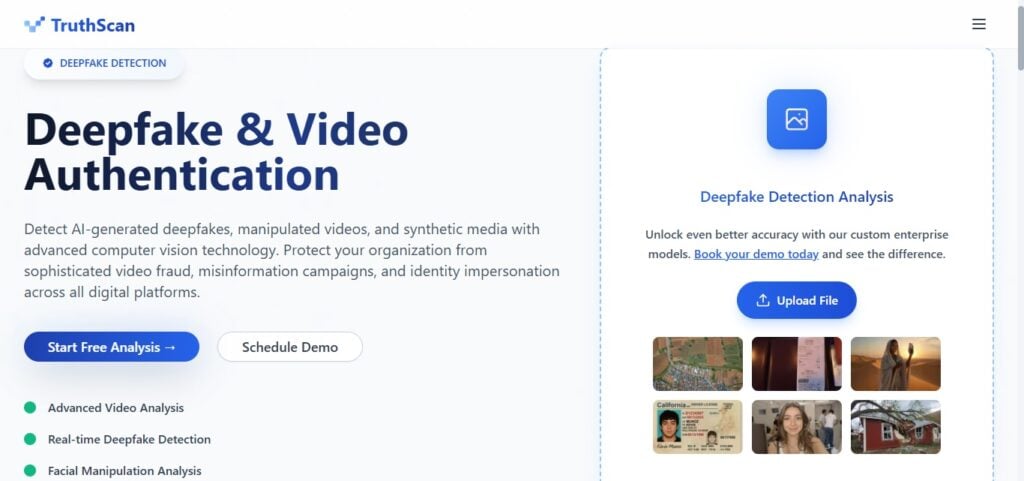
To protect your cloud data against these malicious requests, you can use TruthScan’s Deepfake Detection tool and fight against identity manipulation.
The tool analyzes video and audio for signs of AI generation that the human eye or ear would miss, which gives you a way to verify whether a request is actually coming from who it claims to be.
Monitoring Cloud Activity Proactively
Setting up your security and forgetting about it is the most common mistake people make with cloud accounts. Why? Because things change all the time.
New devices connect, permissions get updated, or someone installs a third-party integration without telling anyone.
That’s why you should enable activity logs and audit trails on every cloud service you use. Most providers have this built in, but it’s often not turned on by default.
Set up real-time alerts, so you know immediately when an unrecognized device logs in or someone tries changing permissions outside normal hours.
And actually review these logs on a schedule. Not just when something feels off. A lot of breaches go undetected for months because nobody was looking at the data that would’ve flagged it early.
Building A Security-First Culture
Whenever you sign up for a new cloud service, the foremost thing you should make sure is that they have consistent security policies.
Furthermore, you should ensure on your end that you have implemented strict security policies as well for your account.
If you are a business owner, conduct regular employee awareness and training sessions in which you can educate your employees about cloud security risks, and tips to keep their cloud data secure, and what are cloud security best practices.
Make sure you are building a security-first culture. Ensure everyone is compliant with the security protocols you set for your company. This helps you keep employee data secure and safe.
Explore our AI Detector and Humanizer in the widget below!
Final Thoughts
Cloud security in 2026 is integral to using cloud services. Without it, users can lose access to their data, including bank accounts, personal identity information, and business records, all of which are crucial to one’s livelihood.
The AI side of things like Deepfakes, AI-generated phishing, and synthetic identity attacks, makes this even more urgent.
Having AI detection tools in your workflow gives you a way to catch what human judgment alone can’t.
Users need to encrypt their data at rest and in transit, regularly back up critical files, limit admin privileges, and monitor their cloud activity regularly. On top of this, using multi-factor authentication (MFA) is a rule of thumb in 2026 when using cloud services.
By implementing these security policies and configuring the cloud security protocols appropriately, users and business both can both keep cyberattacks at bay and continue to use cloud services efficiently in a safe and reliable environment.
Add an extra layer of protection to your content workflow with Undetectable AI’s advanced detection tools.