
AI image detectors provide increased protection as generative AI models become increasingly capable of producing content slips past human judgment.
Understanding how detectors work can help you interpret their results more accurately, support detection scores with human judgment, and make more informed decisions about the content you share, publish, or trust.
Punti di forza
- Today’s generative AI tools are getting better at creating content that fools the human eye.
- AI detectors can verify image authenticity by scanning for patterns that the human eye cannot see, such as pixel-level irregularities, frequency domain patterns, and metadata.
- Though AI detectors are not 100% accurate, their ability to identify patterns past surface details makes their judgment helpful for supporting investigations.
What is AI Image Detection?
AI image detection determines whether an image was created or altered using AI. AI image detection software programs achieve this by scanning images for telltale patterns of AI generation, such as irregular pixel distributions, synthetic textures, and artifacts introduced during the image generation process.
Why “Just Look at the Hands” Advice Doesn’t Work Anymore
Early AI images often gave themselves away with obvious mistakes in hands, ears, faces, or text. Improvements in the past few years have helped today’s image generators produce much more convincing results, which makes those once-common visual tells far less reliable.
In effetti, un 2025 Microsoft study involving 12,500 participants from around the world found that people correctly distinguished AI-generated images from real ones only 62% of the time. The findings show that manual inspection alone is no longer a dependable way to identify AI-generated images.
Non preoccupatevi più che l'intelligenza artificiale rilevi i vostri messaggi. Undetectable AI Può aiutarvi:
- Fate apparire la vostra scrittura assistita dall'intelligenza artificiale simile all'uomo.
- Bypass tutti i principali strumenti di rilevamento dell'intelligenza artificiale con un solo clic.
- Utilizzo AI in modo sicuro e con fiducia a scuola e al lavoro.
We Ran an AI Image and a Real Photo Through the Detector — Here’s What It Saw
To demonstrate how AI detection works, we scanned one AI-generated photo and one actual photo using TruthScan, the web-based AI detection software that powers Undetectable AI’s free image detector.
The full TruthScan platform is extremely helpful for image detection because it breaks the process down into multiple layers.
- First, it generates a confidence score, a percentage that reflects the likelihood of an image being real or AI-generated.
- It also includes a label that identifies whether an image is real, AI-generated, or digitally edited. This distinction allows it to identify images that contain no AI-generated content but show visual anomalies created from tools such as Photoshop, Lightroom, or Canva.
- Finally, it provides detailed analysis, which lists the indicators that contributed to the model’s conclusion. This includes pixel-level artifacts, metadata inconsistencies, and frequency domain patterns.
This level of detail made it the perfect model for our test.
Scanning the AI-Generated Image
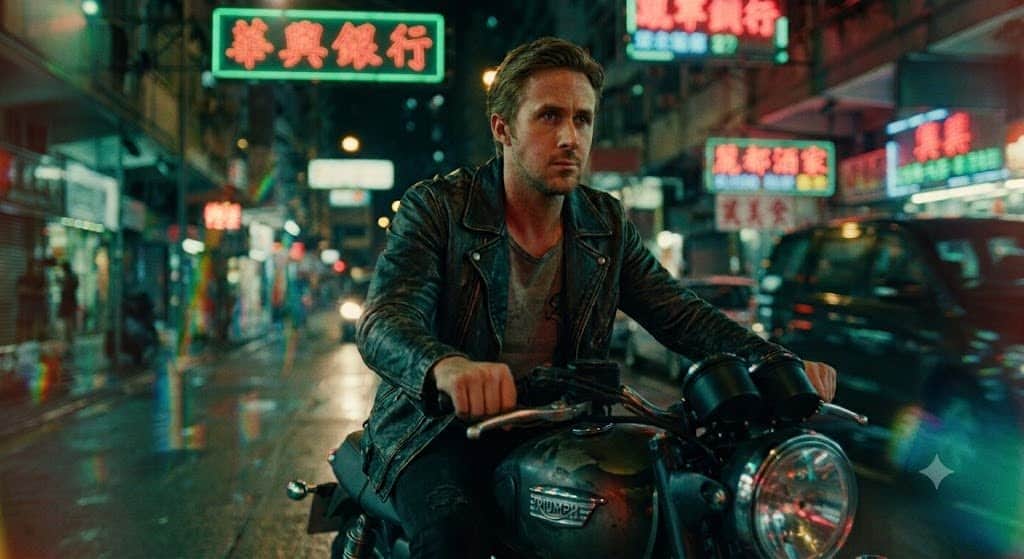
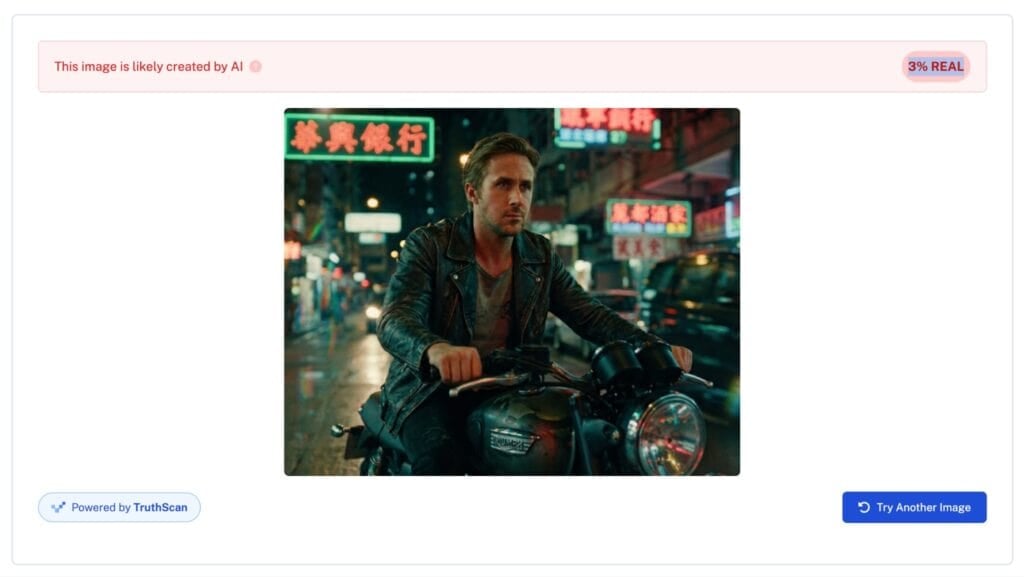
The first step of the test was to scan an AI-generated image. We instructed Gemini to generate an image of Ryan Gosling on a motorbike with colors and composition inspired by the films of famous Hong Kong filmmaker Wong Kar-wai.
Here’s the result:
To further obfuscate any visual tells, we asked Gemini to add film grain and cropped out its logo.
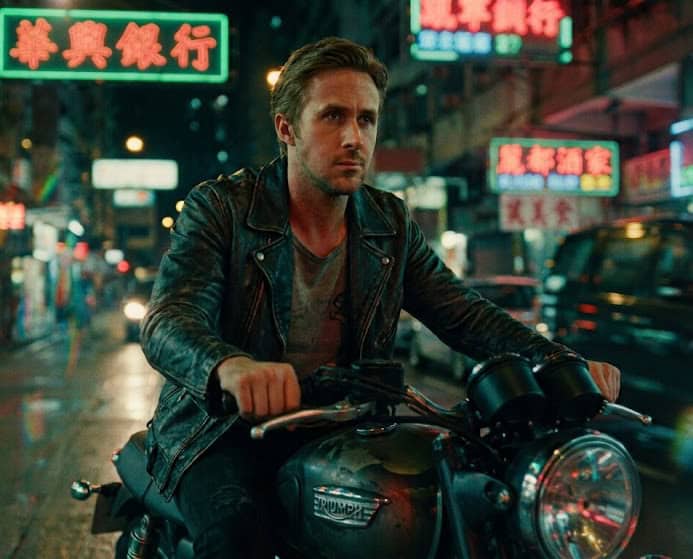
Finally, we ran the image through TruthScan.
As predicted, the detector identified the image as being AI-generated. It returned a score of 3%, meaning it estimated that the image had only a 3% chance of being real.

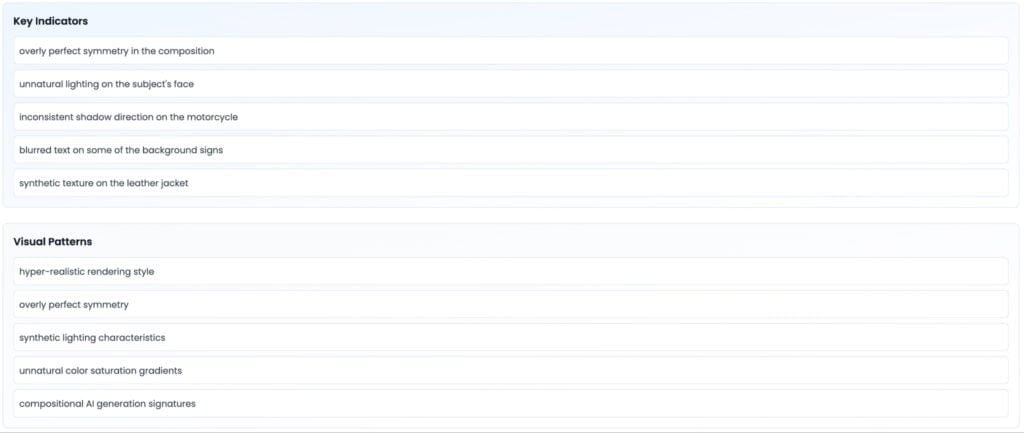
In the detailed analysis section, TruthScan listed the factors that led to its verdict. The most glaring included unnatural lighting, inconsistent shadow direction, and synthetic textures.
Scanning a Real Image
The next step was to contrast how the detector reacted to real images. We chose a screenshot of the 2011 film Guida, starring Ryan Gosling.

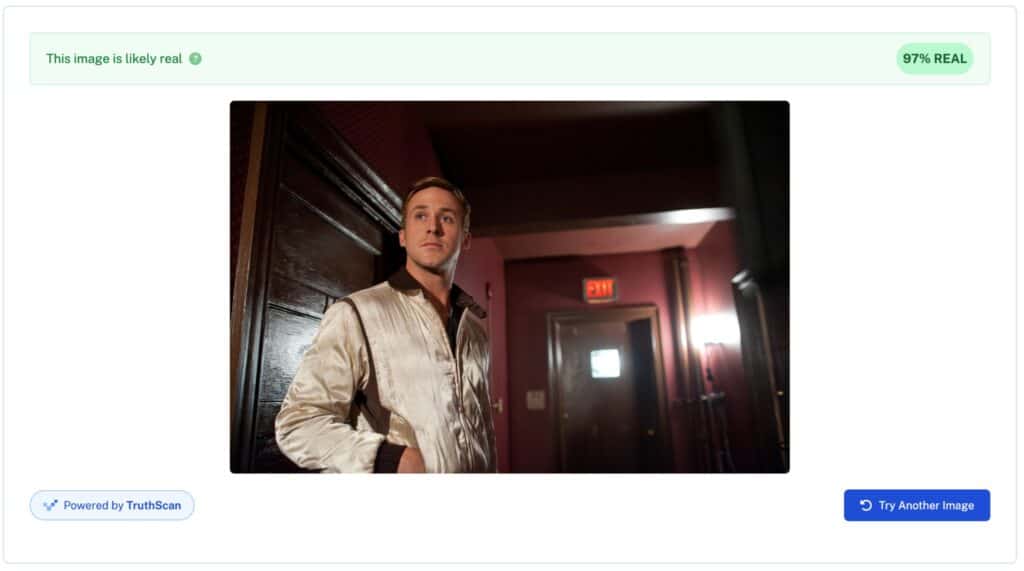
The detector was confident that the image was real. It returned a score of 97%, meaning it believed that the image was 97% likely to be real.
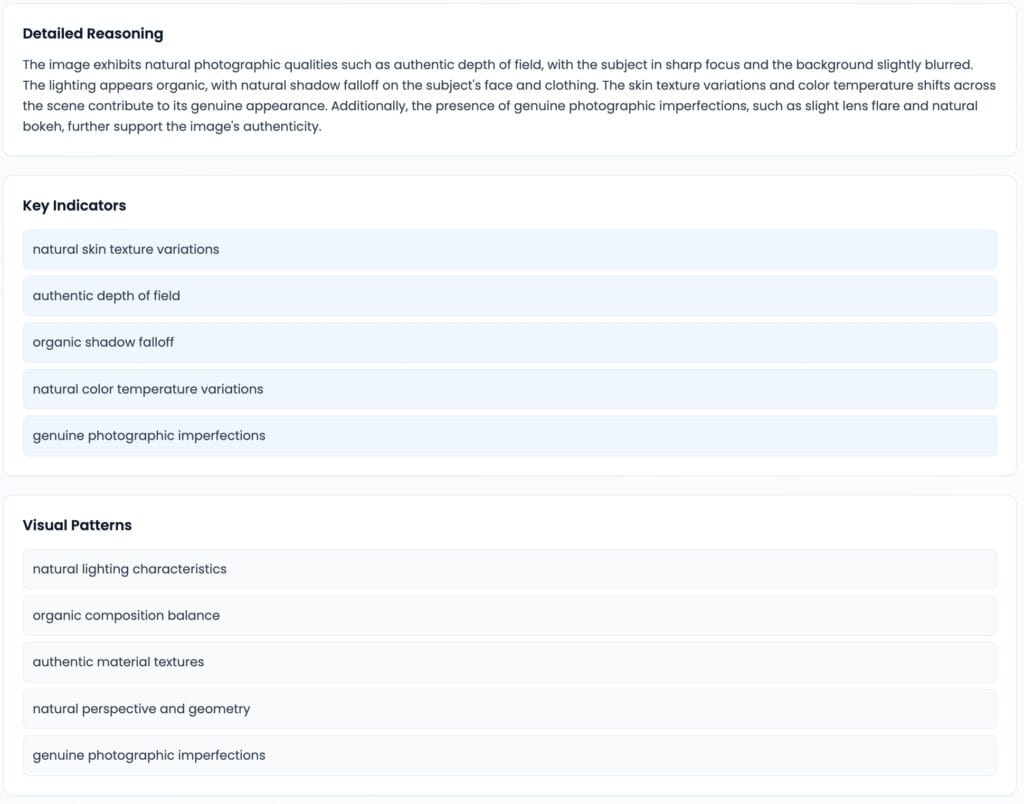
The detector looked at multiple visual factors when making its evaluation. These included perspective, lighting, shadows, and photographic imperfections.
How the Detector Reaches Its Verdict
AI detectors analyze a combination of factors when evaluating the origin of an image. These include pixel patterns, digital fingerprints, and frequency domain patterns.
Pixel-level Artifacts
One of the first things AI detection tools examine when they evaluate an image is its pixel patterns. AI-generated images can contain irregularities that the human eye cannot see but that differ from the patterns found in real photographs.
In the test above, these irregularities included synthetic textures, overly perfect symmetry, and unnatural lighting transitions.
Common examples of pixel pattern tells include:
- Inconsistent textures
- Unnatural lighting transitions
- Overly perfect symmetry
- Unnatural edges
- Inconsistent noise
- Inconsistent detail
- Compositional patterns
Frequency-domain Patterns
Since generative AI platforms create images through mathematical processes, they can produce frequency patterns that differ from those found in real photographs.
These patterns reflect the way the AI generates the image rather than the physical factors that shape a photograph, such as the camera, lens, lighting, and natural textures.
AI detectors look at these patterns to verify the origin of an image. Examples of patterns they may find include:
- Unusual concentrations of high-frequency detail
- Repeating patterns in fine textures
- Unnatural relationships between smooth areas and sharp details
- Frequency patterns associated with a particular AI model or generator
Metadata
Other than visuals, detectors also examine the information attached to the image. This information, called metadata, tells the detector where the image originated.
Information detectors review includes:
- The camera, editing program, or AI generator that created or processed the image
- Information about the software and processes used to modify an image
- Creation and modification dates
- Cryptographically embedded information
Metadata provides strong supporting evidence for the AI detection process. However, it is a less reliable indicator than pixel-level artifacts, because it can change or disappear when a user re-exports, screenshots, or compresses an image.
Best Practices for Reading AI-Detection Scores
Although AI detectors can identify evidence of AI generation that the naked eye cannot see, they can still make mistakes. To avoid the consequences of misinterpretations, follow these best practices:
Run Suspicious Images Through Detectors Before Sharing or Publishing
If you suspect that an image might be AI-generated, run it through a detector before you share or publish it. This step can help you avoid accidentally presenting synthetic content as an authentic photograph or using an image that misrepresents a person, event, or product.
Treat Confidence Scores as Probabilities, Not Proof
Most AI detectors score images based on their likelihood being real or AI-generated rather than providing a final yes or no verdict. This means that it’s important to acknowledge these margins of error, however small. Treat a result of 97% as an increased probability of being AI-generated, rather than definitive legal proof.
Cross-Check Borderline Images With Metadata Plus A Second Signal Before Acting on the Result
If an image earns a borderline score (somewhere between 40% to 60%) it’s best to check metadata before acting on the result. This will show you more information about the image’s creation and editing history.
The steps to view metadata differ by device.
- Mac users can right-click the image and select Get Info.
- Windows users can check by right clicking on the image and selecting Properties, then Dettagli.
- iOS users can tap the image in the Apple Photos app, then tap the Info icon.
- Android users must select the image in their default gallery app, then tap Dettagli.
Look for information that supports or contradicts the detector’s result. For example, metadata that identifies an AI image generator can strengthen the case that the image is synthetic.
For stronger results, combine metadata with a second signal. Run the image through another AI detector that uses a different detection method, or examine the image for visible inconsistencies. When multiple signals point to the same conclusion, you can assess the image’s origin with greater confidence.
Domande frequenti
How accurate is AI image detection?
Image detection accuracy varies by software. A comprehensive study conducted by Duke University’s Simiao Ren reported that model accuracy ranges from 37.5% to 75%. However, commercial models claim to hit 85% to 99% in controlled tests.
What signals does an AI image detector look at?
AI image detection tools examine multiple factors when evaluating images. As shown above, these factors include pixel-level irregularities, frequency-domain patterns produced mathematically during the generation process, model fingerprints, and metadata.
These details allow models to identify AI even when no surface details are visible to the human eye.
Can AI image detectors be fooled?
It is possible to disrupt the signals that AI detectors use to verify images. For example, heavy editing, compression, or adding noise or grain can distort pixel patterns or frequency data.
For best results, you should read AI detection labels and scores alongside metadata and context rather than in isolation.
Pensieri finali
AI image detectors provide an additional line of defense against synthetic or manipulated content. Though they are never 100% accurate, their ability to examine pixel-level details, frequency patterns, and metadata makes them extremely useful for supporting investigations.
For accurate detection, check out AI non rilevabile’s free Rilevatore di immagini AI. It scans images in seconds, helping you avoid accidentally sharing, publishing, or trusting AI-generated content.