
Google is deaf.
You can create the most engaging, high-value video in your niche, but if it doesn’t have text, search engines have no idea what it’s about.
You are leaving thousands of views on the table simply because your content is locked inside an audio file.
So, how do you fix it without hiring a team?
You can use the AI Video Transcription tool.
It uses artificial intelligence to extract a perfect, word-for-word document from a one-hour interview in under 5 minutes.
And that is exactly what we are covering in this blog.
We will explore how video AI transcription works, learn about the best AI video transcription tools on the market, show you how to leverage free AI video transcription, and so much more.
Let’s dive in.
Key Takeaways
- Video transcription AI uses advanced machine learning to convert speech to text.
- Search engines can only read transcripts. Adding text to your video unlocks thousands of hidden keywords.
- Video AI transcription cuts costs by 99% compared to human services and delivers results in minutes.
- Transcripts aren’t just for SEO. They open your content to the people with hearing loss and silent scrollers.
- You don’t need expensive software. Many free ai video transcription tools can generate accurate TXT and SRT files for immediate use.
Understanding AI Video Transcription
Transcription is the process of converting speech from an audio or video source into a written format.
But doing that manually is a grind, which is why AI Video Transcription automates the heavy lifting.
By leveraging Automatic Speech Recognition (ASR), it removes the need for human intervention entirely.


Never Worry About AI Detecting Your Texts Again. Undetectable AI Can Help You:
- Make your AI assisted writing appear human-like.
- Bypass all major AI detection tools with just one click.
- Use AI safely and confidently in school and work.
Modern AI understands the structure of the language to ensure accuracy.
Here is how it connects the dots:
- It decodes context: The AI analyzes sentence structure to distinguish between tricky homophones like “their,” “there,” and “they’re,” ensuring the spelling matches the meaning.
- It organizes the flow: Once the words are right, it automatically inserts commas, periods, and question marks so the output reads like a real sentence.
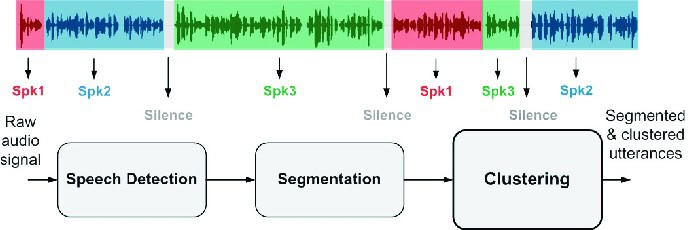
- It identifies the source: Finally, it recognizes changes in tone and frequency to handle Speaker Diarization, accurately labeling exactly when Speaker A stops talking and Speaker B begins.
- Core Benefits
Here are the benefits of video AI transcription:
- Unmatched Speed: What takes a human 4–5 hours to transcribe, AI wraps up in under 5 minutes. It’s practically instant.
- Massive Cost Savings: Forget paying $1.50/minute for manual services. Even premium video AI transcription costs a fraction of that ($0.01–$0.10), making it affordable to caption everything.
- SEO Superpowers: Google is deaf. It can not watch videos. A transcript lets search engines read your content, helping you rank for keywords hidden inside your audio.
- Content Repurposing: One transcript is a goldmine. You can slice that text into blog posts, LinkedIn updates, and email newsletters without writing from scratch.
- Global Reach: Most best AI video transcription tools support 50+ languages, allowing you to localize your content for international audiences with a single click.
- Accessibility & Inclusion: Open the door to the people with hearing loss. Plus, it helps non-native speakers understand complex topics without missing a beat.
- Better User Experience: Give people control. Transcripts let users skim, search for specific topics, or consume your content in sound-off environments.
How AI Transcription Works Behind the Scenes
Here is exactly what happens the moment you upload a file into the video AI transcription tool:
Step 1: Audio Signal Processing
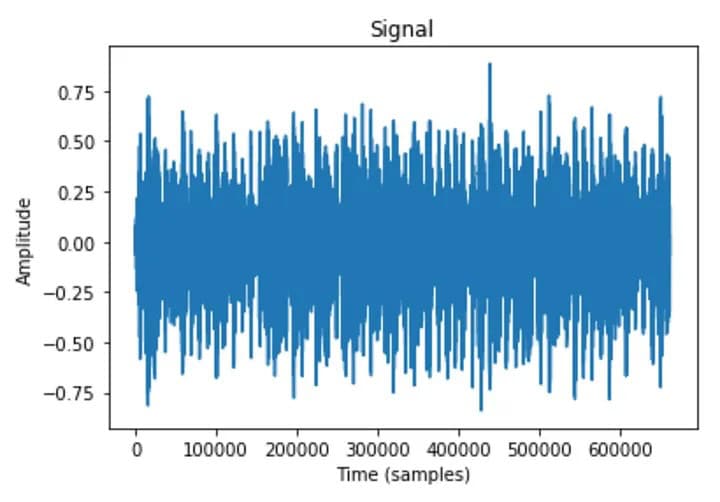
Human speech is just a wave of sound.
The system analyzes these waveforms, chops them into manageable chunks (like 30-second segments), and converts them into digital data that a computer can read (often a “log-Mel spectrogram”).
Step 2: Phoneme Recognition
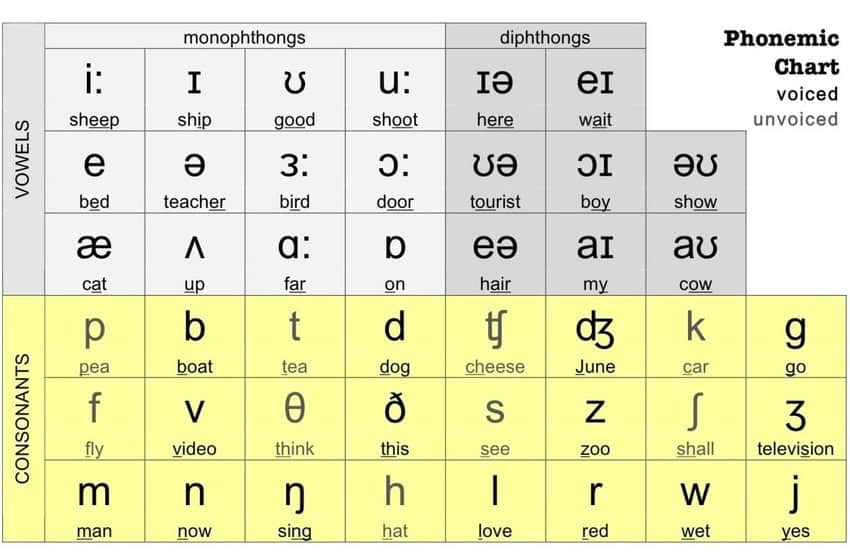
Remember how you learned to read by sounding out words? The AI does the same. It identifies Phonemes (the smallest units of sound).
- Example: The word “Cat” is three phonemes: /k/ /æ/ /t/. Modern neural networks recognize these patterns with insane accuracy.
Step 3: Contextual Understanding
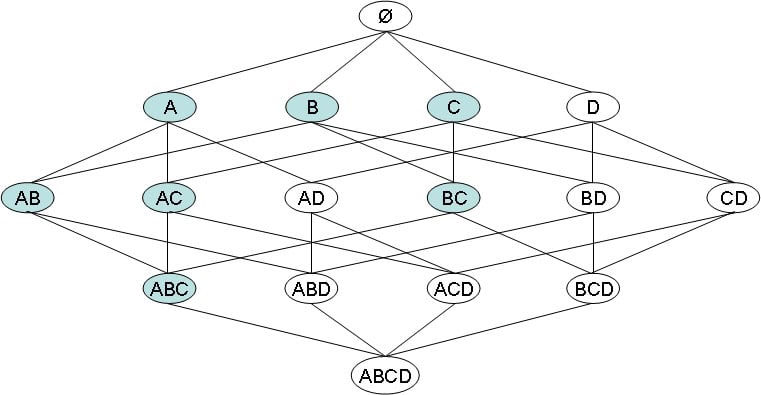
The AI looks at the big picture. It analyzes surrounding words to figure out the probability of what you said.
- The Lattice Method: The AI creates a flowchart (lattice) of possible word sequences. It scores them based on probability.
Step 4: Disambiguation & Output
Finally, the system picks the path with the highest probability score. But it doesn’t stop there. It uses NLP (Natural Language Processing) to add:
- Punctuation: Commas and periods so it’s not one long run-on sentence.
- Timestamps: Marking when each word was spoken.
- Formatting: Capitalizing proper nouns and starting sentences correctly.
Work smarter with Undetectable AI’s YouTube Transcript tool.
Understanding the tech is cool, but using it is better. You don’t need to be a data scientist to get these results.
Instead of wrestling with manual timestamps, you can use automated solutions like the Undetectable AI YouTube Transcript tool to handle this heavy lifting instantly.
It runs all this complex code in the background so you just get the clean transcript.
Many creators start with free AI video transcription options to test the waters, then upgrade to premium tools for higher accuracy and advanced features like speaker identification.
Different Formats and Use Cases for Transcripts
Even if you are using free ai video transcription software, you need to know which file type to export.
Here is your guide to picking the right format for the job.
- Plain Text (.TXT)
It’s a raw file with no timestamps, no speaker labels, and zero formatting. It’s just the words, top to bottom.
- Best For: Content Repurposing.
- The Play: Copy-paste this into AI Chatbot to write a blog post, an email newsletter, or a LinkedIn caption.
- Pros: Universal. Works on every device known to man. Smallest file size.
- Cons: Useless for subtitles (no timestamps).
- SubRip Subtitle (.SRT)
If you watch a video on YouTube, TikTok, or Netflix, you are looking at an SRT file. It uses simple timestamps so the player knows when to show the text.
- Best For: Social Media & Video Platforms.
- The Play: Upload this alongside your video file on YouTube or Facebook to ensure your captions are perfectly synced.
- Pros: Widely supported. Simple to edit.
- Cons: No styling. You can’t change fonts or colors within the file itself.
- WebVTT (.VTT)
This is the modern web standard for HTML5 players. It supports metadata, styling (bolding/italics), and even speaker identification.
- Best For: E-Learning & Web Players.
- The Play: Use this if you are building a custom course on a platform like Articulate 360 and need to color-code speakers or add chapter markers.
- Pros: Advanced styling and positioning.
- Cons: Not supported by some social platforms (like Instagram/TikTok).
- Word Document (.DOCX)
It handles rich formatting like headers, tables, and page numbers.
- Best For: Legal, Academic, & Corporate Records.
- The Play: Meeting minutes or court proceedings where you need a polished, printable document.
- JSON
It creates structured data containing confidence scores, word-level timestamps, and speaker IDs.
- Best For: App Development & Databases.
- The Play: Building a searchable database of podcast episodes.
You don’t need to be a tech wizard to generate these files. For those looking to generate video transcripts, the Undetectable AI YouTube Transcript generator is the perfect starting point for clean, accurate text.
Now, let’s look at some of the use cases of these formats:
Use Case 1: YouTube Content Creator
- Upload video → Generate SRT captions for YouTube
- Export TXT → Repurpose as blog post
- Use timestamps to create video chapters
Use Case 2: Corporate Training
- VTT for internal learning platform with branded styling
- DOCX for training manual documentation
- JSON to integrate with LMS system
Use Case 3: Podcast Producer
- TXT for show notes and episode description
- SRT for YouTube video version
- JSON for searchable podcast website database
Use Case 4: Legal Professional
- DOCX for official court transcript
- TXT for quick reference
- Timestamps for video evidence navigation
Use Case 5: Marketing Team
- TXT → Extract quotes for social media
- SRT → Add captions to promotional videos
- VTT → Embed videos on company website with custom styling
Best Practices for High-Quality AI Video Transcription
To get the 99% accuracy rating in generating high-quality video transcription AI output, you need to set the AI up for success.
Here is the strategy guide to keeping your transcripts clean.
| Feature | Strategy for Success | Impact on Quality |
| Audio Input | Use a dedicated microphone and minimize echo. | Reduces word errors by up to 30%. |
| Speaker Discipline | Ensure only one person speaks at a time. | Prevents the AI from mixing up dialogue. |
| Jargon Management | Use tools that allow for custom glossaries. | Ensures technical terms and brand names are spelled correctly. |
| Final Review | Perform a scan-read for proper nouns. | Catches unique names that AI might miss. |
How to Integrate AI Transcription Into Your Workflow
Here is the step-by-step breakdown of how to integrate AI video transcription into your workflow:
Step 1: Upload & Extract
First, paste your video link into a YouTube Transcript Generator. It rips the audio from the video and converts it into text. Don’t care about grammar at this point.
Step 2: Refine & Polish
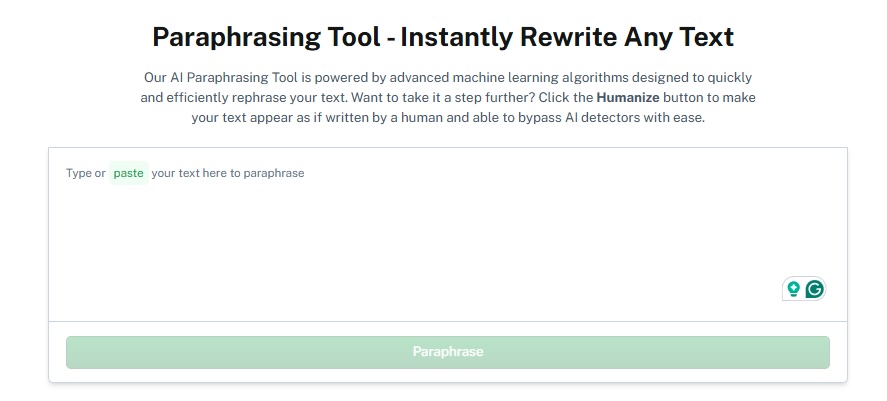
Now you have the text, but it’s full of “umms,” “ahhs,” and run-on sentences. It’s robotic. This is where you need an AI Paraphraser.
This tool understands tone. It smooths out the clunky phrasing, removes the fluff, and rewrites the content to sound professional and engaging.
You get high-quality prose that looks like a human wrote it.
Step 3: Format for Platform
Nobody reads walls of text. You need to dress it up for the specific playground you are in.
- Use headers, bullet points, and short paragraphs.
- Add emojis or bold text to guide the eye.
Step 4: Distribute
Now that you have a polished asset, let it fly.
- The Blog: Post the full, paraphrased transcript as an SEO article.
- The Socials: Use snippets for LinkedIn captions.
- The Description: Paste the summary into YouTube to boost your video SEO.
Ready to build your factory?
You don’t need a massive team to pull this off. You just need to combine the right tools.
YouTube Transcript Generator + AI Paraphraser – extract and polish text for blogs, captions, or guides.
Start turning your videos into ready-to-publish content with the best AI video transcription tools today!
Enhancing Accessibility and Engagement With Transcripts
We talk a lot about pleasing the Google algorithm, but let’s not forget the humans watching your content. Transcripts add inclusivity and keep people glued to your page.
Video AI transcription bridges the gap between you and your audience.
- Capture The Silent Scrollers
Most of us are doomscrolling. And a huge portion of mobile users watch videos on mute. If you don’t have a transcript or captions, they are scrolling past. Text stops the scroll and lets them consume content in sound-off environments.
- Support Non-Native Speakers
Not everyone is a native English speaker. Fast-paced dialogue, slang, or heavy accents can be a massive barrier. Many users can read English far better than they can understand it by ear. A transcript acts as a safety net, letting them follow along without missing the nuance.
- The Skip-to-the-Good-Part Feature
Interactive transcripts turn a passive video into an active tool. Users can search for a specific keyword (like “pricing” or “features”) and jump directly to that timestamp.
People are busy. If they can find the answer instantly, they stay on your page. If they have to scrub blindly through a 20-minute video, they bounce.
See how our AI Detector and Humanizer works in the widget below!
Final Thoughts
So here you are. You’ve already done the hard part…
You filmed the video, hosted the webinar, and recorded the podcast.
Why let all that audio just sit there when AI video transcription can turn it into blogs, captions, and SEO fuel in minutes?
The tech is smart automation doing what it does best: saving you time.
Whether you’re testing free AI video transcription tools or investing in the best AI video transcription tools with premium features, the ROI is undeniable.
More content. Less effort. Better reach.
Stop retyping what you’ve already said. Let video AI transcription handle the grunt work while you focus on creating content that moves the needle.
Your videos are assets. Treat them like it.
Turn those transcripts into polished, human sounding content fast with Undetectable AI.