
Generative AI models are becoming increasingly adept at fooling even the naked eye. With manual review rendered less reliable, it helps to find more accurate image verification methods.
In this article, we discuss and test free and effective ways of detecting AI-generated and manipulated images.
Punti di forza
- AI detection tools like TruthScan analyze metadata, pixel-level artifacts, and frequency domain patterns to determine whether a photo is real, AI-generated, or AI-edited, often returning a confidence score above 99% for manipulated images.
- Human eyes alone are no longer reliable for spotting AI images; a 2025 Microsoft study found that people correctly identified AI-generated images only 62% of the time.
- Metadata is frequently the biggest giveaway for AI content, since generators and editing tools often leave behind identifiable traces, such as evidence of Google’s C2PA Core Generator Library.
- Undetectable AI offers a free AI image detector powered by TruthScan, giving users a fast, no-cost way to screen suspicious photos for signs of AI generation or editing.
- For extra verification, users should combine AI detectors with reverse image searches and C2PA content credential checks, since not all platforms preserve this data and some results can be inconclusive.
What Counts as an AI-Generated Image
An AI-generated image is any image created through a generative AI platform. Popular image generators include DALL-E 3, Midjourney, Adobe Firefly, and Canva Magic Studio.
Beyond AI-generated images, there are also AI-edited images. These are real photographs or other types of visual files that have been altered or enhanced with AI tools.
Both AI-generated and AI-edited images can be detected using AI detection software. They contain telltale patterns in their metadata, pixel structure, and frequency domain that AI image detection tools use to distinguish them from authentic images.
Non preoccupatevi più che l'intelligenza artificiale rilevi i vostri messaggi. Undetectable AI Può aiutarvi:
- Fate apparire la vostra scrittura assistita dall'intelligenza artificiale simile all'uomo.
- Bypass tutti i principali strumenti di rilevamento dell'intelligenza artificiale con un solo clic.
- Utilizzo AI in modo sicuro e con fiducia a scuola e al lavoro.
Why You Can’t Always Tell An AI Image Just By Looking
The AI models that first hit the market were unsophisticated enough to leave visual artifacts that people could spot without specialized software, such as warped backgrounds, overly smooth textures, and unnatural hands and fingers.
However, developers have trained many of these mistakes away, making today’s AI-generated images harder to distinguish from real photos.
In 2025, Microsoft conducted a study testing the average person’s ability to distinguish AI from authentic images. The 12,500 participants they selected for the study only identified AI-generated images correctly 62% of the time. This proves that today’s generative models are more effective at bypassing human detection.
We Ran a Few Real and AI Images Through the Detector — Here’s What It Flagged
To demonstrate how AI image detectors work, we decided to run a few sample images through TruthScan, an AI image detection software. TruthScan powers Undetectable AI’s own free AI image detector, but requires users to create an account for access to more detailed analyses.
TruthScan is a great option for analyzing images in depth because it provides multiple layers of verification.
Questo include:
- Category Label: A label classifying an image as most likely to be AI, digitally edited (through Photoshop, Canva, or other means) or real.
- Probability Score: A 0% to 100% percentage score that reflects the likelihood that an image is AI or real.
- Detailed Reasoning: A breakdown of the signals that led to the detector’s conclusion.
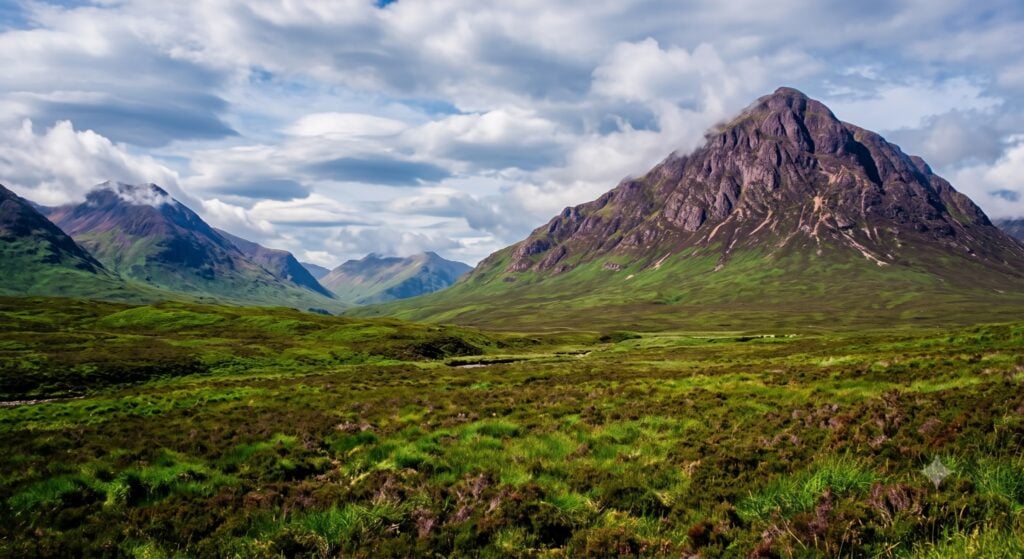
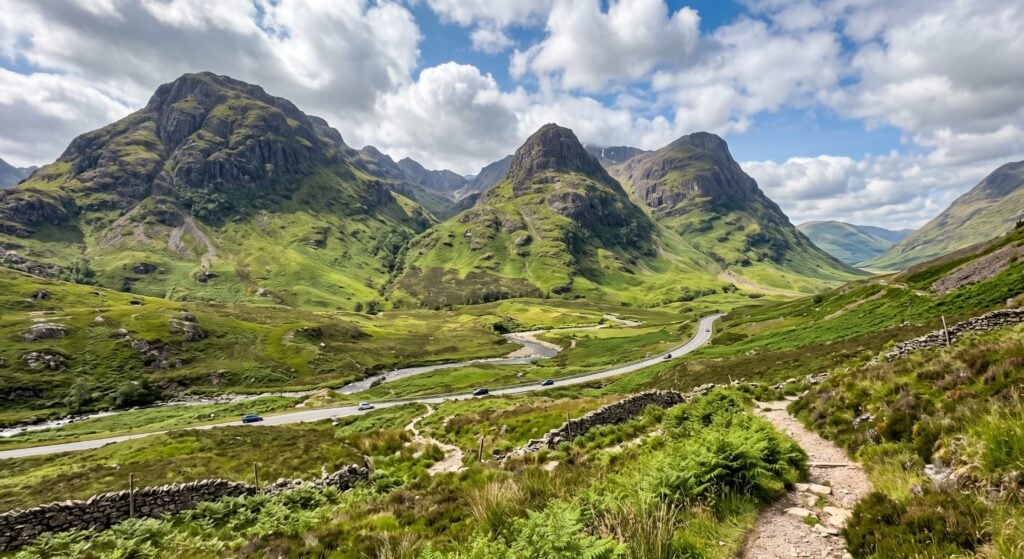
We fed the detector three samples: one photo generated using Gemini, another photo edited using Gemini, and a real iPhone photograph.
The AI-edited photo
The AI-generated photo
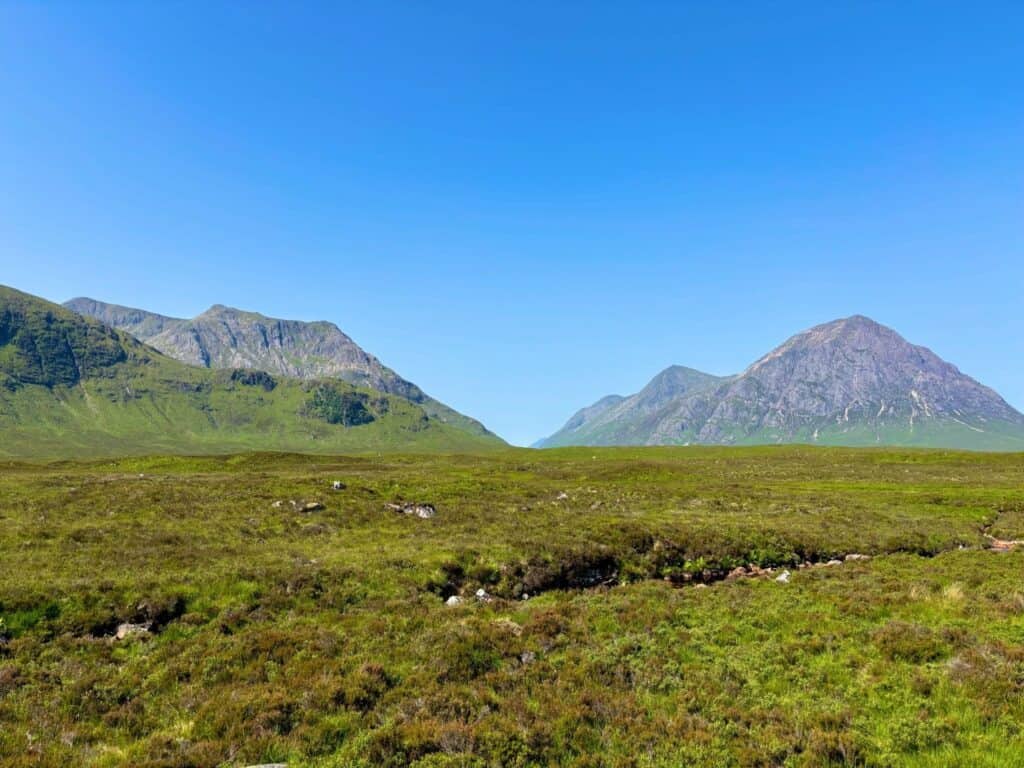
The real iPhone Photograph
Detecting the AI-Generated Image
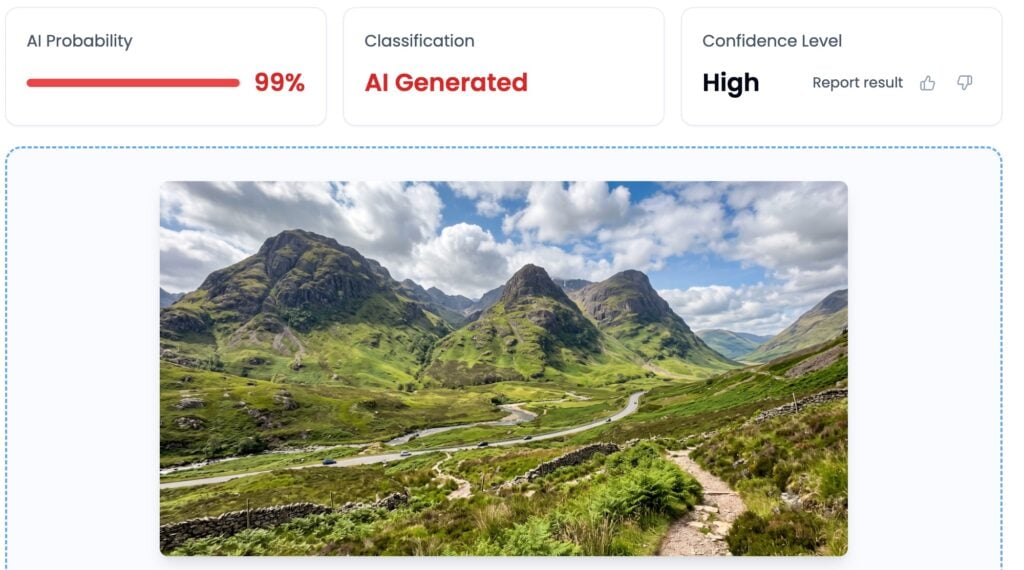
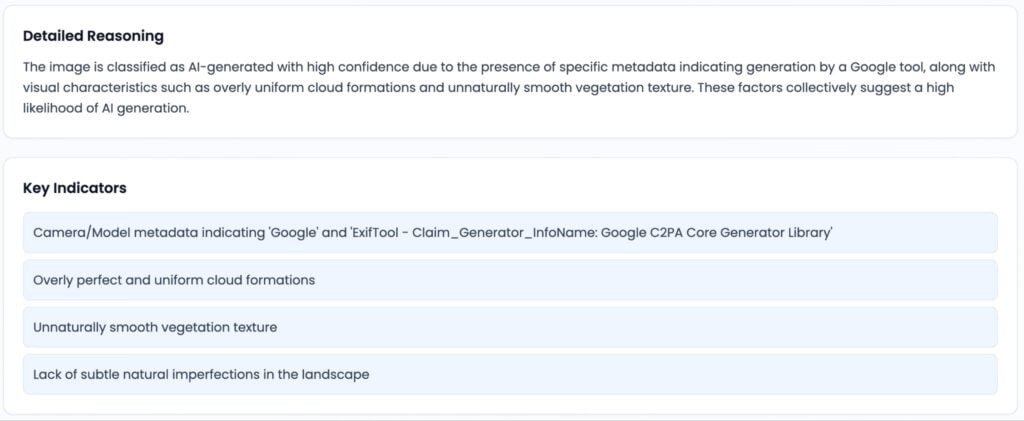
First, we tested an AI-generated image of the Glencoe Valley in the Scottish Highlands. TruthScan immediately classified it as AI, with a 99% probability score.
Although the image looked convincing, its metadata immediately indicated that Gemini generated it. It also features unnatural visual characteristics, such as cloud patterns, vegetation textures, and landscape imperfections.
Detecting the AI-Edited Image
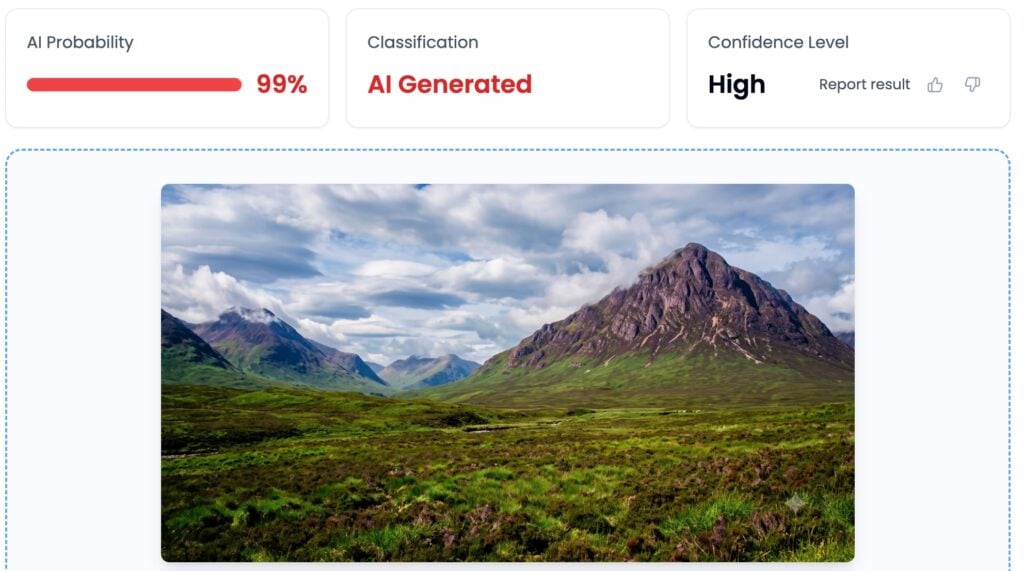
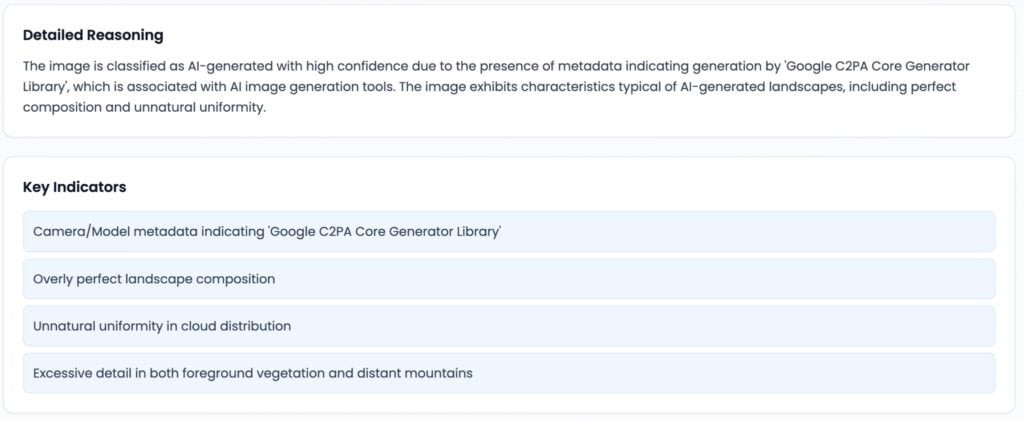
Next, we took our iPhone photograph of the Glencoe Valley, asked Gemini to increase saturation and add clouds, and ran the result through TruthScan. Similarly to the AI-generated image, the AI-edited image earned a 99% AI probability score.
Here, metadata was also the biggest giveaway. TruthScan immediately found evidence that the image came from Google’s C2PA Core Generator Library. Other signals it cited include unnatural uniformity in cloud distribution and excessive detail in the landscapes.
Detecting the Real Image
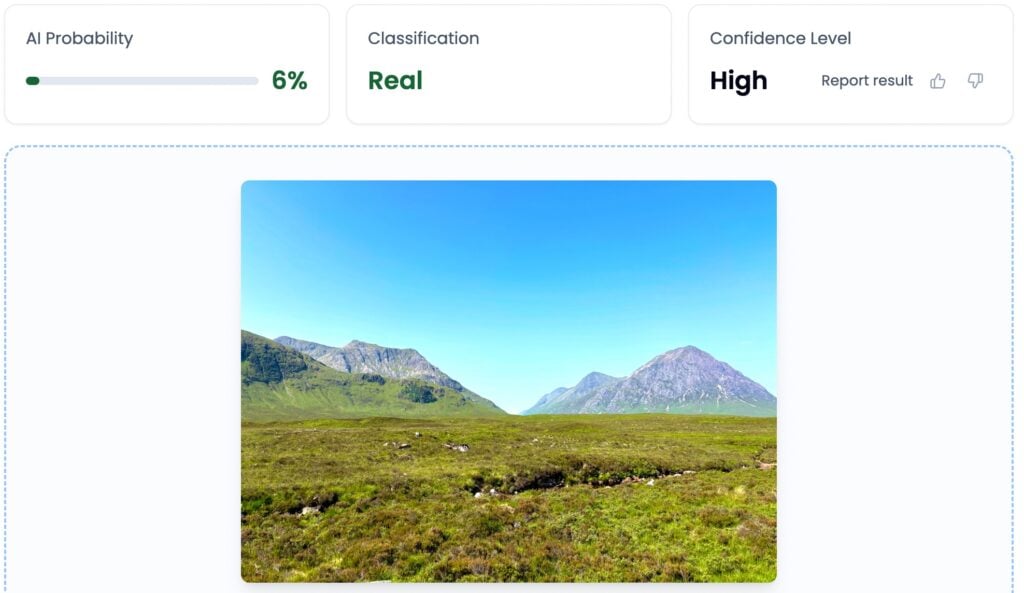
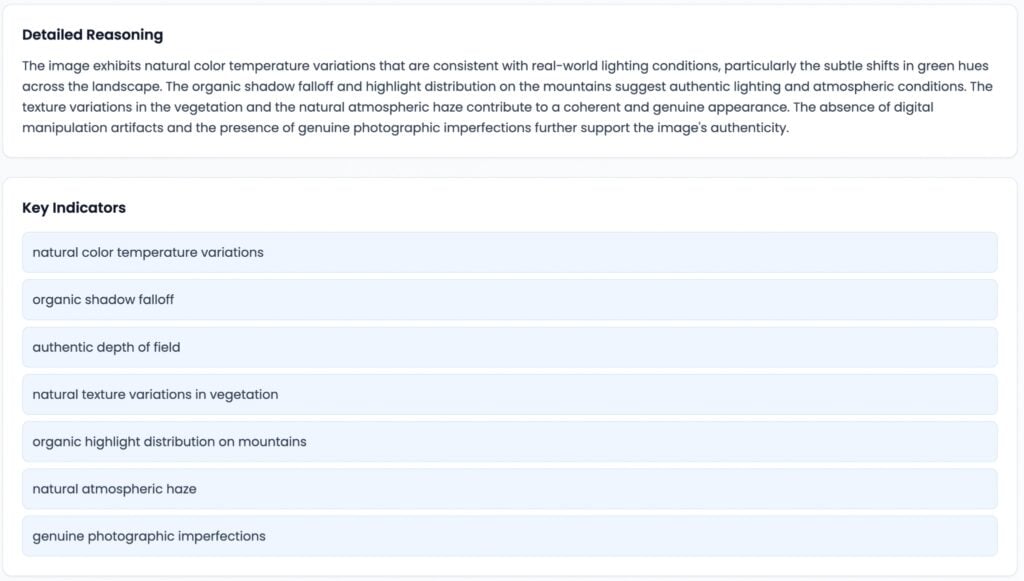
Finally, we ran a real photograph of the Glencoe Valley shot with an iPhone 15. The detector confidently classified it as real, returning an AI probability score of 6%.
The detailed reasoning section stated that the image looked consistent with real-world phenomena. Elements like lighting, depth of field, textures, and imperfections made the image look genuine.
How The Detector Reaches Its Verdict
As shown above, AI image detectors can verify image authenticity by scanning files for evidence of generative AI use that may be difficult for the naked eye to see. Common signals include pixel-level, metadata inconsistencies, and frequency domain patterns.
Pixel-level Artifacts
Pixel-level artifacts are irregularities that are inconsistent with naturally occurring patterns in genuine photographs. Examples include unnatural lighting transitions, overly perfect symmetry, and inconsistent textures.
Frequency-Domain Patterns
Frequency domain patterns are mathematical patterns that describe how pixel values change in an image. AI image detectors can distinguish between patterns created through real camera work and patterns created mathematically through AI.
Metadata
Metadata refers to the information stored in a file that describes where it originated. AI image detectors scan files for information related to the cameras, editing programs, or AI generators used to create them.
How to Check a Suspicious Photo the Right Way
Though helpful, AI detectors are only your first layer of protection. You can strengthen your confidence in your results by taking additional measures to verify the origin of a photo, such as searching for sources, doing reverse image searches, or analyzing content credentials.
Upload the Photo to a Free AI Image Detector
Before publishing, sharing, or trusting suspicious content, always run an analysis through an AI image detector. These tools offer the fastest way to screen a suspicious photo for signs of AI generation or manipulation.
By analyzing patterns that the naked eye cannot see, they can estimate how likely the image contains AI-generated or AI-edited content.
The more comprehensive the detector, the better. AI image detectors that provide both a label and a confidence score are best because they show the complete picture while allowing a margin of error.
Look for the Original Source
If the detector gives your image a low or borderline score, you can try to find the earliest known version of the image. Running a reverse image search on search engines like Google might point you to similar-looking images, which can reveal where the photo first appeared, who published it, and whether other websites reused or altered it.
If the earliest version comes from a trusted source, compare it with the image you received to spot edits or signs of manipulation.
Analyze Content Credentials
If reverse image search is not an option, or if you simply want an extra layer of credibility, it helps to analyze a file’s C2PA content credentials manually.
Similar to metadata, C2PA credentials store information about an image’s origin and edit history. Unlike metadata, however, C2PA protects that information with cryptographic signatures, which make tampering detectable
To check whether an image contains C2PA content credentials, upload it to a compatible viewer such as Adobe’s Content Credentials Inspect tool or open it in software that supports the C2PA standard.
If the image includes valid credentials, you can see how it was created, whether AI tools generated or edited it, and whether anyone modified it after its original creation.
However, it’s important to note that not all images include C2PA credentials, and many websites and social media platforms strip embedded data when users upload images. In these cases, treat your conclusion as provisional and rely on the combined evidence from your other verification methods.
Domande frequenti
Can you tell if a photo is AI-generated?
As our demo showed, detectors can prove that photos originated from generative AI by analyzing pixel patterns, frequency artifacts, and metadata. These signals allow AI detectors to flag AI-generated or manipulated content even if flaws are invisible to the human eye.
How can I check if a photo is AI for free?
The best way to verify the authenticity of an image is to run it through a free AI image detector. One option is Undetectable AI’s image detector, which can scan photos for their likelihood of being AI-generated.
Can AI images ever pass as real?
Heavy editing, compression, and low resolution can sometimes confuse AI image detectors. When a detector returns an inconclusive result, verify the image with a second method. Run a reverse image search to find the original source, or check the image’s content credentials to learn how it was created or edited.
Pensieri finali
While AI images are becoming visually indistinguishable from authentic images, most still give themselves away through signals like metadata inconsistencies, pixel artifacts, and frequency domain patterns. You can verify image authenticity reliably by running suspicious files through AI image detectors.
You can verify images for free through Undetectable AI, or create an account with TruthScan for more in-depth detection. The TruthScan free plan lets you verify up to 25 images for free each month, while providing probability scoring, heatmaps, and detailed reasoning for increased confidence.