
Many AI tools are frowned upon in educational settings.
Teachers and school boards argue they promote laziness and cheating, and it’s understandable, given that the vast majority of these tools provide students with significant shortcuts.
But pretending AI isn’t around isn’t the solution. Technology advances faster than any curriculum, and the healthier approach is learning how to use it ethically.
One of these methods is using it to help understand difficult topics, to break down dense readings, or as a study partner that guides you through your homework.
StudyMonkey positions itself in this niche, acting as an AI homework helper. TikTok students swear by it. Reddit threads debate it.
Your roommate probably uses it and won’t stop bragging about how it “gets” calculus better than the professor.
But don’t hop on the hype train yet.
Before you hand over your credit card or trust StudyMonkey with your next assignment, let’s break down what the tool actually does, how well it works, and whether it’s worth the buzz.
Key Takeaways
- StudyMonkey offers free and paid plans starting at $8/month with varying question limits and AI model access.
- The platform covers unlimited subjects and provides both answers and detailed explanations.
- AI detection tests show that StudyMonkey’s output scores 99% AI-generated on leading detection tools.
- Students using StudyMonkey for submitted work risk academic integrity violations without proper humanization.
- Alternatives like Undetectable AI offer detection tools and humanization features specifically designed for academic use.
What Is StudyMonkey?

StudyMonkey is an AI-powered homework assistant that helps students tackle questions across pretty much any subject you can think of.
Math, science, history, literature, you name it.
It’s like ChatGPT’s younger sibling who specifically went to school to help with homework.


Never Worry About AI Detecting Your Texts Again. Undetectable AI Can Help You:
- Make your AI assisted writing appear human-like.
- Bypass all major AI detection tools with just one click.
- Use AI safely and confidently in school and work.
Instead of giving you general AI responses, StudyMonkey is supposedly trained to understand academic questions and provide student-friendly explanations.
The platform launched as part of the recent wave of education-focused AI tools.
You know, the ones that started appearing right after ChatGPT made everyone realize AI could actually be useful for something besides generating weird images of cats in space.
What makes StudyMonkey different from just using ChatGPT? According to them, it’s all about the explanations.
They don’t just give you an answer but break down the reasoning so you can actually learn something.
Whether that truly happens in practice is another story.
Key Features of StudyMonkey
- Question and Answer System: You type in your question, and StudyMonkey spits out an answer. Pretty straightforward. The interface is clean and doesn’t require a PhD to figure out.
- Step-by-Step Explanations: This is where StudyMonkey tries to justify its existence beyond “Google but slower.” Every answer comes with a breakdown of the logic and reasoning. Sometimes it’s helpful. Sometimes it reads like AI trying really hard to sound like a patient tutor.
- Multi-Subject Coverage: From organic chemistry to Renaissance art history, StudyMonkey claims it can handle anything. In reality, it’s better at some subjects than others. STEM topics seem more reliable than nuanced humanities questions.
- Different AI Models: Depending on your plan, you get access to either their standard or advanced AI model. The advanced one is supposedly smarter and gives more detailed responses. Translation: it uses a better version of whatever large language model they’re running under the hood.
- Daily Question Limits: The free plan caps you at 3 questions per day. Paid plans offer either 50 questions or unlimited, depending on what you’re willing to spend.
How To Use StudyMonkey
Using StudyMonkey is as easy as pie. If you can use a search bar, you can use it.
First, you sign up. Email, password, the usual drill. They’ll probably send you a welcome email you’ll immediately archive.
Once you’re in, you’ll see a text box, which is where the magic happens. Type your question exactly as you’d ask it to a real tutor. Don’t overthink it.
For example: “What are the main causes of climate change?” or “How do I solve this quadratic equation: 2x² + 5x – 3 = 0?”
Hit enter. Wait a few seconds. StudyMonkey generates your answer, along with an explanation.
Here’s a pro tip: the more specific your question, the better the answer. Vague questions get vague responses, just like with real people.
You can also upload images if you need help with a specific problem from your textbook. This works decently well for math and science, but less so for essays or reading comprehension.
The interface keeps a history of your questions, which is actually useful when you’re studying for exams and need to review concepts.
Pros and Cons of StudyMonkey
Pros
- Fast response time with answers appearing in seconds.
- Explanations are clear enough to help you understand the steps, rather than copying blindly.
- Covers multiple subjects, so you can use one tool for everything.
- The free plan is usable and lets you ask a few real questions before deciding to upgrade.
Cons
- Accuracy varies, and wrong answers can sound convincingly correct.
- Outputs look AI-generated, which makes direct copy-and-pasting risky for assignments.
- Question limits on lower tiers feel tight during heavy study weeks.
- The advanced model is locked behind the highest-priced plan.
- It cannot replace actual studying, especially for exams.
StudyMonkey Pricing

- Basic Plan (Free): This plan is fine for casual use. If you’re just stuck on a few problems here and there, it’ll do the job. But if you’re actually relying on this for serious studying, you’ll hit that question limit by noon.
- Homework Helper ($8/month): This is likely the ideal option for most students. Fifty questions are enough to get through a study session without feeling restricted. $8 is about two overpriced campus coffees.
- Homework Helper + Essay ($10/month): The unlimited plan for the students who basically want StudyMonkey on speed dial 24/7. The advanced AI model is the main selling point here. It supposedly gives more nuanced, detailed, and accurate responses.
Is it worth the extra two bucks? Well, it depends on how much you use it and how desperate you are for better quality answers.
Is StudyMonkey Accurate?
Because anyone can claim their AI tool is great, we decided to dig into the actual results.
So we tested StudyMonkey using a methodology inspired by ZDNet’s widely referenced benchmark for AI content detectors.
Their approach is pretty straightforward: generate content with AI, then run it through detection tools to see what gets caught.
We asked StudyMonkey: “What are the main causes of climate change?”
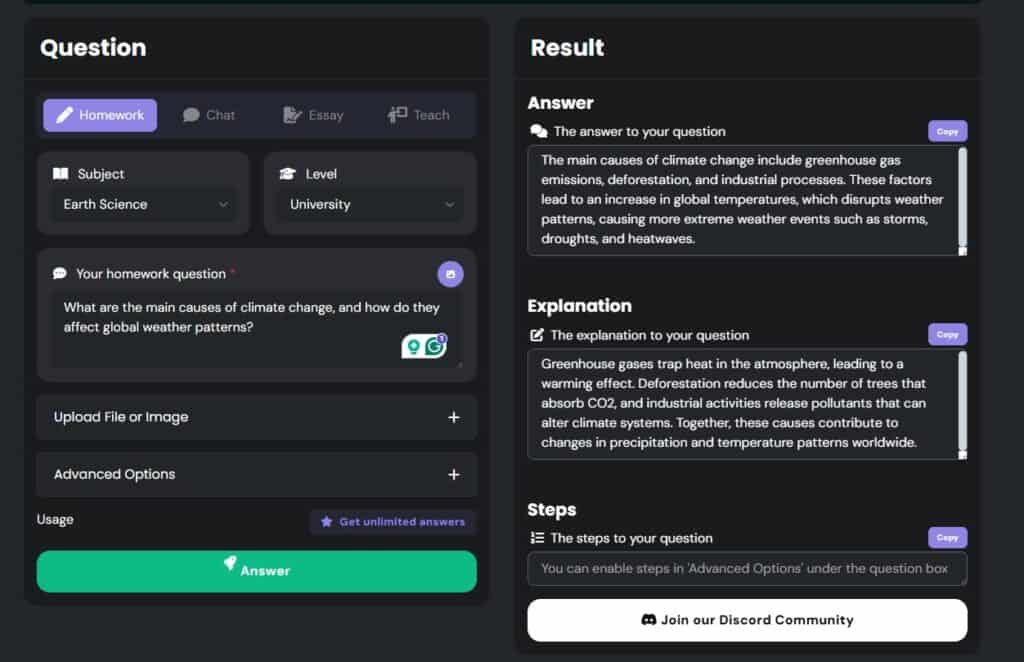
The tool generated both an answer and a detailed explanation that was coherent, well-structured, and honestly pretty informative. It covered greenhouse gases, deforestation, industrial emissions—the usual suspects.
Could students use this type of response in their papers? Absolutely. Many probably already do.
But here’s the problem.
We ran StudyMonkey’s climate change response through Undetectable AI’s detection tool.
Why Undetectable AI?
Because according to ZDNet’s ranking, it sits at number 8 among the most reliable AI content detectors. That gives us some authority here.
The result? 99% AI-generated.

Let me repeat that. Ninety-nine percent.
Undetectable AI flagged practically every sentence as obviously written by a machine.
The writing patterns, the sentence structure, the suspiciously perfect grammar. All of it screamed artificial intelligence.
Here’s what this means for students: if you copy StudyMonkey’s answers directly into your assignments, you’re basically walking into your professor’s office and announcing “I used AI” through a megaphone.
Most universities now use AI detection software. Turnitin has it. GPTZero exists specifically for this. Your school probably has something similar running in the background.
Getting caught for AI-generated work can mean anything from a zero on the assignment to academic probation to getting kicked out entirely. Schools are no longer taking this lightly.
Does this mean StudyMonkey is useless? Not exactly. It just means you need to be smart about how you use it.
The explanations are still valuable for learning concepts, as the problem breakdowns can genuinely help you understand difficult material.
But if you’re submitting anything directly from StudyMonkey without heavily editing and rewriting it in your own voice, you’re asking for trouble.
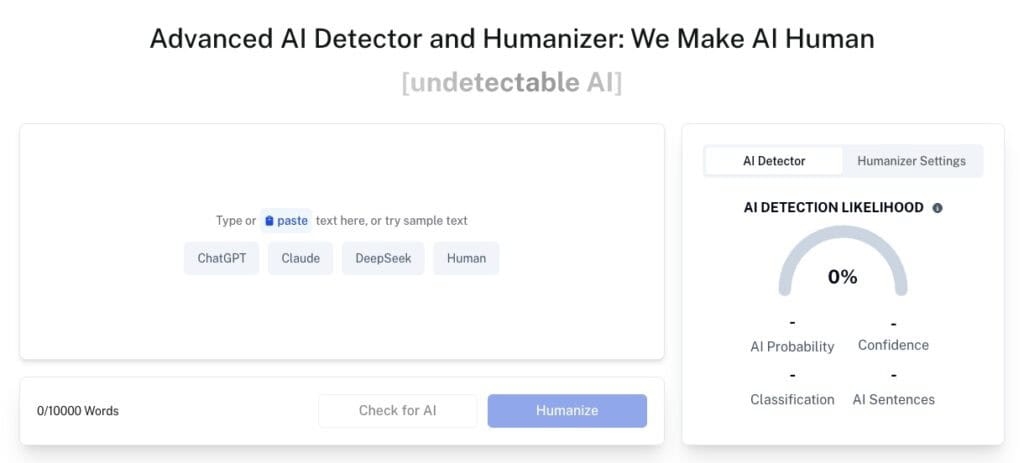
This is exactly why tools like Undetectable AI’s Detector and Humanizer exist.
They allow you to verify whether your content appears genuinely human-written and can rewrite any parts flagged as AI-generated.
It works like a quick safety check before you submit anything.
Best StudyMonkey Alternatives
StudyMonkey isn’t the only player in the AI homework helper game.
Depending on what you need, these alternatives might work better.
- ChatGPT: The obvious one. It’s free, it’s powerful, and it can handle pretty much any question you throw at it. The downside? It’s not specifically designed for students, so the explanations can sometimes be too technical or not detailed enough. But for quick questions and brainstorming, it’s hard to beat.
- TutorBin AI Homework Helper: This one’s more focused on STEM subjects. If you’re drowning in calculus or organic chemistry, TutorBin might be worth checking out. It offers live tutoring in addition to AI help, which is nice when you need an actual human to explain why your answer is wrong.
- Undetectable AI: While StudyMonkey and similar tools focus on answering questions, Undetectable AI offers a more complete solution for academic work.
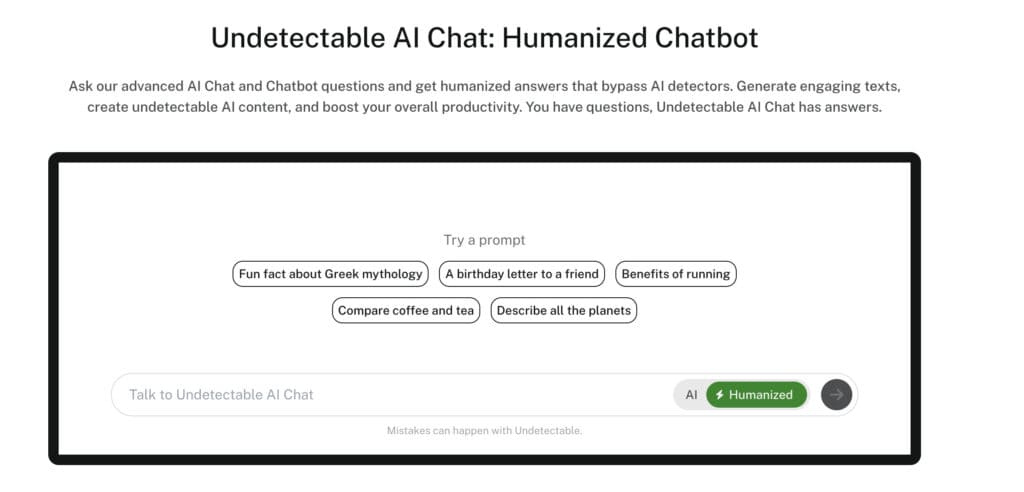
There’s an AI Chatbot for asking questions, an AI Question Solver similar to StudyMonkey, but the toolkit also offers something extra important: the Humanizer.
Remember that 99% AI detection score?
Undetectable AI’s AI Humanizer is specifically designed to solve that problem. It takes AI-generated content and rewrites it to sound more natural and human-written.
This matters because you’re not just getting answers but answers that won’t immediately trigger every AI detector your school uses.
Pair that with their AI detection tool, and you’ve got a system where you can generate content, verify it won’t get flagged, and humanize it if needed.
It’s like StudyMonkey plus a built-in safety mechanism.
For students who actually need to submit written work (not just use tools to study), this combination of tools is more practical than StudyMonkey alone.
Can StudyMonkey Detect AI-Edited or Paraphrased Text?
Short answer: No.
StudyMonkey is a study tool, not a detection platform. It focuses on helping you understand concepts and solve problems. AI detection requires completely different technology.
Think about it this way. StudyMonkey is like a calculator. It helps you work through problems, but it can’t know if someone else used a calculator too. That’s just not what it’s built for.
Detection tools use specialized algorithms that analyze writing patterns, vocabulary diversity, sentence structure consistency, and a bunch of other linguistic markers that indicate whether a human or AI wrote something.
Study platforms don’t have that architecture. They’re designed to generate content, not analyze it.
This is why platforms like Undetectable AI provide tools as separate entities. They’re built specifically for the detection and humanization aspects.
If you’re editing AI-generated text (from StudyMonkey or anywhere else), you need dedicated tools designed for that purpose.
Undetectable AI’s AI Paraphraser and AI Stealth Writer are specifically engineered to rewrite AI content in ways that evade detection.
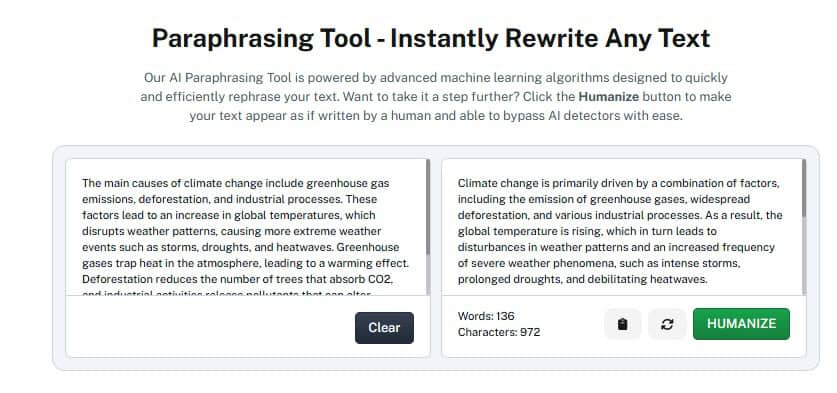
The Paraphraser takes robotic-sounding AI text and makes it more natural. Look at the above example.
We used the StudyMonkey-generated content and ran it through the tool. See the difference?
The Stealth Writer goes further, restructuring content to match human writing patterns more closely.
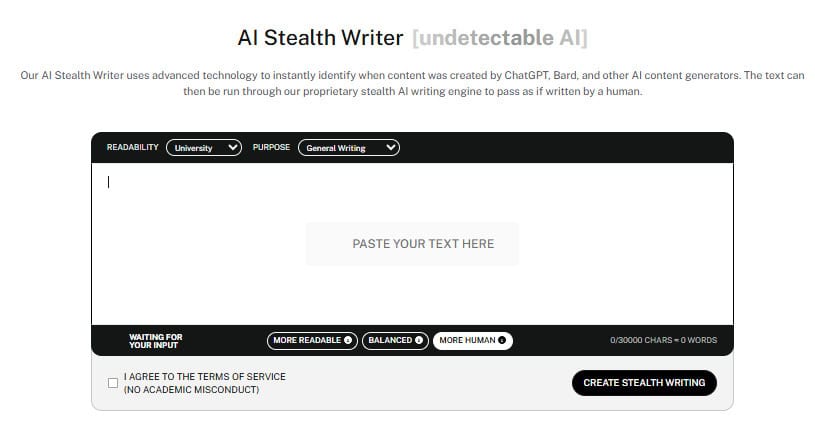
These aren’t just synonym-swapping tools. Instead, they actually rebuild the text to mimic how real people write, with all the natural inconsistencies and stylistic quirks that AI usually lacks.
For students worried about detection (which, let’s be honest, should be all of them), these tools are essential.
Study aids like StudyMonkey help you learn. Detection and humanization tools help you submit work safely.
You need both.
Use the widget below to test our AI Detector and Humanizer!
Is StudyMonkey Smart Help or Silly Hype?
Depends on what you’re using it for.
As a study aid for understanding concepts and working through difficult problems? It’s solid.
The explanations are clear, the interface is simple, and the price is reasonable.
As a tool for generating content that you can submit to your professors? Absolutely not.
Not without serious editing and humanization. Universities are cracking down hard on AI-generated work, and StudyMonkey’s output is way too obvious.
If you decide to use StudyMonkey, treat it like a really smart study buddy.
Learn from the explanations, use it to check your work, and let it help you understand concepts you’re struggling with.
However, avoid copying and pasting answers into your assignments and hoping for the best.
That’s how you end up in your dean’s office explaining why your essay about Shakespeare sounds like it was written by a robot who learned English from Wikipedia.
To create a more complete workflow, pair StudyMonkey with tools like Undetectable AI’s Detector and Humanizer.
Study with one, verify and edit with the other.