
Using AI to generate one text or the other has become so rampant that it has caused a deluge of flagged AI-written content out there.
You’ve probably polished an AI-generated piece and watched it get flagged immediately. The rejection stings, especially when you’ve spent time refining every sentence.
AI humanizers have become an answer to this problem, and the WriteHuman AI humanizer promises to solve this exact problem.
The tool claims to be “the world’s most powerful AI Humanizer.” This sounds perfect, right? But does it actually work?
Let’s find out in this WriteHuman AI review.
Key Takeaways
- WriteHuman AI is an AI humanizer and detector that claims to be the world’s best in both cases.
- WriteHuman AI detector works through a multi-layered scanning system to detect AI content from human content.
- The platform has a limited number of tools, with AI detection and humanization taking the major focus.
- It’s simple and accessible for students, content creators, and casual users.
What Is WriteHuman AI?
WriteHuman AI is a web-based content transformation tool that rewrites AI-generated text to bypass AI detection systems like Turnitin, GPTZero, and Originality.ai.
The platform launched in 2023 and has built a user base across students, content creators, and marketers who need their AI-written material to read more like human writing.
Notably, the tool works by analyzing your text and restructuring sentences, replacing common AI patterns, and adjusting the writing style to mimic natural human variation.


Never Worry About AI Detecting Your Texts Again. Undetectable AI Can Help You:
- Make your AI assisted writing appear human-like.
- Bypass all major AI detection tools with just one click.
- Use AI safely and confidently in school and work.
More so, you can get WriteHuman AI free as it operates on a freemium model.
The free tier gives you limited humanizations per month, while paid plans unlock more processing and advanced features.
WriteHuman AI’s Key Features
WriteHuman AI has several features you get to enjoy when you sign up.
These features include:
- AI Humanizer: This is the core feature and appeal of WriteHuman AI. The AI Humanizer rewrites your AI-generated content to remove detectable AI patterns so it appears naturally written by a person. In this WriteHuman AI humanizer review, we found that you can choose between different humanization strengths and tones depending on how aggressive you want the humanization to be.
- AI Writing Detector: This built-in scanner checks your written content for AI patterns and flags these patterns with percentage scores on how likely it is to be deemed as AI-generated.
- AI Image Detector: This is a newer feature added to detect and combat deepfakes. It analyzes images to determine whether they were AI-generated or to check whether they align with human-created work. This helps if you’re working with visual content that needs to pass authenticity checks.
- Word Counter: This is a straightforward feature that tracks character count, word count, and reading time, helping you stay within any specific length requirements and manage your content volume.
How Does WriteHuman AI Detector Work?
The WriteHuman AI detector operates through a multi-layered scanning system that evaluates your content against its detection algorithms.
When you submit text for analysis, the detector runs through some processes.
It starts with a pattern recognition scan that:
- Identifies repetitive sentence structures common in AI writing.
- Flags uniform sentence lengths that lack natural variation.
- Detects predictable word choices and phrasing patterns.
- Analyzes transition word usage frequency.
The analysis then checks the linguistic variation via:
- Vocabulary diversity and complexity.
- Perplexity (how predictable your word choices are).
- Burstiness (variation in sentence length and structure).
- Natural human inconsistencies in style.
Then, to be accurate in its detection, the platform does a cross-reference test by comparing your text against datasets of known AI and human-written samples to identify tell-tale patterns.
After scanning, you receive a percentage showing the likelihood of AI detection from 0% to 100%.
Lastly, you can run unlimited detection scans on the free plan, making it useful for checking your content before humanizing it.
Who Is WriteHuman AI Best For?
The WriteHuman AI serves specific user groups better than others. Your success with this platform depends largely on your content volume, quality expectations, and technical requirements.
Below are people who benefit most from this tool:
- Casual Content Creators
This works well for new content creators who write blog posts or manage a small website without publishing daily.
Also, since newer creators require limited monthly humanization requests, this platform’s offer will be attractive.
The affordable entry-level pricing fits these creators’ budget better than enterprise-level alternatives.
- Students
As a student, you’ll need an AI humanizer and detector that doesn’t require a steep financial commitment.
The WriteHuman AI free plan should be enough if you need quick results for short papers or discussion posts rather than lengthy dissertations.
Moreover, you should be willing to manually refine the output to ensure it matches your writing style.
- Small Business Owners
As someone who handles your own marketing content, you need decent detection bypass rates to avoid facing the scrutiny that major publications encounter.
You can use WriteHuman AI to speed up email campaigns, product descriptions, or social media posts with moderate content volume, perhaps 10-20 pieces monthly.
- Freelance Writers
Freelance writers working with tight budgets often lean on AI to shape early drafts, then polish everything by hand.
If you just need a low-cost tool to smooth out robotic phrasing before you edit tone and grammar yourself, the entry plans from WriteHuman AI should be enough to get you through a normal month’s workload without stretching your expenses.
This makes it a practical add-on for writers who want affordable humanization rather than a full writing solution.
- Curious Users
You don’t have to be in a specific profession or be in a role to use WriteHuman AI.
Perhaps you come across a post on a social media platform and would like to quickly verify that the text isn’t AI-generated, then you can use the platform.
Additionally, you can run your texts through the WriteHuman AI detector to gauge the AI likelihood of the text.
Testing WriteHuman AI Accuracy
Although WriteHuman AI detector claims to be “the most powerful detector”, we need to test its claim. Hence, to test WriteHuman’s accuracy, we’ll be using the industry testing standard pushed forth by ZDNet.
In the accuracy test of 10 AI detectors by ZDNet, Undetectable AI got a 100% accuracy on identifying human-written text and similarly on AI-text detection. Based on the same metric, we’ll test WriteHuman AI.
First Test
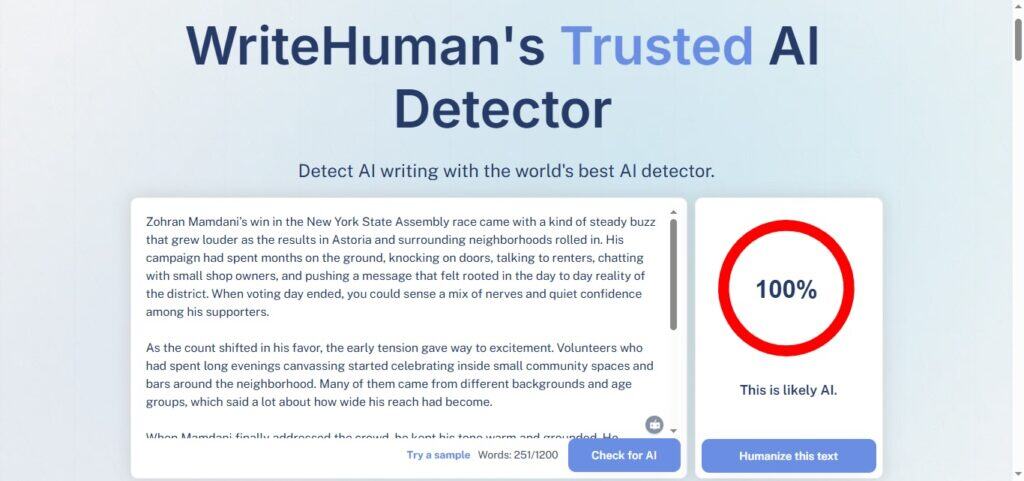
The first test is on a fully generated AI text, which we ran through the WriteHuman AI detector. The result was a 100% AI likelihood. The result is accurate.
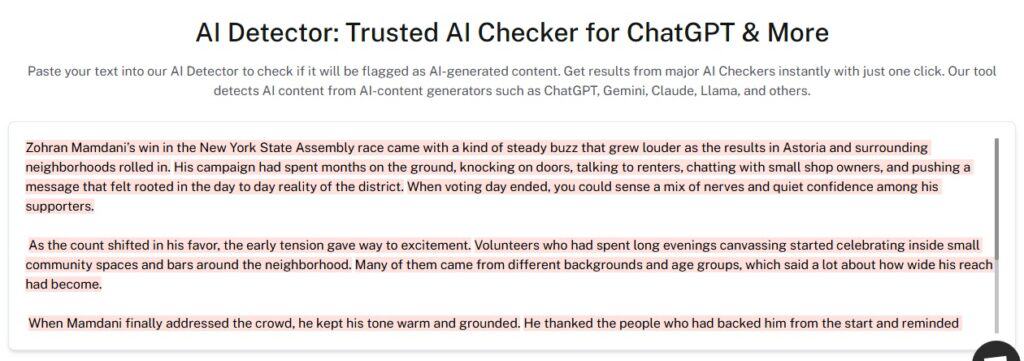
We also ran the same text through our detector and got a similar result with 99% AI likelihood. This indicates that WriteHuman AI detector can confidently detect unedited AI-generated text.
Second Test
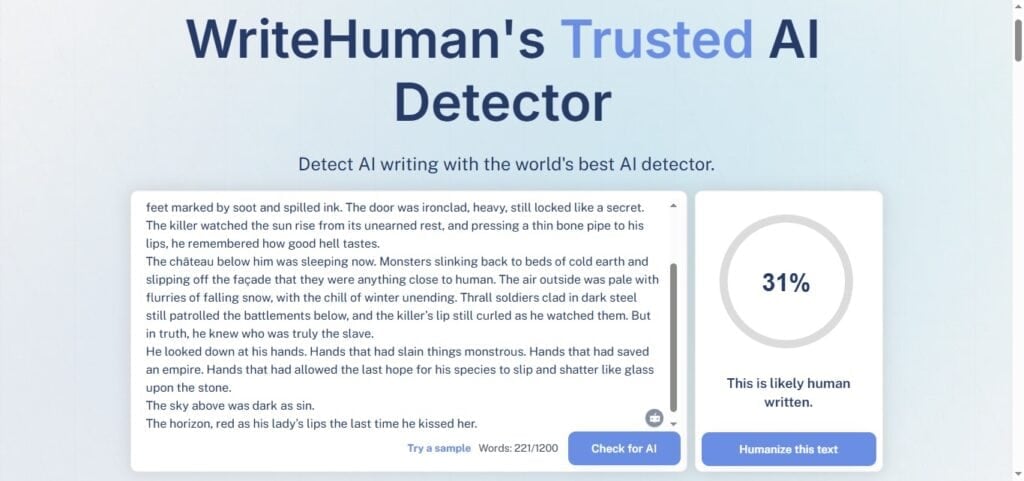
This test is to confirm if the tool can accurately detect human text without a false positive.
In the test, WriteHuman AI gave us a 31% human likelihood. Although the percentage is low, it’s better than getting a false positive.
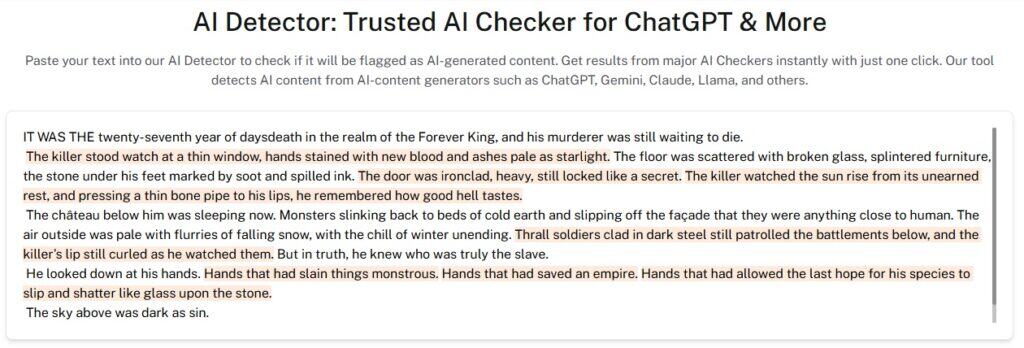
Meanwhile, our detector gave us a higher accuracy score of 60% percent of the text being likely human.
Moreover, areas deemed AI-generated were highlighted so they can be corrected.
Third Test
Next up, we tested its humanization tool to see how well it humanizes AI-generated texts. After humanization, WriteHuman claimed the text has a 99.9% human score.
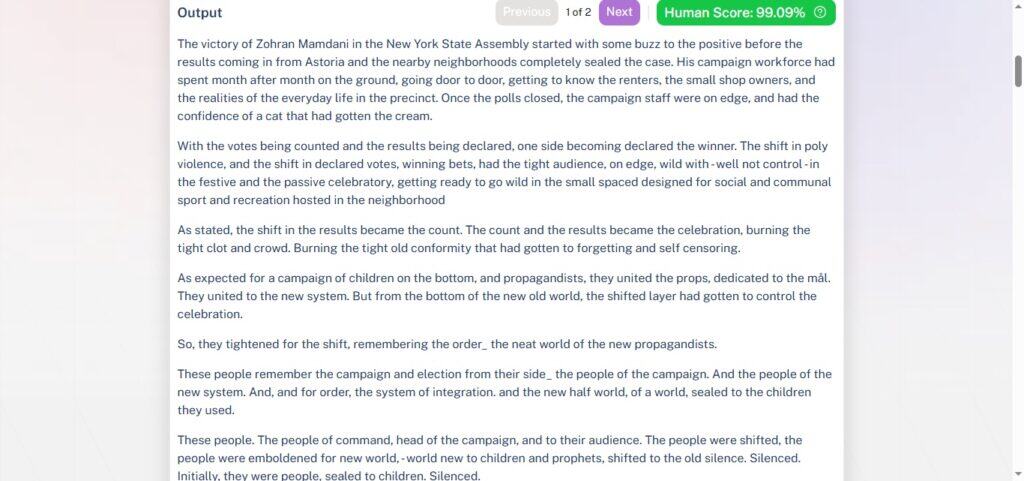
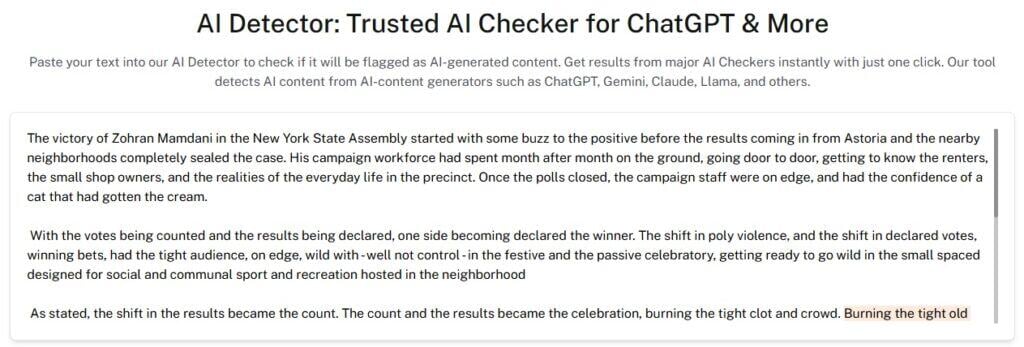
The result was impressive. So, we ran the humanized text through our detector and got an 86% human likelihood. This is also a high result and attests to WriteHuman’s humanization effort.
All in all, WriteHuman AI appears to be competent; however, if you need an industry-verified tool to reliably detect your texts and humanize flagged parts, then our AI Detector and Humanizer is just what you need to polish your content before submission.
Writehuman AI Pros and Cons
WriteHuman AI might be one of the AI tools to have on your radar, and beyond the tests we ran, you can use the pros and cons of the tool to decide.
| Pros | Cons |
| You can test the WriteHuman AI free version without payment commitments. | Free users only get 3 humanization requests per month, which runs out quickly. |
| Most content gets humanized within 30-60 seconds, regardless of length. | Aggressive humanization can alter your intended message. |
| The browser-based platform works on any device with internet access. | You cannot integrate the tool into your existing workflow or automation. |
| Image detection feature for checking AI-generated visuals alongside your text. | There’s no batch processing, so you must humanize each piece individually, slowing down bulk work. |
Writehuman AI vs. Undetectable AI
You might need to choose between humanization tools, and this means understanding how they stack up against each other.
WriteHuman AI focuses on simplicity and speed. You get a straightforward interface where you paste content and receive results quickly.
The platform targets users who want quick transformations without diving into complex settings or technical configurations.
On the other hand, Undetectable AI has key configurations that position it as a platform with several key offerings that go beyond humanization, job application tools, to deepfake detection and business-oriented AI tools.
This flexibility comes with additional complexity and a steeper learning curve.
Both platforms promise to bypass AI detectors, but they achieve this goal differently. Here’s how they compare across key factors:
| WriteHuman AI | Undetectable AI |
| You get 3 free monthly humanization requests, up to 200 words. | You get 250 words free for humanization, then you have to subscribe. |
| The humanization quality is good for basic content and occasional detection. | This has an excellent bypass rate with a more natural output. |
| There’s no bulk processing available. | Bulk processing is available on higher tiers. |
| The platform offers API integration. | It is API compatible and this offer is available for paid users. |
| It’s meant for content creators, ghostwriters, students, and anyone wanting more natural-sounding writing. | It has a similar audience but with extra focus on businesses, job seekers, and people who need all-around AI tools. |
Start using our AI Detector and Humanizer in the widget below!
FAQs
Is There a WriteHuman AI Free Version?
Yes, the WriteHuman AI free plan gives you 3 free humanization requests per month at 200 words per request. This lets you test the platform without payment commitments, though the word limit restricts you to shorter pieces.
The free tier works fine for occasional use, but regular content creators will hit the monthly limit quickly and need to upgrade.
What Types of Content can WriteHuman AI Humanize?
WriteHuman AI handles various content types, with multiple humanization modes, adapting to different writing styles. You can process blog posts, essays, emails, social media content, and marketing copy through the platform.
Nonetheless, it performs best on general content with straightforward language.
For specialized or technical content, you should review and potentially edit the output to ensure accuracy and maintain precision.
Is WriteHuman AI Output Fully “Undetectable” by AI Detectors?
There is no guaranteed undetectable pass for WriteHuman AI output. Some independent tests show content processed with WriteHuman was still flagged by advanced detectors like Originality.ai or ZeroGPT.
Does WriteHuman AI Support Languages Other Than English?
The platform processes content in multiple languages, including Chinese, French, German, Greek, Japanese, Russian, and Polish. However, the quality varies significantly across languages.
English content receives the most refined humanization since WriteHuman AI’s algorithms were trained primarily on English text patterns.
Users working with other languages report mixed results, with some outputs requiring extensive editing to maintain accuracy and natural flow.
Can I use WriteHuman AI for Academic Writing?
Yes, you can technically process academic content through the platform. However, WriteHuman AI can only help you humanize your academic content, not write it. The platform offers an academic writing mode specifically for this purpose.
Final Verdict
WriteHuman AI has proven itself to be competent when detecting blatant AI content and even reliably detecting human content. Nevertheless, it is best to cross-check its output with another tool like our AI detector and humanizer for better accuracy.
You can also run your projects through Undetectable AI’s suite of tools if you have bulk or high-stakes content, as the WriteHuman AI tool works for occasional use and simple projects.
For more consistent accuracy and better refinement, try Undetectable AI.