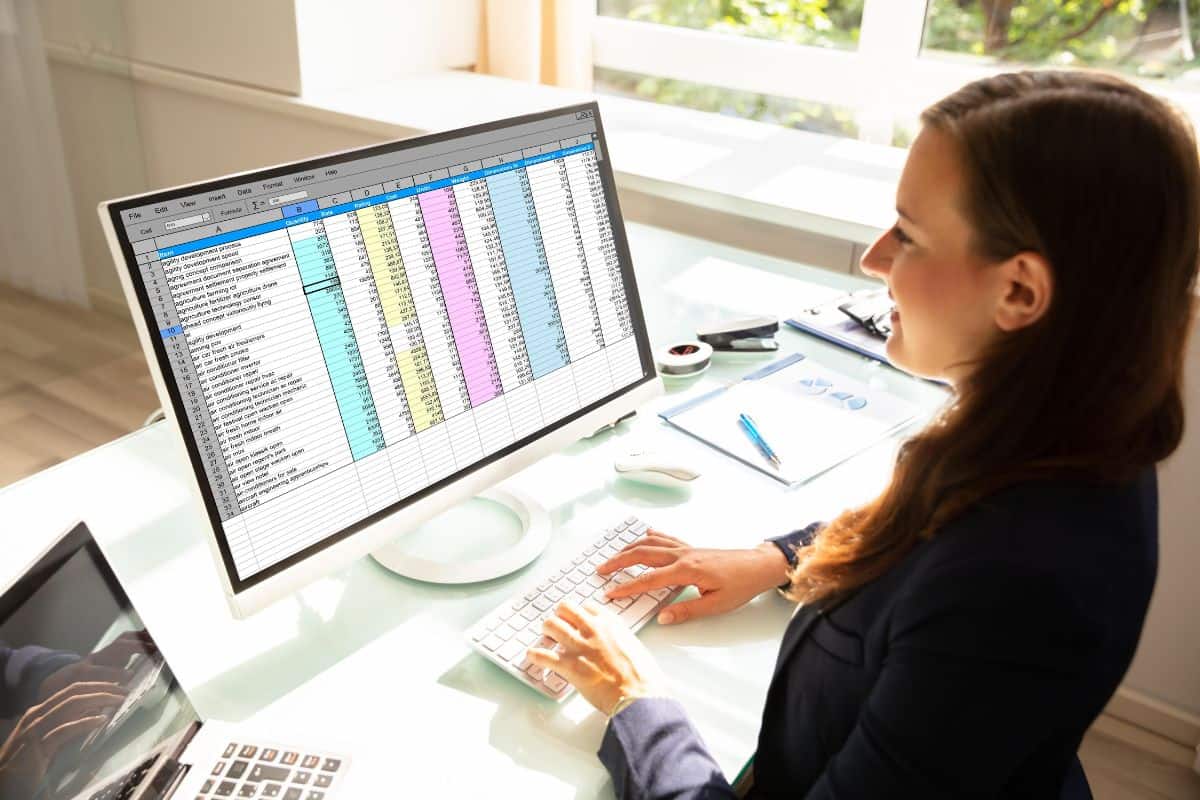
Have you ever stared at a massive spreadsheet, trying to figure out where to put your data, only to get completely turned around? It happens to the best of us.
Whether you are building a budget, organizing a classroom roster, or setting up a complex database, the grid staring back at you can feel overwhelming.
The core of that confusion usually boils down to one fundamental question: what is the difference between a row and a column?
It might seem like a basic concept, but mixing up these two terms is incredibly common. Getting it wrong can lead to broken formulas, messy reports, and a lot of frustration. In this article, we are going to clear up the row vs column debate once and for all.
We will walk through clear definitions, look at real-life examples, and dig into how these structures work in popular tools like Excel and Google Sheets.
If you have ever struggled with les méthodes de collecte de données or figuring out how to structure information before you even open a spreadsheet, this guide will help you build that foundation.
By the end, you will have the terminology down cold, making your next data project a breeze.
Principaux enseignements
- A row runs horizontally from left to right, while a column runs vertically from top to bottom. In a spreadsheet, rows run horizontally and columns are arranged vertically.
- In spreadsheets like Microsoft Excel, rows are identified by numbers, and columns are identified by letters. The columns exist to hold specific data points.
- A row represents a single record or entry, whereas a column describes specific attributes of that data. These horizontal lines of data make up the core structure of a file.
- Understanding the difference between rows and columns is essential for building databases, writing formulas, and analyzing information effectively.
What are Rows and Columns?
Let’s start with clear definitions. A row is a horizontal arrangement of items. Think of it as a straight line that goes from left to right across a page or screen. When things are aligned side by side, they form a row.
In contrast, a column is a vertical arrangement. It consists of elements stacked one on top of the other, running from top to bottom. If you picture the tall stone pillars holding up ancient Greek buildings, you are picturing columns.
When you combine rows and columns, you create a grid or a tabular format. This combination is the foundation of how we organize data in the modern world. The intersection where a single row and a single column meet is called a cell.


Ne vous inquiétez plus jamais de la détection de vos messages par l'IA. Undetectable AI peut vous aider :
- Faites apparaître votre écriture assistée par l'IA à l'image de l'homme.
- By-pass tous les principaux outils de détection de l'IA en un seul clic.
- Utilisation AI en toute sécurité et en toute confiance à l'école et au travail.
These cells are the individual containers that hold your specific pieces of information. Every single cell has a precise address that formulas and functions can reference directly.
Need to solve a complex data problem? Our Undetectable AI’s Math Solver breaks down the logic and language for you instantly.
What Rows and Columns Represent
In the context of data management, rows and columns serve very different purposes. A row represents a single, complete record.
For example, if you have a table of employees, one entire row would contain all the information about one specific person: their name, their hire date, their department, and their salary.
Everything in that horizontal line belongs to that one entity. Another example would be a sales table, where each row holds everything about one transaction, including the date, the product, the customer, and the revenue.
Columns, on the other hand, describe the attributes of the data. They define what kind of information is being stored and describe the attributes of every record in the table.
In that same employee table, you would have a column specifically for “Hire Date.” Every cell in that vertical line will contain a date.
The top cell of a column is usually the column header, which tells you exactly what data sits below it.
This structure is vital for databases. Row-oriented databases are great for transactional systems where you need to add or update complete records quickly.
Column-oriented databases, by contrast, are better for analytical systems because they can read specific attributes across a massive dataset without loading every single row.
D'après research on columnar storage systems, this approach can dramatically reduce I/O and improve query performance on large datasets.
If you want to go deeper into how data gets collected and organized before it ever lands in a table, explore how a scraper API automates the extraction of structured data from websites, then read up on the essential data analysis tools.
Examples of Rows and Columns in Real Life
You don’t have to look at a computer screen to see rows and columns; they exist everywhere in the physical world.
- Theater Seating: When you go to the movies, you walk down the aisle and find your row. The seats are arranged horizontally. You sit next to the people in your row.
- Architecture: The tall, vertical pillars on the front of a courthouse or a traditional bank are columns. They stand upright from the ground to the roof.

- The Periodic Table: In chemistry, the periodic table organizes elements into horizontal rows (called periods) and vertical columns (called groups).
- A Classroom: Desks are often arranged in a grid. The desks lined up side-by-side form a row, while the desks positioned one behind the other form a column.
- Newspapers: The text on a newspaper page is typically broken up into vertical blocks. We literally refer to these text blocks as columns, hence the title “columnist” for certain journalists.
Row vs Column in Excel
When most people ask about row vs column, they are usually trying to navigate Microsoft Excel or Google Sheets.
These spreadsheet programs are built entirely on the concept of rows and columns. Let’s break down how they function in this specific environment.
Rows
In Excel, a row runs horizontally across the screen. Every single row is identified by a unique row number located on the far left side of the screen. The very first row at the top is row 1.
If you want to select an entire row, you can click that number, or use the keyboard shortcut Shift + Space.
Excel rows are incredibly expansive. A single modern Excel worksheet can hold over one million rows. If you need to find out exactly how many rows exist in a specific dataset, you can use the ROWS function.
If you need to know the specific row number of a cell, you use the ROW function.
Columns
A column runs vertically down the screen. In Excel, columns are identified by letters at the top of the grid. The first column on the left is column A.
Once the alphabet reaches Z, it continues with AA, AB, and so on, all the way to the last column, which is labeled XFD. This means there are over 16,000 columns available in a single sheet, as Microsoft documents in its Excel specifications.
The letter at the top acts as the column header. To select a whole column, you click the letter or press Ctrl + Space. Just like with rows, there are specific formulas for columns.
The COLUMNS function counts the columns in an array, while the COLUMN function returns the index number of a specific column.
An array can span a small range or an entire column, and the index value tells you exactly where a specific column sits within that range.
The Intersection of Rows and Columns
The true power of a spreadsheet happens at the intersection of rows and columns. This intersection creates cells.
Every cell has a unique address made by combining the column letter and the row number. For example, the cell in the first column and the first row is A1.
When you are writing formulas or creating charts, you constantly refer to these cell addresses. You might write a query that pulls data from column B, or use a navigation arrow to move from the last row back to the top.
A navigation arrow key lets you move through the grid in any direction, making it easy to jump between cells without lifting your hands from the keyboard.
If you are working with AI-generated content inside your spreadsheets, it is also worth knowing how to detect AI-generated content in Google Sheets to keep your data reliable.
Understanding this grid structure gives you complete control over your reports and analysis.

Confused about an Excel formula or data structure? Undetectable AI’s Chatbot IA provides real-time answers to your toughest technical questions.
How Undetectable AI Can Help Organize Your Thoughts
Organizing data into rows and columns is just one part of creating great reports. You also have to explain that data clearly. If you are writing a summary of your findings, you want your words to be as structured and easy to follow as your spreadsheet.
This is where AI tools come in handy. These tools have powerful features that let you analyze data quickly, spot trends, and build better reports.

But if you are using AI to help draft your reports, you need to make sure the writing sounds natural and professional. Tools like our Undetectable AI’s AI Humanizer can take rigid, robotic text and smooth it out.
If you are writing a technical guide, brushing up on what technical writing is can help you present your tabular data in a way that is clear, structured, and easy for any reader to follow.
Conseil de pro : Turn your spreadsheet data into human-grade content with our Rédacteur furtif de l'IA and keep your reports sounding natural.
Testez notre détecteur d'IA et notre humanisateur dans le widget ci-dessous !
Frequently Asked Questions About Rows and Columns
What is the main difference between a row and a column?
The main difference is their orientation. A row runs horizontally (left to right), while a column runs vertically (top to bottom).
How are rows and columns labeled in Excel?
In Excel, rows are labeled with numbers on the left side, and columns are labeled with letters at the top.
What do rows and columns represent in a database?
In a database table, a row represents a single, complete record (like one customer), while a column represents a specific attribute of that record (like the customer’s phone number).
How do I select an entire row or column in a spreadsheet?
To select a row, click the row number or press Shift + Space. To select a column, click the column letter or press Ctrl + Space.
What is the intersection of a row and a column called?
The intersection of a row and a column is called a cell.
Réflexions finales
Mastering the row vs column distinction is a small step that makes a massive difference in how you handle information. Whether you are arranging objects in a physical space, setting up a database, or just trying to get your Excel formulas to work, knowing that rows run horizontally and columns run vertically is the key.
Remember that a row represents a single record, while a column houses specific attributes. Keep these definitions in mind, and you will never look at a grid the same way again. The next time you open a spreadsheet, you will have the confidence and control to organize your data perfectly.
Organize your data clearly and explain it effectively with IA indétectable refining your writing.