
Do you think Google’s bot gets excited reading a transcript full of “umm,” “errr,” and “basically”?
Spoiler alert: It doesn’t.
If you want your relationship with Google to move from “It’s Complicated” to “In a Relationship,” you need to do more than just upload captions.
Because simply pasting a raw transcript into your blog won’t earn you rankings.
If you want Google to give you higher rankings, more visibility, and real traffic, you need to put in some effort.
Turn your captions into structured, readable, authority-building content.
In this blog, we’re breaking down exactly why captions alone are not enough for SEO, and what search engines are hunting for in 2026.
We’ll also cover how to add value beyond the view and optimize your text to answer the question: Do captions help with SEO?
Let’s dive in.
Key Takeaways
- Captions stop users from scrolling past your muted video, but structured blogs are what actually get you indexed on page one.
- Without H1, H2, and H3 tags, Google sees your transcript as a “flat” file. Always group your thoughts under clear headings.
- Captions describe what is happening; your blog must explain why it matters to satisfy Google’s intent requirements.
- Following WCAG 3.0 standards is a massive ranking signal that tells Google your site is high-quality.
- Use tools like an AI SEO Writer and Humanizer to turn raw speech into expert-level articles in seconds.
What Are Video Captions Used For?
There was a time when video captions were something you’d only see on foreign films.
But fast forward to 2026, and they’ve become a total dealbreaker. If your video doesn’t have them, you’re basically leaving views on the table.
Video captions matter for several key reasons, but many creators often ask: Do captions help with SEO? The answer is yes, but there’s a catch that most people miss.


Never Worry About AI Detecting Your Texts Again. Undetectable AI Can Help You:
- Make your AI assisted writing appear human-like.
- Bypass all major AI detection tools with just one click.
- Use AI safely and confidently in school and work.
First, accessibility.
5% of people worldwide are dealing with some level of hearing loss. Captions make sure you aren’t accidentally locking out millions of viewers.
Plus, with the WCAG 3.0 standards now in place, having captions is pretty much the gold standard for any serious creator.
Second, real-world viewing behavior.
Statistics show that a massive 80% of social media users watch videos on mute.
They might be in a quiet office, a noisy bus, or lying in bed next to someone who’s already asleep. If there are no captions, they aren’t going to unmute, they’ll just keep scrolling.
And perhaps most importantly, captions have closed the language gap.
If you’re sitting in the U.S. and English is your first language, you can still use auto-generated captions to watch the same video in Hindi, German, Korean, or many other languages.
One piece of content can now travel globally without being re-recorded.
Here’s a quick breakdown of different types of captions:
| Caption Type | What it does | Best for… |
| Closed Captions (CC) | Can be toggled on/off. Search engines can read these | YouTube & SEO-heavy content. |
| Open Captions | Burned into the video. They are permanent | Instagram/TikTok (style consistency). |
| SDH | Includes sounds like [door slams] or [eerie music]. | True accessibility and movies. |
Why Captions Do Not Rank Well
Before we answer this question, we need to understand the ranking criteria in 2026.
Google’s algorithms have evolved, and this is where we realize Why captions alone are not enough for SEO:
| Ranking Factor | What Search Engines Expect |
| ✅ Clear Topic Structure | Proper Headings (H1, H2, H3)Logical content flowClearly organized sections |
| ✅ Depth & Context | Complete explanationsSupporting details and examplesSemantic relevance (related terms and concepts) |
| ✅ Clean Language & Keyword Clarity | Minimal filler wordsNatural keyword placementClear, readable, coherent sentences |
| ✅ Crawl Efficiency | Easy-to-process textStructured HTML formattingClear content hierarchy |
Now let’s evaluate captions against each of these.
- Do captions provide topic depth?
❌ Mostly no.
Captions are broken into 2–3 words per line because they’re timed with speech.
- Example: So today we’re going to talk about SEO strategies for beginners
For a search engine, this format doesn’t work. Search engines prefer full paragraphs. They need flowing, connected sentences to properly understand context and topic depth. When text is fragmented like captions, it becomes harder for algorithms to interpret meaning at scale.
- Do captions maintain clean keyword density?
❌ Usually no.
Spoken language is messy, and uses filler words all the time:
- umm
- you know
- like
- basically
- kind of
Captions capture everything including hesitation and repetition. From an SEO perspective, this weakens clarity. Search engines prefer clean, edited text. Captions are raw speech.
- Do captions provide structural hierarchy (H1, H2, H3)?
❌ No.
Captions are plain text. They don’t contain headings, subheadings, bullet structure, or section breaks.
Search bots rely heavily on headings to understand:
- What is the main topic?
- What are subtopics?
- Which sections carry the most importance?
A well-written blog clearly signals importance using hierarchy. Captions don’t provide those signals.
- Can Google understand video content?
Yes.
Does it prioritize it? Not really.
In 2026, Google can hear videos. Its AI systems can process audio and understand speech. But structured text is still faster and cheaper to crawl. Processing video requires:
- Audio extraction
- Speech recognition
- Context mapping
- Resource-heavy computation
Structured HTML text is instant, lightweight, and efficient. Search engines prioritize what’s easier to process at scale.
So… Do Captions Rank At All?
Let’s be fair… Captions can contribute to indexing. They are not useless if:
- The platform exposes transcript text properly
- The video topic is clear
- There’s low competition
They may support discoverability. But compared to structured, optimized, well-formatted text? They rarely outperform it.
What is the 80/20 rule of SEO?
It means 80% of your ranking results will come from the 20% effort you put into turning your video into a structured blog post.
Search Engines Need More Context
According to Google’s 2026 E-E-A-T (Experience, Expertise, Authoritativeness, and Trustworthiness) format, it now hunts for proof of experience.
Raw captions are just spoken words, which is a problem. They don’t include clickable citations, links to data, or references to case studies.
- The Result: Without these authority signals, a bot might think your video is just random chatter rather than expert advice.
Then there’s the intent gap issue.
Captions are great at describing what is happening in a video (“First, I click this button…”). But search engines prioritize content that explains why it matters.
- Articles explain context. They connect the dots between your video and the bigger picture.
- Bots prioritize the “Why.” If your page doesn’t explain the purpose behind the video, it’s going to struggle against a well-written article every time.
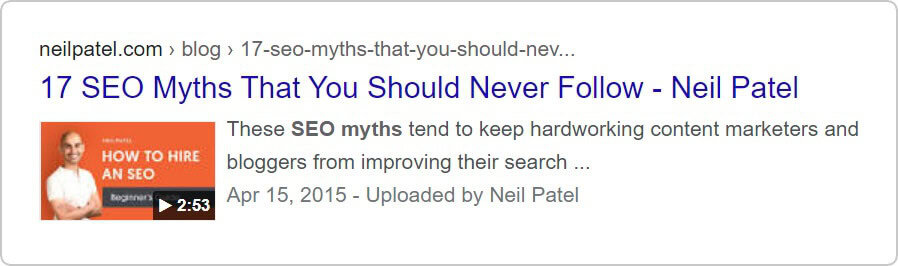
Then there’s the technical side that most creators miss. For a video to really pop in search results, it needs VideoObject Schema (which tells Google your title, thumbnail, and duration).
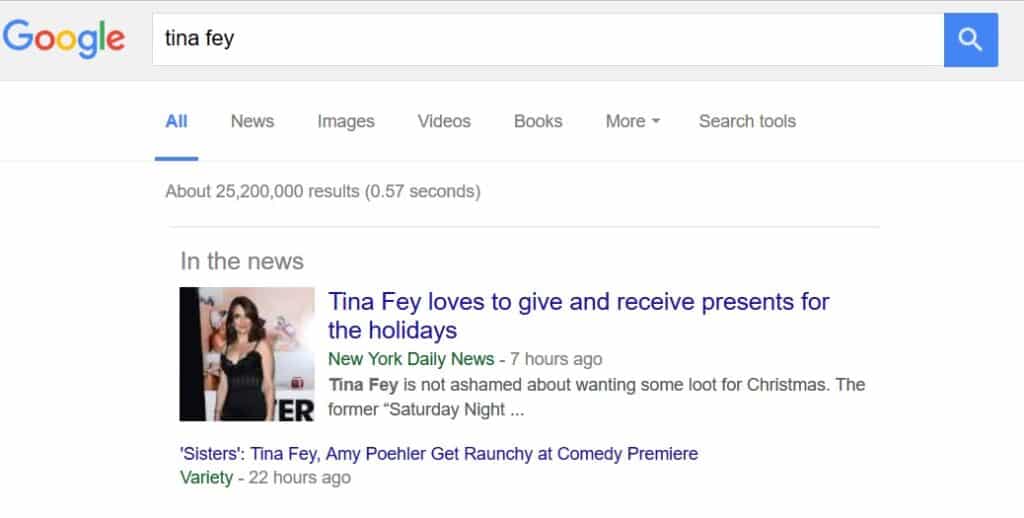
However, to rank as a high-authority page, you also need Article Schema.
So the bottom line is that the captions alone can’t bridge this gap. You need structured data to tell the bot exactly what the content is and why it’s valuable.
So if captions alone aren’t enough, what’s the practical solution?
Treat your video transcript as raw material. That’s where a structured approach makes all the difference.
For example:
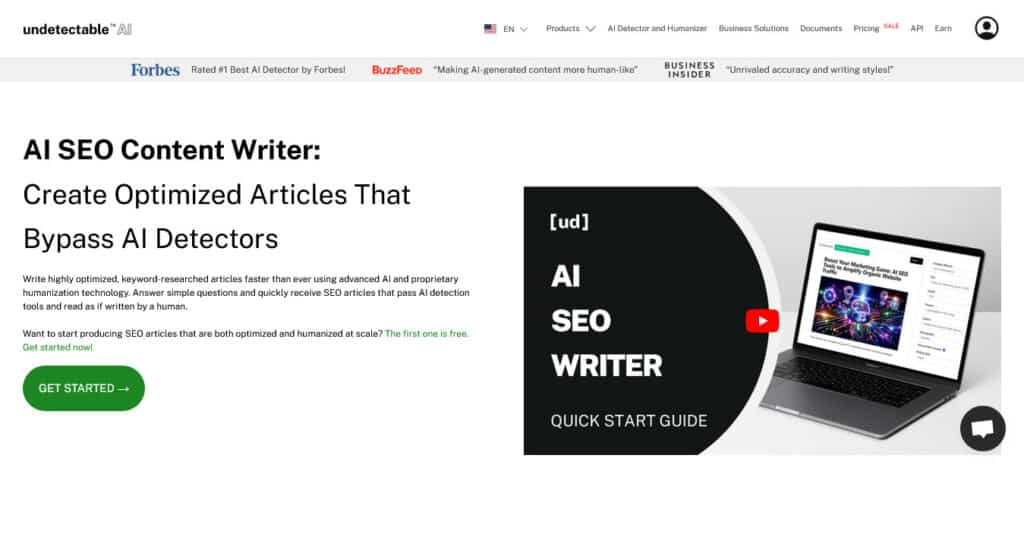
- An AI SEO Writer can take your video’s core message and make it a proper formatted article (complete with headings, contextual explanations, keyword alignment, and structured flow). This way, you get content that satisfies search intent and supports E-E-A-T signals.
But if you’re starting with a YouTube video, the first step would be to extract the transcript properly.
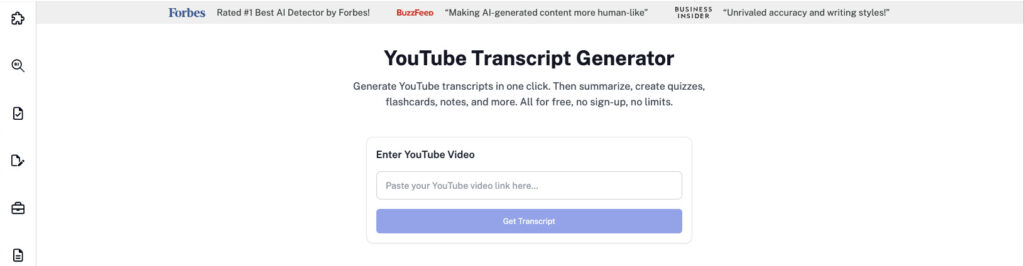
A YouTube Transcript Tool lets you pull the raw transcript. From there, you can refine, structure, and expand it into optimized content that ranks.
Because in 2026, success isn’t about uploading more videos. It’s about converting each video into a fully optimized content asset.
Turn Captions Into Searchable Articles
- Expand short caption lines into full explanations
Captions are short because they follow speech timing. But search engines prefer depth and clarity.
Here’s what you can do:
Take a small tip from the video and expand it with a supporting explanation, a real-world example, a statistic or case study.
Example:
Caption: Use a tripod for better shots.
Expanded Version: Stability plays a major role in viewer retention. Even subtle camera shakes can cause subconscious fatigue and reduce watch time. Using a carbon-fiber tripod like the Manfrotto line helps eliminate micro-jitters and keeps your footage steady. A more professional look and longer average watch duration.
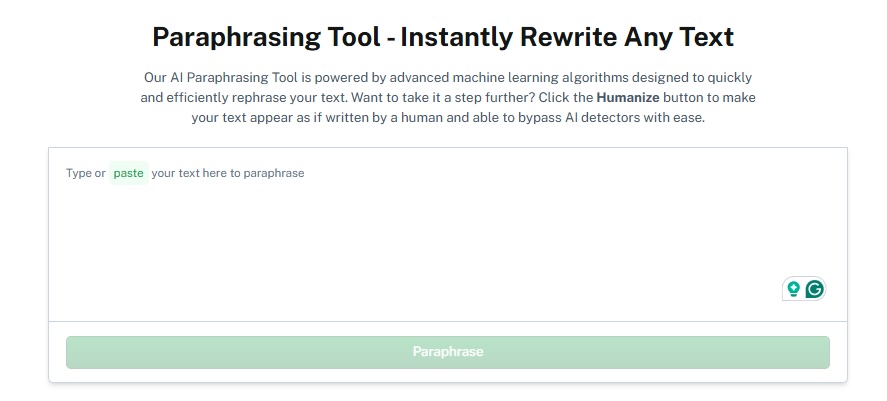
If you’re working with long, messy transcripts, manually rewriting every line can take hours. This is where an AI Paraphraser becomes useful.
Instead of copying raw captions directly onto your website, you can rewrite them into natural, readable, structured content that sounds human.
Try the AI Paraphraser to transform raw captions into SEO-friendly articles in minutes.
- Add headings, keywords, and internal links
Raw transcripts jump from idea to idea without structure. Search engines prefer clear sections, descriptive headings, logical keyword placement, and internal linking.
You can group related caption segments under a meaningful H2 heading.
This helps search engines understand the context and proves do captions help with SEO when supported by a solid text foundation.
Example:
Raw Transcript Block: …so when you’re thinking about keywords, you want to find what people are actually searching for. Head terms are the broad ones with high volume. Long-tail keywords are more specific and usually easier to rank for…
Structured Version:
How to Choose the Right Keywords for Your Video Content
Head terms (also called short-tail keywords) are broad search phrases with high monthly search volume. For example, “video SEO.” These terms are competitive but help establish topical authority.
Long-tail keywords, on the other hand, are more specific phrases with lower search volume but stronger intent, such as “how to rank YouTube videos without paid ads.”
For newer or mid-authority websites, long-tail keywords are significantly easier to rank for and often attract visitors who are closer to making a decision.
Then strengthen the page by adding internal links:
For a deeper breakdown of keyword research tools, see our guide to [finding high-intent keywords].
- Create a blog post to support the video
The video is the hub. The blog article is the spoke. The blog expands on questions the video briefly mentioned, related long-tail queries, or supporting data and comparisons.
Example:
A 5-minute video about Apple’s new product launch can become a 1,500-word article covering:
- Full technical specifications
- Comparison tables
- Pricing history
- Expert commentary
- Early user reactions
Add Value Beyond The Video
Why would someone read your blog if it’s just a word-for-word copy of what they just heard? To win at SEO in 2026, you need to offer bonus content that a video format just can’t handle well.
- Add What the Video Couldn’t Fit
In a blog, data is king. It builds trust and proves you’ve done your homework.
| The Video Version | The Blog Version |
| You should use captions because of new laws. | According to the April 2026 ADA deadline, staying compliant is no longer optional. With over 8,800 accessibility lawsuits filed in 2024 alone, following the WCAG 2.1 AA standards is your best defense against legal headaches. |
- Offer Tangible Takeaways
Give your readers something they can use. This keeps them on your page longer and makes your content much more memorable.
| Checklists | Templates | Downloads |
| 10 things to check before hitting publish. | Sample SRT files or prompt libraries that you mentioned in the video but couldn’t show on screen. | A PDF version of your guide that they can save for later. |
- Answer the Unasked Questions
Your video might spark a thought that you didn’t have time to cover.
Use Google’s “People Also Ask” to find those related questions and answer them right there in your article.
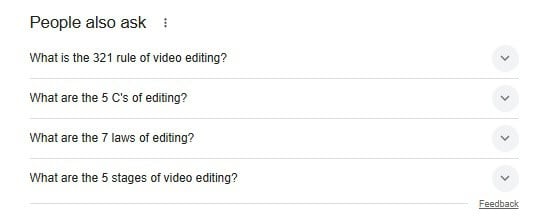
This is a cheat code for capturing extra search traffic from people who didn’t even know they needed your video yet.
Optimize Text For Better Rankings
Here are the different strategies to optimize text for better ranking on Google:
| What to Do | How to Do It | Why it Matters |
| Place Keywords Wisely | Put your main keyword (like “video captions SEO”) in the Title, the first paragraph, and at least one heading. | It tells Google what your page is about right away. |
| Use Related Words | Don’t just repeat one phrase. Use words like “transcripts,” “YouTube ranking,” and “compliance.” | Google is smart; it looks for these related words to see if you’re an expert. |
| Aim for the Top Spot | After a question heading, write a short, 2-sentence direct answer (40–60 words). | This helps you get into the featured snippet (the box at the very top of Google). |
| Keep it Fresh | Update your post every few months. Mention the current month/year (e.g., “Updated Feb 2026”). | Google loves fresh content, especially for topics like laws and AI technology. |
| Use Video Schema | Add the VideoObject code to your page (your tools usually do this for you). | It makes your video show up with a thumbnail and duration in search results. |
Combine Video And Written Content Strategy
Videos and written content work together to boost engagement, authority, and rankings. Here’s how to do it effectively.
- Use Timestamps In The Video
Don’t just embed your video at the top. Use your text to point out specific must-see moments in the video.
This creates curiosity and keeps people on your page longer (which Google loves).
Example: instead of just saying “Watch my video,” try something like:
- If you’re in a rush, skip to 04:12 where I show the exact secret hack that doubled our traffic in under a month.
- Ensure Content Passes AI & Human Quality Standards
In 2026, search engines are cracking down on low-effort AI-generated content.
Two steps to stay safe and maintain quality:
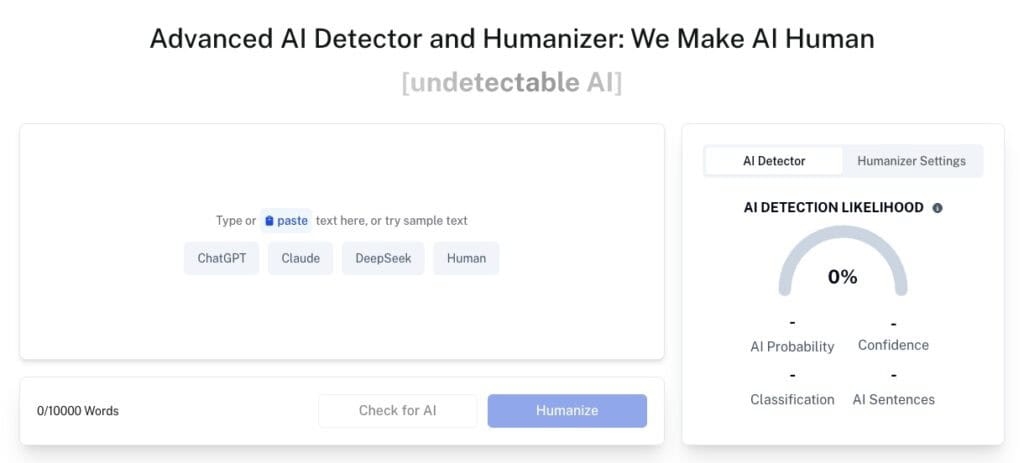
- AI Detector: Scan your content to check if it appears machine-generated.
- Humanizer tool: Add natural, human-like phrasing, examples, anecdotes, or conversational touches so your post resonates with real readers.
This way, your article remains engaging, credible, and Google-friendly.
Use our AI Detector and Humanizer right in the widget below!
Final Thoughts
Captions are valuable. They make videos accessible, improve engagement, and help YouTube index your content within its own ecosystem. But if you’re asking, Do captions help with SEO? you have to look at the bigger picture.
In 2026, when AI tools are synthesizing search results, when Google’s E-E-A-T signals reward long-form expertise, and when over 25% of search results now include video, simply captioning a video and hoping to rank is not a strategy.
The full strategy is this: use captions as the raw material.
Extract your transcript, turn it into structured written content, optimize that content for both human readers and AI crawlers, and publish it alongside your video as a companion asset.
That is how video content compounds into lasting search visibility.
Every video you publish is a source of raw content. The question is whether you are building with it or leaving it on the platform as a caption file no one can find.
Turn your captions into fully optimized, human-readable content effortlessly with Undetectable AI.