
When you write a piece of text, you might feel it’s not your best. As such, you’d like to improve the text by paraphrasing it.
In this case, NeuralWriter AI is one of these tools that promises to paraphrase your text naturally and ensure it bypasses plagiarism and AI detectors.
With this claim, we’ve taken it upon ourselves to test how accurate the NeuralWriter AI content detector is and if it’s the best tool for you to use based on its merits.
Without further ado, let’s get into the review.
Key Takeaways
- NeuralWriter is a multilingual AI tool that offers users paraphrasing and translation services completely free.
- The platform also offers users summarization, image generation, and prompt generation features.
- NeuralWriter’s content detector cannot reliably detect AI-edited or paraphrased texts.
- You’ll need a better alternative, like Undetectable AI, since NeuralWriter’s output is poor and inconsistent.
What Is a NeuralWriter?
NeuralWriter is a free AI-focused writing multilingual tool that can be used to rephrase and translate text across more than 27 languages using neural network technology.
This AI paraphraser has a capacity of 10,000 characters, as well as a NeuralWriter Chrome extension enabling users to work across different websites.
Although this tool is primarily marketed as a paraphraser, it attempts to ensure its output mirrors how humans write and bypasses AI detectors.


Never Worry About AI Detecting Your Texts Again. Undetectable AI Can Help You:
- Make your AI assisted writing appear human-like.
- Bypass all major AI detection tools with just one click.
- Use AI safely and confidently in school and work.
It’s paraphrasing restructures your sentences to preserve their core meaning while boosting fluency and originality.
NeuralWriter’s Key Features
NeuralWriter AI has other features beyond its paraphrasing feature. The other features ensure it stands out amongst other AI paraphrasers out there.
As a result, it’s quite helpful for writers with a light workload. These features include:
Paraphrase
The paraphrasing feature serves as NeuralWriter’s core function. The platform uses neural networks to restructure sentences and preserve the original message’s intent in multiple languages.
Anyone using this feature gets to paraphrase lengthy passages up to 10,000 characters. Not only that, it has two modes for paraphrasing.
There are the light and hard modes that enable users to control the paraphrasing intensity.
Prompt Generator
Prompt engineering has currently become a necessary skill for maximizing an AI model’s output quality. However, many people still struggle to formulate effective instructions for LLMs like ChatGPT.
NeuralWriter’s prompt generator addresses this challenge by allowing you to input a basic request.
Thereafter, the prompt generator expands your request into a detailed prompt that gets responses from the AI.
This feature is particularly valuable for content creators, data analysts, and creative writers.
Translate
NeuralWriter offers multilingual translation capabilities for about 30 languages.
It applies natural language processing (NLP) technologies trained on parallel corpora to understand how phrases and idioms convert between languages.
Supposedly, this feature has an accurate language conversion without losing context.
Summarize
This feature condenses lengthy articles and texts into clear summaries with the essential points extracted for you.
You can specify the desired summary length for your purpose.
Moreover, this feature serves researchers reviewing academic literature or anyone in need of a quick overview without reading the whole text.
Word Counter
NeuralWriter provides a word count feature for writers who need to meet specific length requirements for either academic work or social media platforms.
It allows precise monitoring of your text’s size during the writing or editing process.
You get metrics relevant to your content, consisting of character count, sentence count, paragraph count, and reading time estimates.
Headline Generator
This generates a compelling headline for your content. The resulting headline promises to be eye-catching and improve engagement.
For anyone in email marketing, blogging, and social media management, this feature would be irresistible, as there’s a need for better headlines to improve click-through rates and audience engagement.
With this, you get to save time during your creative process and consider alternative headlines you didn’t think of previously.
AI Image Upscale
The upscale function can improve the resolution of images up to 4K quality.
The tool enhances the picture’s quality based on its training model data that predicts what additional visual information should exist in the image.
It is useful for refining visuals that need to be sharper for presentations or publications. You can use this feature to salvage usable images from inadequate source materials and restore old photographs.
AI Content Detector
The NeuralWriter content detector analyzes inputted text to determine if it is AI-generated based on patterns characteristic of language model output like ChatGPT, Gemini, Claude, and others.
Although the NeuralWriter AI detector is not infallible, it still helps meet content authenticity and support academic integrity efforts.
AI Image Generator
NeuralWriter also includes an AI-based image creation feature, where you get to produce original AI images from your descriptions.
Nevertheless, as you use the NeuralWriter AI image generator, you’re the one bearing the sole responsibility for the AI-generated images.
Pros and Cons
NeuralWriter has some great writing-focused features, and it keeps diversifying these features to meet users’ growing demand.
Despite this forward-facing act, NeuralWriter AI has shortcomings you should acknowledge as well.
| Pros | Cons |
| It integrates multiple AI features in one platform, thereby eliminating the need to use multiple sites. | The AI-generated outputs have varying accuracy and occasionally lose context. |
| It offers free access to all its features without mandatory sign-up. | The output from its tools isn’t advanced enough to beat competitors. |
| The AI content detector can flag AI content and unintentional AI-generated plagiarism. | It could produce false positives and mislead users. |
| The image generation and image upscale features enable users’ visual creativity alongside text production. | The outputs often require manual editing to meet quality standards. |
How It Works
NeuralWriter leverages advanced neural network technology to better process text and keep it logically consistent.
Through its web interface and Chrome extension, you paste any content up to 10,000 characters.
If the content is not in English, you have the option to select a language from its 27+ options.
After that, you can begin paraphrasing using any of the available modes.
- Light Mode: This paraphrasing mode involves just minor structural and synonym changes that maintain the original meaning of your text. This mode is the fastest, but it’s not so creative.
- Hard Mode: The mode is slow but guarantees a unique output. It greatly alters your texts with a creative output that keeps your overall message. This paraphrasing option could still lose nuance and context, so you have to cross-check before using it.
The NeuralWriter tool has no limit for users, and it’s completely free with no registration required before using it. You can also use the NeuralWriter extension to access its features across websites and articles.
Is NeuralWriter Accurate?
This question is the crux of this review. Although NeuralWriter claims to offer a human rewrite, you should know this serves marketing purposes rather than you as a user.
For this accuracy test, we used ZDNet’s industry-defining benchmark. In the test ZDNet ran on 10 AI content detectors, they found ours to have 100% accuracy.
Based on this, we’ve tested the NeuralWriter paraphraser and run its result with our AI detector to see if it’s as accurate as it claims to be.
First Test: Light Mode
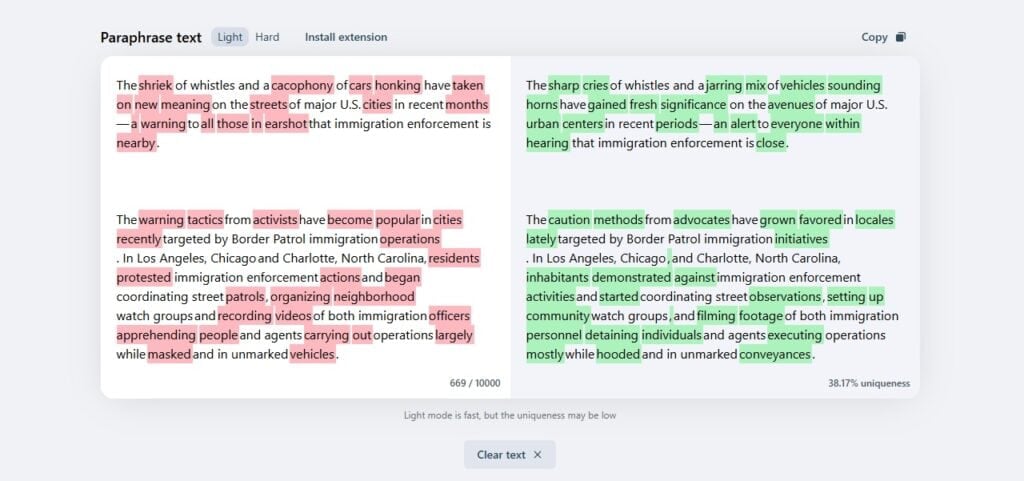
The paraphraser has two modes. We used the light mode first and used a human-written text. The tool paraphrased the text and achieved a 38.17% uniqueness.
However, what we discovered was underwhelming. The paraphrased text mostly changed words for their synonyms, leaving the structure unchanged.
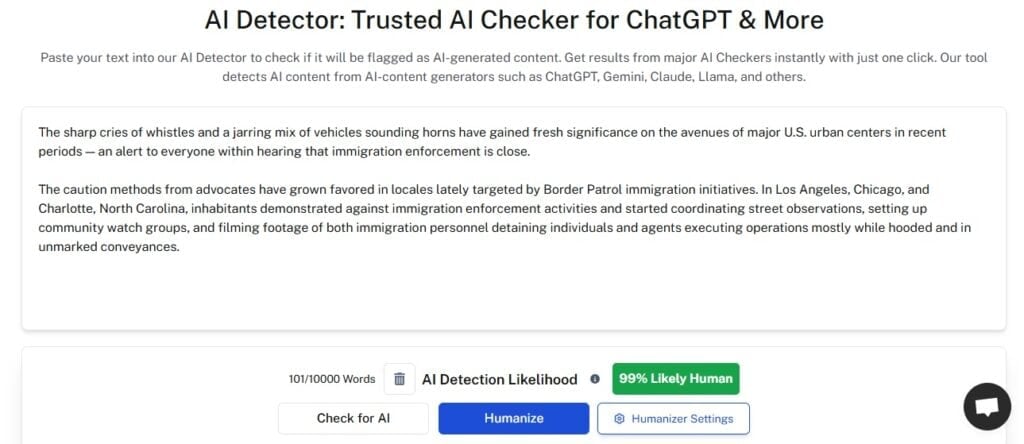
We then checked if the paraphrased text could pass our AI detector. It came back with a 99% human likelihood.
This isn’t shocking, as the paraphrased text had no structural change; rather, it was mainly word changes.
Second Test: Hard Mode
According to NeuralWriter, the hard mode has the best paraphrasing effect. We tried using but we were redirected to download the NeuralWriter Chrome extension.
However, the extension is currently unavailable on the Chrome Web Store and on their site as well.
This made it impossible to use the hard mode. Users would face this obstacle as well. Meanwhile, the light mode is underwhelming and offers no good rewritten text that you might need.
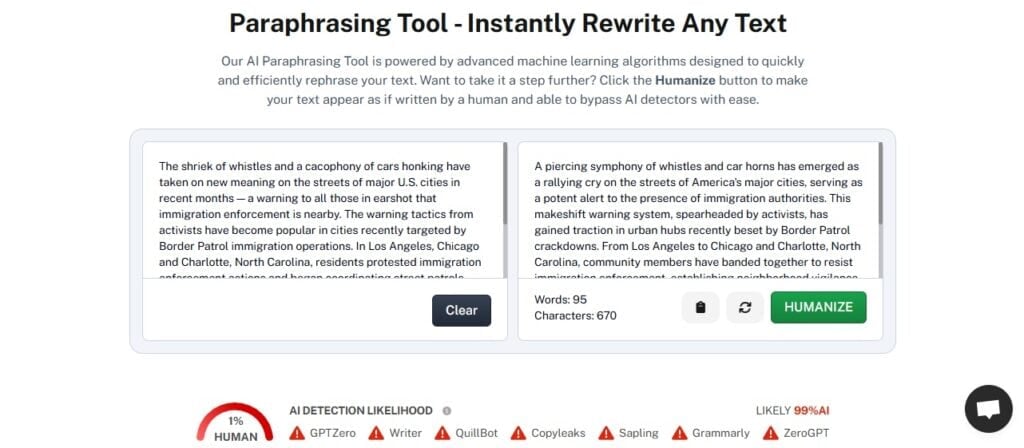
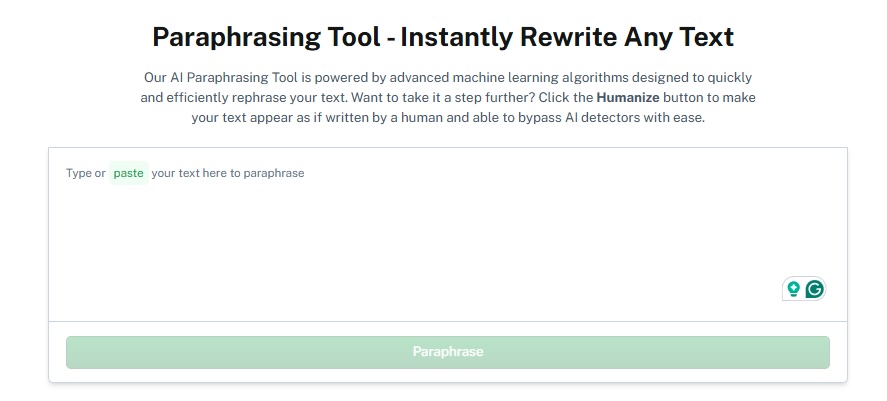
In light of this, we used our Paraphrasing tool to see what a better paraphrased text should look like.
The rewritten text was overall structurally rewritten and better articulated, compared to NeuralWriter’s word synonyms swapping.
We then ran our output through NeuralWriter’s AI content detector to test its accuracy as well. It found the text to have an 85% human authorship.
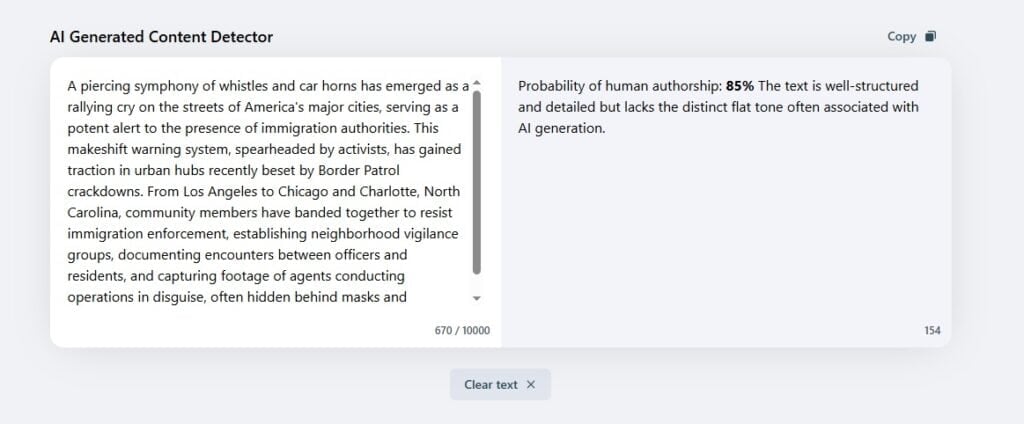
From this test, we conclude that the NeuralWriter Paraphraser is barely decent and inefficient to meet creative rewrites.
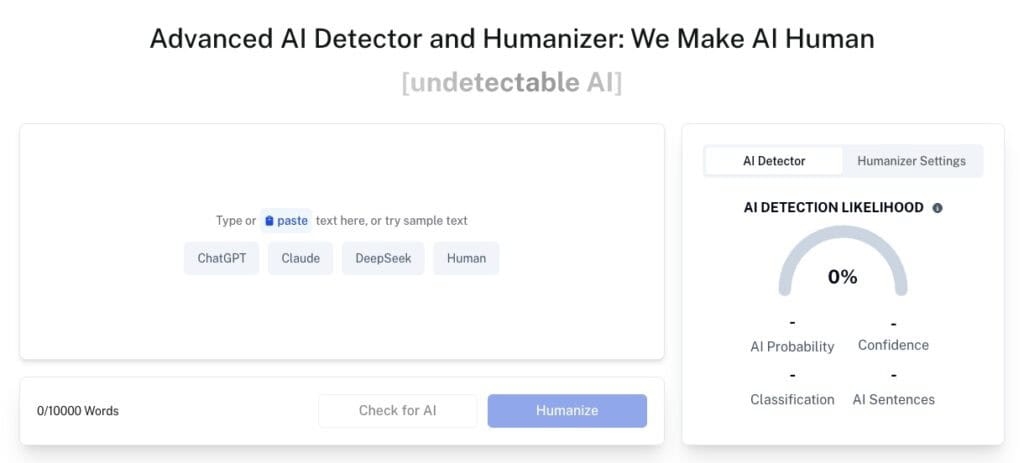
In that case, we suggest you use our AI Detector and Humanizer to see areas flagged as AI and then humanize them for authentic content that genuinely bypasses AI detectors and has human creativity.
Undetectable AI: The Best NeuralWriter’s Alternative
Having looked into NeuralWriter, we’ve found that it can’t compare to top AI writers and the features they offer.
While NeuralWriter is completely free, the tool offers substandard results in its output.
Moreover, trying to use harder modes on the platform is impossible due to a nonexistent Chrome extension.
Considering all this, it’s best that you look to NeuralWriter’s best alternative, which is Undetectable AI.
Undetectable AI has advertised itself as an AI tool capable of producing undetectable human content, while also offering a swathe of AI-focused writing tools for its users.
Whatever your writing needs are, Undetectable AI has tools to solve them and more.
You should keep in mind that Undetectable AI provides premium tools and services that ensure users get the best output without restrictions.
Here is a detailed comparison of Undetectable AI and NeuralWriter side by side.
| NeuralWriter | Undetectable AI |
| It has a basic paraphrasing and text rewriting tool with multiple auxiliary features. | It offers an advanced AI humanization tool that transforms AI-generated content into undetectable human text. |
| Users get poor results with inconsistent paraphrasing quality. | It preserves the original message while creatively editing text to avoid detection, maintaining SEO value. |
| It has no specialized technology for bypassing AI detectors. | The platform has a multi-detector scoring system that shows results from paid AI detection models all in one place. |
| Completely free, but severely limited functionality. | The premium plans are affordable, starting at $9.99/month for 10,000 words with annual options at $5/month. |
| It requires you to use a Chrome extension for more features. | Users get a simple browser-based operation requiring no downloads. |
| Slow processing with frequent errors. | Fast processing with high accuracy and minimal post-editing needed. |
| Minimal customization with modes that don’t function properly. | There are multiple readability and purpose options. |
| Misleading marketing claims with poor actual performance | 95% success rate in beating AI detectors with a money-back guarantee. |
| Limited adoption due to poor quality. | Over 5 million users worldwide with a reputation for reliability and effectiveness. |
Undetectable AI clearly outperforms NeuralWriter by offering its professional-grade AI tools and services that actually work with a proven track record and millions of satisfied users.
Meanwhile, NeuralWriter has made empty promises with a free but broken tool.
Therefore, you can confidently use Undetectable AI to get genuine value and consistent results.
Can NeuralWriter Detect AI-Edited or Paraphrased Text?
This depends. NeuralWriter’s detector tends to analyze text to identify if it was generated by AI models like ChatGPT rather than specifically edited or paraphrased versions.
From the tests we ran on the NeuralWriter detector, we found that the results are unreliable. Hence, properly paraphrased texts can reliably evade NeuralWriter’s detection.
As a result, the detector cannot detect text edited by our AI Paraphraser, as our tool produces fully human texts that are primed to easily evade detection.
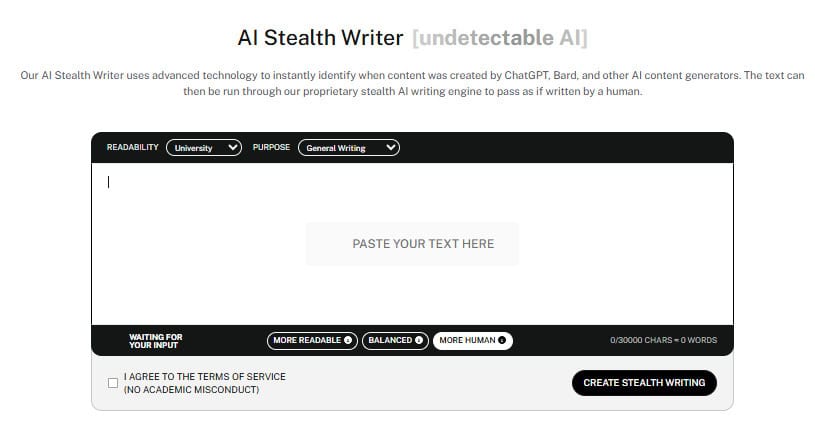
On the other hand, if you need larger texts to be rewritten to reliably bypass strict AI detectors, then use our AI Stealth Writer.
It’ll rewrite your content so no AI detector can pin the content to any LLM.
Give our AI Detector and Humanizer a spin in the widget below!
Final Thoughts
NeuralWriter’s paraphrasing tool has been its most marketed feature, having promised users a human-like rewrite.
However, NeuralWriter is not accurate and offers no creativity in rewriting texts for users. This would lead users to seek better tools compared to one that failed to offer what it preached.
You don’t have to look further than Undetectable AI for great AI-writing tools with consistency.
Our AI paraphraser has a proven to rewrite text with human flair, and even longer texts can be rewritten by our AI stealth writer.
So, you’re covered by the best alternative to NeuralWriter.
Rewrite with confidence and human-like flow using Undetectable AI.