
You know your website needs an FAQ page. But… where do you even start?
Do you just list random questions? Copy what your competitors are doing? Throw together a quick drop-down section and call it a day?
It seems like it should be so simple in theory, but when you go down a rabbit hole of potential layouts and SEO best practices, it’s easy to lose sight of what actually matters: providing clear answers for real people.
So if you’ve been wondering:
- What are the best FAQ templates?
- What should I include?
- How do I structure my own FAQ page properly?
You’re in the right place. To help you finally get your FAQ page up and running, we’re sharing 21 of the best FAQ templates you can use as inspiration.
We’ll also share some practical tips for creating an FAQ page that’s clear, organized, and actually useful for your audience.
TL: DR – FAQ website templates are ready-made layout sections designed to help you structure and display your most commonly asked questions.
The best, most informative FAQ pages use clear structure, simple language, searchable formats, and SEO optimization to help website visitors find answers as quickly as possible.
Key Takeaways
- Effective FAQ pages prioritize real user language by pulling questions directly from support tickets and chat logs rather than using internal corporate jargon.
- Strategic organization through accordion layouts and prominent search bars allows visitors to find answers in seconds and prevents the frustration caused by overwhelming walls of text.
- FAQ sections serve as a bridge in the customer journey by using internal links to guide readers directly to product pages or detailed policy documents.
- Search visibility improves significantly when using FAQ schema markup and keyword-rich headings to help your website capture rich snippets in search results.
- Maintaining a helpful and authentic tone is essential for building trust with your audience as it ensures your support resources feel personal rather than generic.
What Are FAQ Templates?
First things first: what even is an FAQ template?
FAQ website templates are pre-designed layout blocks for your website that allow you to organize and present your most frequently asked questions clearly.
They typically include dedicated sections for questions and corresponding answers, with design elements that make the content scannable and accessible.


Never Worry About AI Detecting Your Texts Again. Undetectable AI Can Help You:
- Make your AI assisted writing appear human-like.
- Bypass all major AI detection tools with just one click.
- Use AI safely and confidently in school and work.
Common layout options include:
- Simple vertical lists
- Accordion-style expandable sections
- Two column layouts
FAQ templates are designed to be used throughout your entire website. For example, you can have one primary FAQ page with all your FAQ questions in one place.
Then, you can have a dedicated FAQ section on other pages with only relevant questions. An FAQ template allows you to make sure all information is presented consistently across all pages.
Choosing The Right FAQ Template Format
The format you choose for your FAQ page affects how easily users can find answers. Different formats work better for different amounts of content and different types of customer queries.
Here are just a few examples of the different types of FAQ templates.
| Common Examples of FAQ Templates | |||
| FAQ Format | Best For | Key Benefit | Watch Out For |
| Accordion | Large FAQ pages with many questions | Keeps content compact and easy to scan | Answers are hidden until clicked |
| List | Small FAQ sections | Simple, mobile-friendly, easy to read | Becomes overwhelming if too long |
| Two-Column | Medium-length content | Efficient use of space, clean layout | Needs strong mobile optimization |
| Categorized | Complex or multi-topic businesses | Improves navigation and organization | Requires clear, logical grouping |
| Searchable | Extensive FAQ libraries | Fast answer discovery | Search must return accurate results |
| Video/Visual | Step-by-step or complex explanations | More engaging and easier to understand | Can slow page load times |
Pro Tip: Use a tool like Undetectable AI’s Prompt Generator to create clear FAQ questions and answer prompts that resonate with your audience.
For example, you can phrase questions the way your customers actually ask them and structure answers in a way that directly addresses their concerns.
How to Create an FAQ Page

Creating an effective FAQ page takes several steps before you can set it live on your website. Here’s a simple process for building an FAQ page that actually helps your customers.
Step 1: Identify frequently asked questions
Start by collecting real customer questions from multiple sources.
You can review things like support tickets, customer service emails, live chat logs, and social media messages to look for patterns in what people ask repeatedly.
You can also talk to your support team about the most common queries they handle and check your website analytics to see what people search for on your site.
These real questions should form the foundation of your FAQ content.
Step 2: Organize questions into logical categories
Group related questions together under clear category headings. Common categories might include “Shipping & Delivery,” “Returns & Refunds,” “Account Management,” “Pricing & Billing,” or “Product Features.”
Categories help your website visitors quickly find relevant questions without having to read through unrelated content.
Pro Tip: Make sure to keep category names simple and descriptive, using plain language that your customers understand.
Step 3: Write clear, accurate answers
Make sure to provide detailed answers that fully address each question. You should also write in plain language without jargon or technical terms (unless your audience expects them).
Aim to keep answers concise but complete, and always include step-by-step instructions when explaining processes.
In terms of tone, always use the same friendly, professional type of tone you’d use in direct customer communication to match your brand’s voice.
Step 4: Choose your template and design
Next up: make sure your design is visually appealing and works well on mobile devices.
If you’ve never designed something like this before, there are lots of free FAQ templates in Word, Google Docs, and most other popular writing software programs.
If you’re using WordPress, install WordPress plugins designed for FAQ pages that offer accordion layouts and easy content management.
As a general rule of thumb, always use clear typography, appropriate spacing, and visual hierarchy to make the content scannable.
Step 5: Implement search functionality
Search functionality is crucial for comprehensive FAQ pages with many questions. It allows users to type keywords and jump directly to relevant questions without scrolling through categories.
A good search function also helps users find answers faster, improving the overall user experience.
Step 6: Add internal linking
Always link to relevant pages throughout your FAQ answers. For example, if an answer mentions a specific product, link to that product page. If you reference your return policy, link to your policy page.
Internal linking helps guide users through their customer journey and provides additional context. It also helps with search engine optimization by connecting related content across your site.
Step 7: Optimize for search engines
Optimizing FAQ schema can make your FAQ questions appear as rich snippets in search engine results pages, which can increase your website’s overall visibility.
To do this, include relevant keywords naturally in your questions and answers. It’s also a good idea to make sure your FAQ page has a descriptive URL and page title.
Step 8: Test and refine
Before launching, test your FAQ page with real users. You could consider running A/B tests with different layouts or phrasings to see which performs best, or ask people to find answers to specific questions and watch where they struggle.
This is also the time to check that all links work, search functionality returns relevant results, and the page loads quickly.
Writing Effective FAQ Content

The quality of your FAQ content matters as much as your page design. Here are a few practical tips on how to write better FAQ pages.
Use real customer language
Write FAQ questions exactly how customers ask them, not how you think they should be phrased.
For example, if customers ask, “Do you ship to Canada?” don’t rephrase it as “What are your international shipping options?”
Using real customer language makes it easier for users to find relevant questions and shows you understand their concerns.
Provide detailed explanations when needed
Don’t give one-sentence answers to complex questions. If someone asks about your return policy, explain the full process with step-by-step instructions.
Include timeframes, requirements, and any exceptions. Detailed answers reduce follow-up questions and support tickets.
Be direct and specific
This is one of the best copywriting tips you’ll ever hear. Start answers with the most important information.
If someone asks, “How long does shipping take?” lead with “Standard shipping takes 5-7 business days,” then explain expedited options or exceptions.Direct answers respect users’ time and provide quick answers to simple questions.
Address common concerns proactively
Anticipate follow-up questions and address them in your answers. If you explain your return policy, also mention how long refunds take to process.
If you describe a product feature, explain how to use it. Comprehensive answers that address related concerns reduce the need for additional support.
Keep language simple and accessible
If you want people to actually read your FAQs, always write in plain language that anyone can understand. That means avoiding jargon, technical terms, and industry acronyms (unless your audience is highly specialized).
Short sentences and simple words make your FAQ content accessible to all users, including those who speak English as a second language or have different reading levels.
Update answers regularly
FAQ content becomes outdated as your business changes. That’s why it’s important to regularly review your FAQ page to double-check that all information is current and accurate.
Update answers when policies change, new products launch, or you notice patterns in new customer queries.
Include links to additional resources
When appropriate, try to link to relevant blog posts, tutorial videos, product pages, or other relevant pages that provide more detailed information.
This helps your FAQ page become a comprehensive resource that actually connects your users to everything they need to know.
21 Best FAQ Page Examples
Learning from great FAQ example templates and live pages helps you understand what works.
Here are the 21 best FAQ page examples that demonstrate effective design, organization, and content.
- Zendesk – Their comprehensive FAQ page uses clear categories, lots of different search functionalities, and clean design. The page serves as a prime example of how to organize extensive FAQ content into a searchable, user-friendly resource.
- Shopify – Shopify’s FAQ section combines simple design with detailed answers. They use logical categories and provide step-by-step instructions for common tasks, making it easy for users to find answers quickly.
- Airbnb – Their FAQ page addresses both host and guest questions in separate sections. The categorization helps different types of customers find relevant questions without wading through irrelevant content.
- Slack – Slack’s FAQ page uses an accordion format with excellent search features. The design is visually appealing and matches their brand’s voice while providing accurate answers to technical questions.
- Dropbox – Their simple FAQ page focuses on the most common questions with concise, direct answers. The minimalist design makes it easy to scan and find information quickly.
- Spotify – Spotify organizes their FAQ content by topic with a prominent search bar. The page provides quick answers while linking to more detailed explanations when needed.
- Netflix – Netflix’s FAQ page is a great example of using plain language to explain complex topics. Their answers are clear, direct, and address common concerns without unnecessary detail.
- Amazon – Amazon’s comprehensive FAQ covers everything from ordering to returns. The extensive internal linking guides users to relevant pages throughout their site.
- PayPal – PayPal’s FAQ page addresses security concerns and common issues with detailed explanations. The categorization helps users navigate more complex financial topics.
- Uber – Uber separates FAQ content for riders and drivers, making it easy for different website visitors to find relevant questions. The design is clean and mobile-friendly.
- Etsy – Etsy’s FAQ page helps both buyers and sellers with clear categories and searchable content. The page serves as a valuable asset for their diverse customer base.
- Mailchimp – Mailchimp’s FAQ section uses visual elements and clear formatting to make technical information accessible. The page demonstrates how to explain complex features in simple terms.
- Squarespace – Their FAQ page combines text answers with links to video tutorials, accommodating different learning styles. The multi-format approach helps users understand complex topics in website building.
- Stripe – Stripe’s FAQ page addresses technical questions with precise, detailed answers. The organization helps developers find relevant information quickly.
- HubSpot – HubSpot’s comprehensive FAQ page covers products, pricing, and technical questions. The search bar and categorization make it easy to navigate their extensive library of help content.
- Canva – Canva’s FAQ section uses simple language and visual examples to explain design features. The page is visually appealing and easy to read.
- Zoom – Zoom’s FAQ page addresses common technical issues with step-by-step instructions. The clear formatting makes troubleshooting easier for users.
- WordPress – WordPress.org‘s FAQ page is a perfect example of how to organize technical documentation in an accessible way. The page serves developers and beginners equally well.
- Trello – Trello’s FAQ page uses a clean, simple design with categorized questions. The answers are concise but complete, providing helpful information without overwhelming the reader.
- Warby Parker – Warby Parker’s FAQ page uses warm, conversational language that mirrors how real customers ask questions. Their FAQs are organized by shopping stage (before purchase, after purchase, returns), making it super easy to navigate.
- IKEA – Their structure blends FAQs with self-service tools (order tracking, return initiation, spare part requests), lightening the load for customer support.
It’s clear that the best FAQ page examples share common elements: clear organization, searchable content, accurate answers, and user-friendly design.
This is a reminder that you don’t have to reinvent the wheel with your FAQ page; you just have to focus on what your audience actually wants to know and make it easy for them to find the answers.
Organizing FAQs For Better Navigation
How you organize your FAQ content directly affects whether users can find answers when they need them.
The following table breaks down a few practical strategies for structuring your FAQ page.
| How to Organize Your FAQ Page for Better Navigation | ||
| Strategy | What It Means | Why It Matters |
| Use Logical Categories | Group questions by topics users care about (like “Getting Started,” “Billing & Payments,” “Troubleshooting”), not by internal departments. | Helps the reader quickly find relevant information without confusion. |
| Prioritize Common Questions | Place your most frequently asked questions at the top or in a “Top Questions” section. | Gives most visitors fast answers without scrolling or searching. |
| Add a Prominent Search Bar | Include a visible search bar at the top of the page for keyword-based navigation. | Essential for large FAQ pages; dramatically improves website experience. |
| Write Clear Question Headings | Use full, descriptive questions like “How do I reset my password?” instead of vague labels. | Makes scanning easier and sets clear expectations for answers. |
| Include a Table of Contents | Add clickable links at the top that jump to different sections. | Helps readers navigate long pages without endless scrolling. |
| Use Breadcrumb Navigation | Show readers where they are within multi-page FAQ sections. | Improves orientation and makes it easier to move between related content. |
| Link Related Questions | Add “Related Questions” sections at the end of answers. | Encourages deeper engagement and reduces support requests. |
| Optimize for Mobile | Make all text readable, design a responsive layout, and use touch-friendly buttons. | Many people access FAQs on mobile; poor usability increases frustration. |
FAQ Organization Quick Checklist
Use this as a final review before publishing your FAQ page:
- Group questions by user intent
- Place the most common questions at the top
- Add a visible search bar for quick navigation
- Write clear, full-sentence question headings
- Include a clickable table of contents for long pages
- Use breadcrumb navigation if FAQs span multiple pages
- Link related questions together to guide users deeper
- Check all questions are optimized for mobile
Common FAQ Mistakes To Avoid
Even with good intentions, many websites make mistakes that undermine the effectiveness of their FAQ pages. Avoid these common errors to improve the user experience.
Writing questions you want to answer instead of questions customers actually ask
Your FAQ page should address real customer queries, not marketing messages disguised as questions. If no one actually asks “What makes your product the best on the market?” don’t include it.
Focus on genuine customer questions from support tickets and customer service interactions.
Providing vague or incomplete answers
Answers like “Contact us for more information” or “It depends” can be super frustrating for users. If a question requires a detailed explanation, provide it.
If the answer varies based on circumstances, explain the different scenarios. Incomplete answers defeat the purpose of having an FAQ page.
Pro Tip: Use Undetectable AI’s AI Question Solver to help answer new customer questions instantly. When you encounter questions you haven’t addressed yet, this tool can help you craft accurate, helpful answers quickly, keeping your FAQ page as current and comprehensive as possible.
Making your FAQ page hard to find
Place a clear link to your FAQ page in your main navigation, footer, and contact page.
Users should never have to hunt for your FAQ section; it should be as easy to find as your contact information.
Using overly technical language
Unless your audience is highly technical, try to avoid jargon and acronyms. Instead, write in plain language that anyone can understand.
Remember that people visit your FAQ page because they need help; don’t make them feel confused with unnecessarily complex explanations.
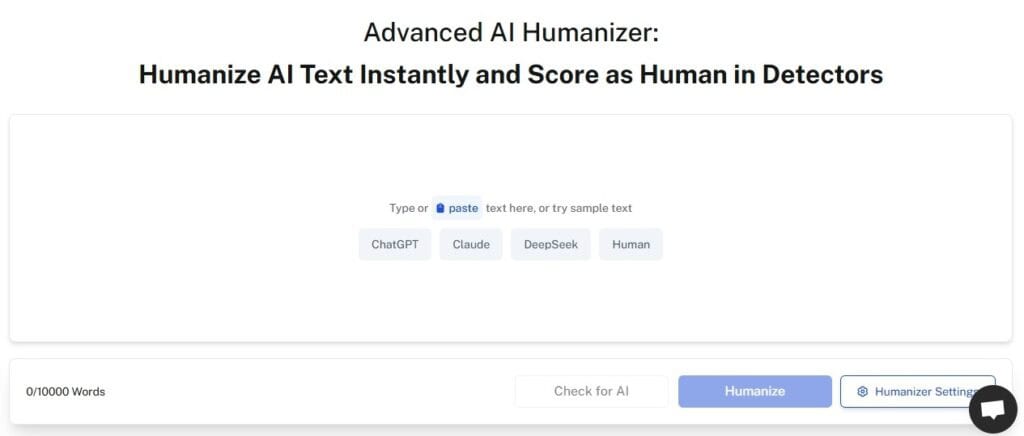
Pro Tip: Use Undetectable AI’s AI Humanizer to make sure your FAQ tone remains friendly and professional. This tool refines your answers to sound more conversational and less robotic, making your FAQ page a lot more approachable and easier to understand.
Neglecting to update content
FAQ pages become outdated as businesses change. That’s why it’s important to regularly review and update your FAQ content for accuracy and remove questions that are no longer relevant.
Outdated information damages trust and also increases support ticket volume when users follow incorrect instructions.
Overloading with too many questions
A comprehensive FAQ page is good, but 200 questions is overwhelming. Focus on truly frequently asked questions rather than every possible question someone might ask.
If you have extensive content, consider creating separate FAQ pages for different topics or a full knowledge base.
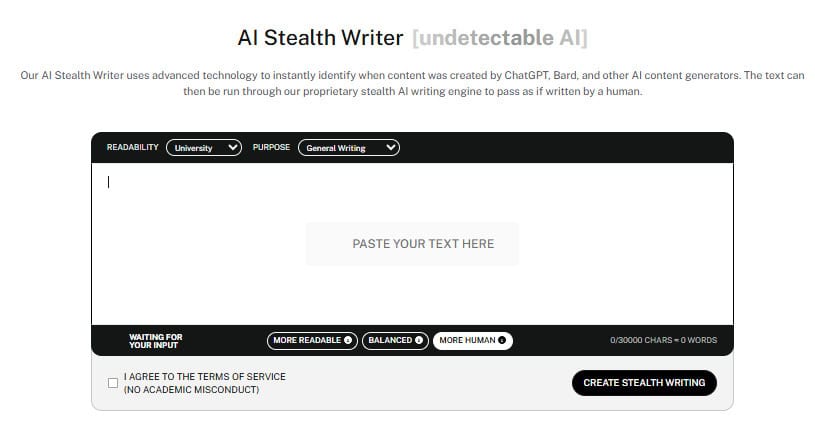
Pro Tip: Use Undetectable AI’s AI Stealth Writer to create human-like FAQ content that reads naturally and avoids AI detection.
Poor formatting and design
Walls of text, tiny fonts, and cluttered layouts make FAQ pages unusable. Instead, always use clear typography, appropriate spacing, visual hierarchy, and white space to make content as scannable as possible.
No search functionality
For FAQ pages with more than 10-15 questions, search functionality is absolutely essential. Without it, users waste time scrolling through irrelevant questions.
A search bar dramatically improves user experience and helps users find answers as quickly as possible.
Use our AI Detector and Humanizer right in the widget below!
Frequently Asked Questions About FAQ Templates
What is an FAQ template?
An FAQ template is a pre-designed layout that helps you organize and display frequently asked questions clearly on your website. It structures questions and answers in a consistent, scannable format, so users can quickly find the information they need.
What should I include on an FAQ page?
Your FAQ page should include real questions customers actually ask. Start with common topics like:
– Shipping and delivery
– Returns and refunds
– Pricing and billing
– Account setup or login issues
– Product or service features
If you’re not sure what questions to include, it’s a good idea to pull questions directly from support tickets, live chats, emails, and sales calls. If customers repeatedly ask it, it belongs on your FAQ page.
How many questions should an FAQ page have?
There’s no magic number. Most small to medium-sized businesses have between 10–30 high-quality questions.
The key is relevance, not volume. Focus on truly frequent questions instead of listing every possible scenario. If your content grows too large, consider organizing it into categories or building a separate knowledge base.
Which FAQ format is best: accordion, list, or categorized?
It all depends on your content volume:
Accordion format works well for longer pages with many questions.
Simple list format is ideal for short FAQ pages.
Categorized layout is best for complex businesses with multiple topics.
Searchable FAQ pages are essential when you have extensive content.
Choose the format that makes answers fastest to find, not just the one that looks best.
How do I optimize my FAQ page for SEO?
To improve search visibility:
Use real customer phrasing in your questions.
Add relevant keywords naturally (without stuffing).
Implement FAQ schema markup.
Use clear headings (H2s and H3s).
Add internal links to related pages.
When structured properly, FAQ pages can appear as rich results in search engines, increasing click-through rates.
How often should I update my FAQ page?
Review your FAQ page at least quarterly and update it when/if:
Policies change
New products or features launch
You notice repeated new customer questions
Analytics show users searching for missing information
An outdated FAQ page can create confusion and increase support tickets.
Can AI help me write FAQ content?
Yes, when used strategically. AI tools can help you with things like:
Generating question ideas based on customer intent
Drafting clear, structured answers
Maintaining consistent tone across pages
For example, Undetectable AI’s Prompt Generator can help you phrase questions the way real customers ask them, and the AI Humanizer refines and humanizes tone for clarity and approachability.
If you already have your list of questions and just need help writing the answers in a way that resonates with your audience, you can also use the AI Stealth Writer to create content that sounds natural and human.
What’s the biggest mistake to avoid with FAQ pages?
One of the biggest mistakes to avoid with FAQ pages is writing questions no one actually asks. Too often, FAQ pages are a marketing pitch in disguise. Instead, FAQ pages should be treated as a support resource. That means focusing on clarity, honesty, and usefulness. When you prioritize real customer needs, your FAQ page can become a trust-building asset.
Final Thoughts on the Best FAQ Templates
Don’t let your FAQ page become just a box you check off your website to-do list. Instead, let it become one of your most powerful tools for customer support, SEO, and conversions.
If you take anything away from this article, let it be this: the best FAQ templates value structure, simplicity, and strategy over flashy design.
Think about it. When someone lands on your site with a question, they want an answer. And if your FAQ page gives them clear answers in seconds, you build trust (while also moving them one step closer to saying “yes” to your products or services).
Use Undetectable AI to craft clear, engaging FAQ content that resonates with readers and drives results.