
You step up to the front of the room. The projector hums. Dozens of eyes lock onto you. Your heart rate spikes, your palms sweat, and suddenly, everything you planned to say vanishes from your mind.
It’s a familiar scenario for almost anyone who has ever had to speak in public. Even seasoned professionals get nervous before delivering a big talk.
But here’s the thing: standing in front of a crowd doesn’t have to be a terrifying experience.
The difference between a forgettable talk and a killer presentation usually comes down to preparation and technique.
And when you understand how to structure your message, engage your listeners, and manage your own nerves, you stop worrying about surviving the experience and start focusing on delivering value.
You do not need to be a natural-born speaker to deliver compelling presentations. You need a solid plan, the right tools, and the willingness to practice.
Public speaking is a skill that rewards consistent practice, and the techniques covered here apply across all of those contexts.
In this article, we will walk through the five best techniques you should use to captivate your audience, convey your message clearly, and leave a lasting impression.
Key Takeaways
- Good presentation skills require planning, organized design, and successful delivery to meet your objectives.
- The most effective techniques focus on engaging the audience through storytelling, visuals, and interaction.
- Practicing your delivery out loud builds self-confidence and helps you manage stage fright.
- Structuring your talk around a single core idea makes your message memorable and easier to follow.
- Using the right presentation tools and technology appropriately can enhance your message without distracting from it.
What are Presentation Techniques?
Before we get into the specific strategies, it helps to clarify what we mean by this. A presentation should provide ideas or information to educate, entertain, or persuade an audience.
Public speaking is one of the most valuable skills you can develop, and it gets easier the more you practice it.
There are specific methods, structures, and delivery styles you can use to achieve that goal.


Never Worry About AI Detecting Your Texts Again. Undetectable AI Can Help You:
- Make your AI assisted writing appear human-like.
- Bypass all major AI detection tools with just one click.
- Use AI safely and confidently in school and work.
They encompass everything from how you design your slides to how you use your voice, body language, and appropriate gestures to reinforce your message.
Effective presentation skills involve planning and preparation, organized design, successful delivery, and meeting objectives.
Developing these habits takes time, but the payoff in terms of clarity and confidence is significant.
Every effective presentation starts with the same foundation: knowing your audience, knowing your material, and knowing how you want your listeners to feel when you are done.
Effective presentation delivery also means adapting in the moment by reading your audience, and adjusting your pace or tone as needed.
It’s not just about having a good speaking voice or a polished PowerPoint presentation. You have to understand your audience’s needs and interests, which allows you to design your presentation around them.
Understanding your audience deeply also helps you determine what level of detail to include, what examples will resonate, and how to frame your core message so it lands.
The 5 Best Presentation Techniques You Should Use
The ability to present your ideas in a clear, confident, and authentic manner can make a huge difference in your business and personal success as an entrepreneur.
Improving your presentation skills can lead to career advancements, better professional relationships, and increased influence when combined with other soft skills.
The following techniques are used by professional speakers, but they are for anyone who needs to communicate ideas clearly and confidently in front of other people.
| Technique | Primary Benefit | Best Used For |
|---|---|---|
| Strong Hook | Grabs attention immediately | Openings, sales presentations |
| Storytelling | Makes ideas memorable | Any presentation type |
| Effective Visuals | Enhances understanding | Data-heavy or complex topics |
| Audience Engagement | Keeps listeners focused | Long presentations, workshops |
| Practice and Rehearsal | Builds confidence and fluency | All presentations |
If you want to deliver a good presentation, you need a reliable framework.
These five strategies form the foundation of strong public speaking and will help you connect with your audience from the moment you begin.
- Start With a Strong Hook
You have about thirty seconds to grab your audience’s attention before their minds start to wander. If you begin by reading your title slide or giving a long, rambling introduction about your background, you’ve already lost them.
Instead, start with a strong opening. Incorporating a compelling story or provocative question at the start of a presentation serves as a powerful anchor that draws your listeners in.
You might open with a surprising statistic, a bold statement, or a relatable scenario that immediately highlights the problem you are going to solve.
The goal is to make your audience feel that paying attention is worth their time. Once you have their focus, you can begin to build your case.
The “Rule of Threes” is a useful framework here: organizing your content around three main points helps with memorability and gives your audience a clear structure to follow from your first words.
Public speaking experts consistently recommend starting with your hook before you introduce yourself or your topic, because it reverses the usual expectation and immediately signals that your talk will be worth their time.
If you are struggling to find the right opening, try using Undetectable AI’s Slogan Generator to brainstorm catchy opening lines or hooks that will grab attention immediately.
- Tell a Story
Humans are wired for storytelling. If you just list facts and figures, your audience will forget them by the time they leave the room.
Using anecdotes can create a narrative that makes the presentation more relatable and engaging for the audience.
A personal story makes your content more human and easier to connect with. It helps you explain complex concepts in a way that makes sense to your listeners, and it gives them something to remember long after the presentation is over.
Using relevant examples and analogies can help make complex information more accessible. When you weave your data into a narrative structure, you make your ideas stick.
Think about the central idea you want your audience to walk away with, and build your story around that point.
For sales presentations specifically, anecdotal stories can create a narrative around your products and show buyers their real-world potential. A buyer who hears a story about how your solution helped a real customer solve a real problem is far more persuaded than one who reads a list of features.
- Use Visuals Effectively
Your slides should support your message, not replace you as the speaker. High-quality visuals, props, or whiteboards can create a memorable experience in presentations.
However, overloading your slides with text is one of the most common mistakes presenters make.
The 5/5/5 rule limits slides to no more than 5 words per line, 5 lines per slide, and 5 text-heavy slides in a row. Similarly, the 10/20/30 rule advises limiting presentations to 10 slides, 20 minutes, and a minimum 30-point font.
Using visual aids can enhance understanding and retention of the presentation content when used appropriately. If you are presenting in a large room, make sure your font sizes are readable from the back.
High-contrast colors, clean layouts, and simple charts will always outperform dense, cluttered slides. If you have complex data to present, highlight the key takeaway rather than forcing your audience to interpret a full spreadsheet.
Some presenters also use note cards to keep track of their key points without reading directly from the screen.
This is a practical approach that keeps your eyes on the audience while giving you a safety net if you lose your train of thought.
Note cards work best when they contain brief cues rather than full sentences. A few words to remind you of your next point is all you need.
- Engage Your Audience
A presentation should be a conversation, not a monologue. Engaging with the audience can be achieved by regularly involving them during your talk. Asking questions can help keep the audience engaged and involved in the presentation.
You can use presentation tools like Mentimeter or Slido to facilitate real-time audience engagement through polls and quizzes.
Even simple tactics, like asking for a show of hands or using the “popcorn method” for quick, short audience responses, can break up the monotony and keep people focused.
The “10-Minute Rule” suggests planning a change in presentation style every 8 to 10 minutes to recapture audience focus. This might mean switching from a slide to a short video clip, asking a question, or inviting a brief discussion.
Maintaining eye contact with different sections of the room also helps keep participants feeling included. Maintaining eye contact for 3-5 seconds with different sections of the audience can strengthen connection and make your audience feel seen.
- Practice and Rehearse
There is no substitute for practice. Practicing your presentation helps you feel more confident and improves your ability to describe your content accurately without relying on filler words.
Effective practice involves standing and delivering your presentation out loud, not just mentally rehearsing it.
Recording yourself while presenting helps check timing and delivery during practice. Practicing in the same environment where you will present can boost your confidence and improve recall.
Arriving early for a presentation allows you to familiarize yourself with the environment and reduce anxiety. Walk the room, test the microphone, and check that your slides display correctly.
Understanding your audience’s needs can also help reduce anxiety during a presentation. When you know you’ve customized your content to the people in the room, you feel more prepared and less nervous.
Designing Slides That Are Easy to Understand

Your visual aids are a critical component of your presentation tools.
When designing your slides, clarity should be your primary goal. Structuring a talk with clear, relatable content keeps the audience focused and attentive.
Avoid cluttering your slides with unnecessary graphics or complex charts that require a magnifying glass to read.
Instead, focus on one main idea per slide. Use high-contrast colors to make your text readable from the back of a large room.
If you are presenting data, highlight the key takeaway rather than forcing your audience to interpret a dense table.
Remember, your slides are there to emphasize your points and help your audience follow along. They are not a script.
Understanding material deeply enables confident explanation of the “how” and “why” behind data. When you truly know your subject, you can speak to your slides naturally rather than reading from them.
That confidence comes through in your delivery and makes your presentation far more engaging for the people in the room.
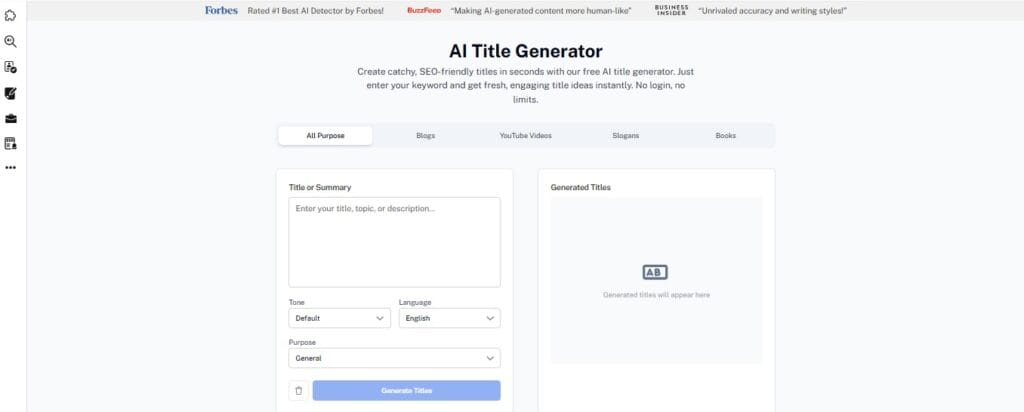
Pro Tip: Undetectable AI’s Title Generator can create concise slide titles that guide the audience’s focus and clearly state the main point of each visual.
How Undetectable AI Can Help You Present Better
Preparing a compelling presentation takes time and effort, especially when you are trying to craft the perfect message for your target audience.
AI tools can streamline this process and help you refine your content before you step in front of a room.
Undetectable AI can help you with the writing side of your own presentation in several ways. You can use it to generate clear, concise outlines that structure your talk effectively.
It can help you refine your language to make complex ideas more accessible, rephrase awkward sentences, and check that your tone is consistent throughout your script.
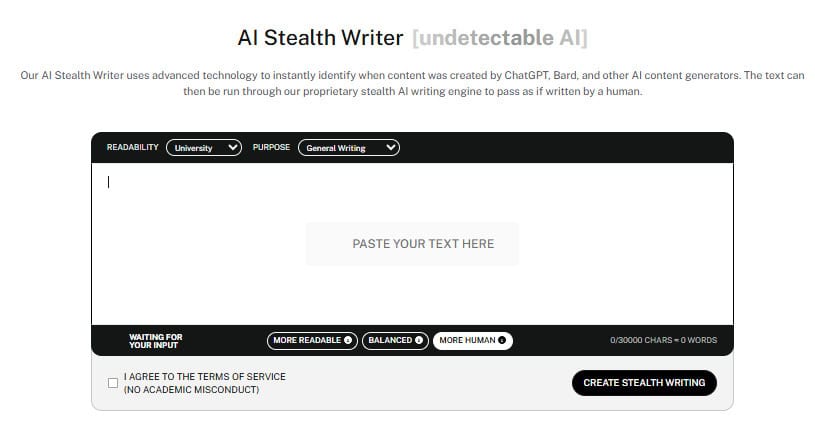
Pro Tip: Use Undetectable AI’s AI Stealth Writer to create prompts or cues to keep your audience engaged throughout your talk.
And if you need help refining your script or want quick answers to questions about your content, talk to the Undetectable AI AI Chat for instant feedback and suggestions.
Evaluating Your Presentation for Better Results
Improving your presentation skills is an ongoing process. After you finish speaking, take the time to evaluate your performance. Ask for feedback from trusted colleagues or participants.
Did they understand your message? Were they engaged throughout the talk? Did your ending prompt the response you were looking for?
Including a call to action in your presentation provides a clear next step for your audience. This is especially important in sales presentations, where you want buyers to know exactly what to do next.
A strong call to action removes ambiguity and gives your audience a concrete path forward.
Think of it as the moment your presentation stops being informational and starts being actionable. This is where you help your audience solve problems and move forward.
When you review your own presentation after the fact, pay attention to whether your closing was clear and specific.
Vague endings like “reach out if you have questions” rarely prompt action. A well-crafted close tells your audience exactly what to do, why to do it, and when.
Reviewing your performance helps you identify areas for improvement. Maybe you need to work on your eye contact, or perhaps your slides were too text-heavy.
If you recorded your presentation, watch it back and pay attention to your body language and vocal delivery. Varying tone, pitch, and pace in voice delivery keeps the audience interested and avoids monotony.
Using appropriate gestures and body language can emphasize the content of a presentation and help convey the message more effectively.
Identifying your strengths and weaknesses is the first step toward delivering even better presentations in the future.
Tips for Using Technology in Presentations
Technology can elevate your presentation, but it can also be a major source of stress if it fails. Always have a backup plan. If you are relying on a PowerPoint presentation, bring a copy on a USB drive and email it to yourself.
If you are using interactive presentation tools, make sure you have a reliable internet connection and a fallback option in case the platform is unavailable.
Arriving early for a presentation allows you to familiarize yourself with the environment and reduce anxiety. Test the microphone, check the projector, and make sure your slides display correctly.
If you are presenting virtually, check your camera angle, lighting, and audio quality before the meeting begins. Being comfortable with your technology allows you to focus on your message rather than worrying about technical glitches.
Good-quality sleep is critical for reducing anxiety and improving memory retention before a presentation. Physical activity can also help alleviate presentation anxiety and improve focus.
These might seem like small things, but they make a real difference to how confident and prepared you feel when you begin to speak.
Handling Questions and Engaging Your Audience
The Q&A session is often the most intimidating part of a presentation, but it’s also a valuable opportunity to connect with your audience and demonstrate your expertise.
Accepting interruptions during your presentation can engage buyers and indicate that they are actively listening and want to know more.
When someone asks a question mid-presentation, it usually means they are engaged, and that’s a good sign.
Anticipate the questions your listeners might ask and prepare your answers in advance. Sales representatives can establish credibility by preparing well before their presentation and answering questions from listeners about how their product works.
When someone asks a question, listen carefully, repeat it if necessary so everyone in the room can hear, and answer it directly.
Reading the body language of your audience can help you determine if they are engaged and comfortable during your presentation.
If you notice people shifting in their seats or checking their phones, it may be time to change your delivery style, ask a question, or move to your next point more quickly.
Staying attuned to your audience’s reactions is one of the most valuable presentation skills you can develop.
If you do not know the answer to a question, do not panic. It’s perfectly acceptable to say, “That is a great question, and I want to make sure I give you the most accurate information.
Let me look into that and get back to you.” This approach maintains your credibility and shows that you value accuracy over simply having a quick response. Your audience will respect that far more than a rushed, uncertain answer.
Test our AI Detector and Humanizer with the widget below!
Frequently Asked Questions About Presenting
What are the most important presentation skills for professionals?
The most important presentation skills include clear communication, effective body language, audience engagement, and the ability to structure a compelling narrative.
Good presentation skills also involve managing anxiety, using visual aids effectively, and tailoring your message to your target audience.
How can I overcome stage fright before a presentation?
Taking deep breaths before you step in front of the room is one of the simplest and most effective ways to calm your nerves.
Try taking three slow, deep breaths before you begin speaking. If you feel your heart rate rising mid-presentation, pause for a moment, take a breath, and continue. Practicing this technique regularly makes it easier to use under pressure.
Good-quality sleep and light physical activity before a presentation can also make a significant difference to how calm and focused you feel. Arriving early to familiarize yourself with the room and practicing your delivery out loud are also highly effective ways to build self-confidence and reduce anxiety.
Transforming fear into positive enthusiasm, reminding yourself that nerves mean you care about doing well, can also help shift your mindset.
How much text should be on a presentation slide?
A good rule of thumb is the 5/5/5 rule: no more than 5 words per line, 5 lines per slide, and 5 text-heavy slides in a row. Your slides should highlight key points and support your spoken words, not serve as a script for you to read from.
Why is eye contact important during a presentation?
Maintaining eye contact helps to connect with the audience and exude confidence. It makes your listeners feel involved and helps you gauge their reactions, allowing you to adjust your delivery if you notice they are losing focus.
Aim for 3-5 seconds of eye contact with different sections of the room rather than staring at one person or scanning the room too quickly.
What makes a strong opening for a presentation?
A strong opening grabs the audience’s attention immediately. You can achieve this by asking a provocative question, sharing a surprising statistic, or telling a brief, relevant personal story that introduces your central idea.
Avoid starting with a long self-introduction or reading your title slide. Get straight to something that makes your audience want to listen.
How do I handle difficult questions during a presentation?
Listen carefully, repeat the question so everyone can hear it, and answer directly. If you do not know the answer, say so honestly and offer to follow up.
Staying calm and composed under pressure is one of the most impressive presentation skills you can demonstrate, and your audience will respect your honesty far more than a fumbled guess.
Now Presenting, Final Thoughts
Mastering the art of presenting is not about becoming a flawless, robotic speaker. It’s about learning how to communicate your ideas clearly, connect with your audience, and deliver your message with confidence.
By starting with a strong hook, using visuals effectively, engaging your listeners, and practicing your delivery, you can turn a daunting task into a powerful opportunity to share your expertise.
Every time you speak in front of a group, you are building your skills. Pay attention to what works, ask for feedback, and keep refining your approach.
The most effective communicators are not necessarily the most naturally gifted. They are the ones who take the craft seriously and keep improving.
With preparation and practice, you can deliver compelling presentations that leave a lasting impact on your listeners.
Polish your presentation scripts, refine your message, and ensure every word resonates with your audience using Undetectable AI.